Your pain point, in one line.AI does the rest, searching a sea of cases.
Qronix is a team that has done nothing but CAD jidouka. The cases we have implemented on the floor, and the ideas that grew out of them, are countless. Just type "this task is a pain every day" and AI will suggest the closest matches. If you cannot find the words, or you are not sure whether it can be automated at all, ask Mini Qi at the bottom right. It has read this entire list.
—
Tags narrow the list to items that contain all of them (the more you add, the narrower). If you are not sure how to search, nothing comes up, or you want to know whether something is possible, use "Ask Mini Qi". Unlike the search box, plain everyday wording is fine.
Describe your problem in one line, or pick a tag, then press Search. We show up to 30 of the closest matches. If you cannot put it into words, use Ask Mini Qi. "This task is a pain every day" is enough.
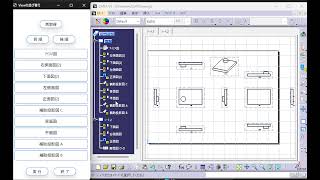
OverviewCreates three-view drawings from a part in one batch. Select the targets and run: the required elements are generated automatically on the CATIA drawing and the layout follows company rules. Measured, one run went from 5 min to 0.1 min. The more sheets, the bigger the gain, and a design change can be reworked with the same steps.
OverviewRe-establishes broken drawing links. Select the targets and run: the required elements are generated automatically on the CATIA drawing and the layout follows company rules. Measured, one run went from 10 min to 0.1 min. The more sheets, the bigger the gain, and a design change can be reworked with the same steps.
OverviewConverts sheet-metal surfaces into solid data with thickness applied. The conversion and cleanup steps are built straight into a macro, so multiple files can be processed together. Measured, one run went from 30 min to 0.1 min. Similar work can be reused with only minor adjustments.
OverviewAlways maintains the shortest point between two elements, so templates that rely on that point can be built into a procedure. Select the targets and run, and the macro takes over steps that used to be repeated by hand. The more often an operation repeats, the clearer the gain.
EffectEst.: automates manual work and cuts repetitive-task time and operation errors
OverviewCaptures the screen and drops it into Excel with a single click. The macro handles the transcription between CATIA and Excel and even formats the aggregation and the report. Measured, one run went from 5 min to 0.1 min. The copying mistakes that happened on every transcription disappear, and the report updates in one pass.
OverviewBreaks the data inside a Part into a Product, split by geometrical set or similar unit. Specify the target geometry or conditions and the macro repeats the CATIA operations for you, removing variation between operators. Measured, one run went from 15 min to 0.1 min. Similar work can be reused with only minor adjustments.
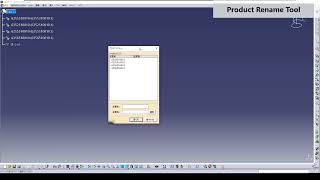
OverviewRenames Product files and instance names in bulk. The conversion and cleanup steps are built straight into a macro, so multiple files can be processed together. Measured, one run went from 15 min to 0.1 min. Settings that match the receiving side's rules can be saved, so results stay consistent even when the person in charge changes.
OverviewSwitches visibility in bulk by data type, such as points, curves, surfaces and volumes. Specify the target geometry or conditions and the macro repeats the CATIA operations for you, removing variation between operators. Measured, one run went from 1 min to 0.1 min.
OverviewCreates section lines from a straight line on the drawing. Select the targets and run: the required elements are generated automatically on the CATIA drawing and the layout follows company rules. Measured, one run went from 5 min to 0.1 min. The more sheets, the bigger the gain, and a design change can be reworked with the same steps.
OverviewConverts in bulk between Part data and neutral files such as IGES, STEP and STL. The conversion and cleanup steps are built straight into a macro, so multiple files can be processed together. Measured, one run went from 5 min to 0.1 min. Fine adjustments to suit shop-floor practice are covered as well.
OverviewUpdates tables shared between a drawing and Excel with minimal effort. Select the targets and run: the required elements are generated automatically on the CATIA drawing and the layout follows company rules. Measured, one run went from 10 min to 0.1 min. The more sheets, the bigger the gain, and a design change can be reworked with the same steps.
OverviewDetects the holes in a part automatically and pulls information such as each hole's center coordinates and hole type in one pass. Specify the target geometry or conditions and the macro repeats the CATIA operations for you, removing variation between operators. Measured, one run went from 10 min to 0.1 min. A work log remains, so tracing what happened later is easy.
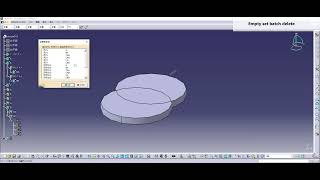
OverviewDeletes every empty body, geometrical set and ordered geometrical set in one pass. Specify the target geometry or conditions and the macro repeats the CATIA operations for you, removing variation between operators. Measured, one run went from 3 min to 0.1 min. A work log remains, so tracing what happened later is easy.
OverviewConverts CATDrawing data in bulk into other formats such as DXF, PDF and TIFF. Select the targets and run: the required elements are generated automatically on the CATIA drawing and the layout follows company rules. Measured, one run went from 5 min to 0.1 min.
OverviewOutputs a BOM and similar lists from the structure of a Product. The macro handles the transcription between CATIA and Excel and even formats the aggregation and the report. Measured, one run went from 15 min to 0.1 min. The copying mistakes that happened on every transcription disappear, and the report updates in one pass.
OverviewCloses holes and openings automatically. Specify the target geometry or conditions and the macro repeats the CATIA operations for you, removing variation between operators. Measured, one run went from 20 min to 1 min. Because the same operation rebuilds the result when the geometry changes, more iterations become possible.
OverviewChanges the display state of elements of a specific type in bulk. Select the targets and run, and the macro takes over steps that used to be repeated by hand. Measured, one run went from 2 min to 0.1 min. A work log remains, so tracing what happened later is easy.
OverviewRenames bodies, geometrical sets and element names in bulk. Specify the target geometry or conditions and the macro repeats the CATIA operations for you, removing variation between operators. Measured, one run went from 15 min to 0.1 min. Because the same operation rebuilds the result when the geometry changes, more iterations become possible.
OverviewSaves only the selected surfaces or geometrical sets you are working on into a temporary folder automatically, making it easy to share them with a colleague. The conversion and cleanup steps are built straight into a macro, so multiple files can be processed together. Measured, one run went from 5 min to 0.1 min.
OverviewDraws axes on holes automatically in a Drawing. Select the targets and run: the required elements are generated automatically on the CATIA drawing and the layout follows company rules. Measured, one run went from 5 min to 0.1 min. The more sheets, the bigger the gain, and a design change can be reworked with the same steps.
OverviewDraws leader lines automatically in a Drawing. Select the targets and run: the required elements are generated automatically on the CATIA drawing and the layout follows company rules. Measured, one run went from 15 min to 0.1 min. The more sheets, the bigger the gain, and a design change can be reworked with the same steps.
OverviewPlaces bolts, nuts, clips and similar parts easily by creating an axis on the hole automatically. Standard jig and tool designs are generated from parameter input alone, cutting setup time. Measured, one run went from 3 min to 0.1 min. Fine adjustments to suit shop-floor practice are covered as well.
OverviewReads the parent geometry's color from the history of the section (intersection) and applies it to the section geometry. Select the targets and run: the required elements are generated automatically on the CATIA drawing and the layout follows company rules. Measured, one run went from 2 min to 0.1 min. A work log remains, so tracing what happened later is easy.
OverviewDraws three axes automatically on holes of any given size in sheet metal. Select the targets and run: the required elements are generated automatically on the CATIA drawing and the layout follows company rules. Measured, one run went from 15 min to 0.1 min. Similar work can be reused with only minor adjustments.
OverviewBuilds pipe geometry in bulk from coordinate values held in Excel. The macro handles the transcription between CATIA and Excel and even formats the aggregation and the report. Measured, one run went from 30 min to 0.1 min. The copying mistakes that happened on every transcription disappear, and the report updates in one pass.
OverviewGenerates the title block automatically according to the user. Select the targets and run: the required elements are generated automatically on the CATIA drawing and the layout follows company rules. Measured, one run went from 20 min to 0.1 min. The more sheets, the bigger the gain, and a design change can be reworked with the same steps.
OverviewMeasures the sheet thickness of a specified part automatically. Specify the target geometry or conditions and the macro repeats the CATIA operations for you, removing variation between operators. Measured, one run went from 30 min to 5 min. Because the same operation rebuilds the result when the geometry changes, more iterations become possible.
OverviewCalculates section properties with little effort. Select the targets and run, and the macro takes over steps that used to be repeated by hand. Measured, one run went from 20 min to 0.1 min. The more often an operation repeats, the clearer the gain. Fine adjustments to suit shop-floor practice are covered as well.
OverviewOrganizes dimension, annotation and tolerance information on a 3D drawing automatically to improve legibility. Select the targets and run: the required elements are generated automatically on the CATIA drawing and the layout follows company rules. Measured, one run went from 12 min to 0.1 min. Similar work can be reused with only minor adjustments.
TOOLDirection-flip control UDF for ordered geometry
OverviewControls elements so their direction does not flip while a procedure is being built, keeping the orientation consistent. Select the targets and run, and the macro takes over steps that used to be repeated by hand. Measured, one run went from 20 min to 0.1 min. Fine adjustments to suit shop-floor practice are covered as well.
OverviewOutputs analysis results and images into an Excel or similar report in one batch. Preparation before handing data to analysis and extraction of the results are automated, lightening the work of running the same study under changed conditions. Measured, one run went from 20 min to 0.1 min. The round trip from model fix to recalculation gets shorter.
OverviewCuts a Product in bulk with an arbitrary cubic box. Select the targets and run, and the macro takes over steps that used to be repeated by hand. Measured, one run went from 30 min to 0.1 min. Similar work can be reused with only minor adjustments, and a work log remains so tracing what happened later is easy.
OverviewCalculates the yield rate automatically when a specified surface is nested several times. Specify the target geometry or conditions and the macro repeats the CATIA operations for you, removing variation between operators. Measured, one run went from 20 min to 0.1 min. Fine adjustments to suit shop-floor practice are covered as well.
OverviewAssigns the drawing zone reference automatically to both the section and the section line positions on a drawing. Select the targets and run: the required elements are generated automatically on the CATIA drawing and the layout follows company rules. Measured, one run went from 60 min to 0.1 min.
OverviewJudges whether the radius is large enough to be machined with a given cutting tool. The macro scans the check items a person used to follow by eye and shows the affected spots in a list with highlights. Measured, one run went from 20 min to 0.1 min. Fewer checks are missed, and each finding doubles as a correction instruction.
OverviewChecks the draft angle of resin parts automatically. The macro scans the check items a person used to follow by eye and shows the affected spots in a list with highlights. Measured, one run went from 30 min to 0.1 min. Fewer checks are missed, and each finding doubles as a correction instruction.
OverviewDraws bead geometry on welded areas automatically. Select the targets and run: the required elements are generated automatically on the CATIA drawing and the layout follows company rules. Measured, one run went from 120 min to 0.1 min. The more sheets, the bigger the gain, and a design change can be reworked with the same steps.
OverviewSaves the CATIA operation history as a log and analyses work efficiency. The conversion and cleanup steps are built straight into a macro, so multiple files can be processed together. Settings that match the receiving side's rules can be saved, so results stay consistent even when the person in charge changes.
EffectEst.: automates conversion and cleanup steps and cuts waiting time on data handover
OverviewUnfolds several bent sheet-metal parts in one batch and measures values such as perimeter. Specify the target geometry or conditions and the macro repeats the CATIA operations for you, removing variation between operators. Measured, one run went from 30 min to 0.1 min. Fine adjustments to suit shop-floor practice are covered as well.
OverviewApplies the constraints needed for CAE analysis in one batch. Preparation before handing data to analysis and extraction of the results are automated, lightening the work of running the same study under changed conditions. Measured, one run went from 80 min to 0.1 min. A work log remains, so tracing what happened later is easy.
OverviewDraws the geometry of bolted joints automatically. Select the targets and run: the required elements are generated automatically on the CATIA drawing and the layout follows company rules. Measured, one run went from 120 min to 0.1 min. The more sheets, the bigger the gain, and a design change can be reworked with the same steps.
OverviewJudges whether the axial force is right when several stacked sheet-metal plates are bolted together. The macro scans the check items a person used to follow by eye and shows the affected spots in a list with highlights. Fewer checks are missed, and each finding doubles as a correction instruction.
EffectEst.: replaces visual checks with automatic judgement, reducing oversights and check time
OverviewVisualizes where water collects when a part is flooded or otherwise exposed to water. Select the targets and run, and the macro takes over steps that used to be repeated by hand. Measured, one run went from 60 min to 0.1 min. The more often an operation repeats, the clearer the gain.
OverviewDraws bolt geometry automatically. Select the targets and run: the required elements are generated automatically on the CATIA drawing and the layout follows company rules. Measured, one run went from 60 min to 0.1 min. The more sheets, the bigger the gain, and a design change can be reworked with the same steps.
OverviewMakes the differences between two drawings visible. Select the targets and run: the required elements are generated automatically on the CATIA drawing and the layout follows company rules. Measured, one run went from 30 min to 0.1 min. The more sheets, the bigger the gain, and a design change can be reworked with the same steps.
OverviewCreates an assembly drawing from assembly data. Select the targets and run: the required elements are generated automatically on the CATIA drawing and the layout follows company rules. The more sheets, the bigger the gain, and a design change can be reworked with the same steps.
EffectEst.: replaces manual drafting and correction with one button, cutting steps per drawing sheet
OverviewDraws automatically the surface that forms the visibility boundary from a given viewpoint. Select the targets and run: the required elements are generated automatically on the CATIA drawing and the layout follows company rules. Measured, one run went from 30 min to 0.1 min. Similar work can be reused with only minor adjustments.
OverviewRuns the requirement check on the trim line for sheet-metal pressing. The macro scans the check items a person used to follow by eye and shows the affected spots in a list with highlights. Measured, one run went from 30 min to 0.1 min. Fewer checks are missed, and each finding doubles as a correction instruction.
OverviewCreates a simplified flat pattern from the shape after sheet-metal pressing. The macro scans the check items a person used to follow by eye and shows the affected spots in a list with highlights. Measured, one run went from 30 min to 0.1 min. Fewer checks are missed, and each finding doubles as a correction instruction.
OverviewChecks the requirements between weld spots. The macro scans the check items a person used to follow by eye and shows the affected spots in a list with highlights. Measured, one run went from 60 min to 0.1 min. Similar work can be reused with only minor adjustments, and a work log remains for later tracing.
OverviewInstantly searches specific annotation and tolerance information inside a 3D model, giving quick access to what you need. Select the targets and run: the required elements are generated automatically on the CATIA drawing and the layout follows company rules. A work log remains, so tracing what happened later is easy.
EffectEst.: replaces manual drafting and correction with one button, cutting steps per drawing sheet
OverviewFrom the weld line and the sheet-metal solid, creates bead geometry for use in interference checks and analysis. Preparation before handing data to analysis and extraction of the results are automated, lightening the work of running the same study under changed conditions. The round trip from model fix to recalculation gets shorter.
EffectEst.: reduces manual pre- and post-processing for analysis and allows more condition studies
OverviewCompares configuration differences between product revisions. The macro scans the check items a person used to follow by eye and shows the affected spots in a list with highlights. Measured, one run went from 15 min to 0.1 min. Fewer checks are missed, and each finding doubles as a correction instruction.
TOOLAutomatic disassembly and assembly procedure generation tool
OverviewBuilds the disassembly procedure automatically from a 3D model and turns it into an animation. Standard jig and tool designs are generated from parameter input alone, cutting setup time. Measured, one run went from 120 min to 10 min. Past jigs can serve as templates, so similar products need not be designed from scratch.
OverviewCreates the boundary faces during rotation and builds the rotational sweep surface. Select the targets and run: the required elements are generated automatically on the CATIA drawing and the layout follows company rules. Measured, one run went from 15 min to 0.1 min.
OverviewMeasures the parting gap between body panels. The macro scans the check items a person used to follow by eye and shows the affected spots in a list with highlights. Measured, one run went from 60 min to 0.1 min. Similar work can be reused with only minor adjustments, and a work log remains for later tracing.
OverviewBuilds the opposite parting line from a reference parting line so that the gap stays constant. Select the targets and run, and the macro takes over steps that used to be repeated by hand. Measured, one run went from 90 min to 0.1 min. Fine adjustments to suit shop-floor practice are covered as well.
OverviewDraws reinforcement ribs on the back of resin parts automatically. Preparation before handing data to analysis and extraction of the results are automated, lightening the work of running the same study under changed conditions. Measured, one run went from 60 min to 0.1 min. A work log remains for later tracing.
OverviewPlaces machining jigs against the finished geometry and judges whether they interfere with each part. The macro scans the check items a person used to follow by eye and shows the affected spots in a list with highlights. Measured, one run went from 15 min to 0.1 min. Similar work can be reused with only minor adjustments.
OverviewReproduces the hole geometry automatically according to its material, position and size. The macro scans the check items a person used to follow by eye and shows the affected spots in a list with highlights. Measured, one run went from 15 min to 0.1 min. Fewer checks are missed, and each finding doubles as a correction instruction.
OverviewAutomatically calculates tightening torque for screws and bolts so that correct fastening conditions can be set. Standard jig and cutting-tool designs are generated from parameter input alone, shortening setup time. Measured, one run dropped from 15 min to 0.1 min.
OverviewPerforms RPA-equivalent processing with VBA alone and fully automates Window operations. Routine work outside CAD is automated as one continuous flow, so people only look at the points that need judgement. Measured, one run dropped from 100 min to 0.1 min.
OverviewRuns analyses as a batch based on preset conditions. Preparation before handing data to the solver and extraction of results are automated, easing the work of re-running many times with changed conditions. Measured, one run dropped from 120 min to 0.1 min.
OverviewSpell-checks and corrects text strings on drawings. Just select the targets and run: the required elements are created automatically on the CATIA drawing and the format is aligned to company standards. Measured, one run dropped from 20 min to 0.1 min.
OverviewAutomatically measures the outline and area seen from a specified view direction. Just select the targets and run, and the macro takes over a process that used to be repeated by hand. Measured, one run dropped from 60 min to 0.1 min.
OverviewExtracts, in one batch, the user-defined property information held inside a Product. Just select the targets and run, and the macro takes over a process that used to be repeated by hand. Measured, one run dropped from 30 min to 0.1 min.
OverviewManages in one place the setting and administration of instruction information attached to hole geometry. Tool distribution, updates and usage tracking are centralised so the shop floor always uses the latest version. Measured, one run dropped from 60 min to 0.1 min.
OverviewAutomatically draws a hole list and outputs it as a managed table. Just select the targets and run: required elements are created on the CATIA drawing and the format is aligned to company standards. The more sheets there are, the greater the effect.
EffectEst.: replaces manual drafting and correction with a single button, cutting the steps per drawing sheet
TOOLCenter of gravity and moment of inertia calculation tool
OverviewAutomatically calculates the center of gravity position and moment of inertia of a model and outputs them to Excel. The macro handles transcription between CATIA and Excel, and even formats the aggregation and report. Measured, one run dropped from 15 min to 0.1 min.
OverviewAutomatically deletes tiny features and edges to improve analysis accuracy. Preparation before handing data to the solver and extraction of results are automated, easing repeated runs with changed conditions. Measured, one run dropped from 60 min to 0.1 min.
OverviewCompares analysis results before and after a design change and identifies the influencing parameters. Preparation before the solver and extraction of results are automated, easing repeated runs with changed conditions. Measured, one run dropped from 180 min to 10 min.
OverviewConverts 3D models to DXF, PDF and Excel in one batch. Just select the targets and run: required elements are created on the CATIA drawing and the format is aligned to company standards. Measured, one run dropped from 60 min to 0.1 min.
OverviewAutomatically checks external projections against regulatory requirements. The macro scans the check items a person used to follow by eye and shows the relevant places in a list with highlights. Measured, one run dropped from 300 min to 10 min.
OverviewAutomatically calculates the wire and gas consumed in welding to optimise cost management. Standard jig and cutting-tool designs are generated from parameter input alone, shortening setup time. Measured, one run dropped from 60 min to 0.1 min.
OverviewConverts solid to surface and solid to volume, and back, in one batch. The conversion and cleanup steps are captured directly in the macro, so multiple files can be processed together. Measured, one run dropped from 30 min to 0.1 min.
OverviewAutomatically measures the volume of 3D data that is not a fully closed space and cannot be made solid. Specify the target geometry and conditions and the macro takes over the repeated CATIA operations, removing variation in procedure. Measured, one run dropped from 180 min to 10 min.
OverviewCounts design-change symbols and specific shapes on a drawing. Just select the targets and run: required elements are created on the CATIA drawing and the format is aligned to company standards. Measured, one run dropped from 15 min to 0.1 min.
OverviewRuns a gradient-method optimisation calculation from a macro. Just select the targets and run, and the macro takes over a process that used to be repeated by hand. Measured, one run dropped from 30 min to 0.1 min. A log remains, so the history is easy to trace later.
OverviewCreates the pre-trim design reference surfaces for every selected face. Just select the targets and run, and the macro takes over a process that used to be repeated by hand. The more often the same operation is repeated, the clearer the benefit.
EffectEst.: automates manual work and reduces the time and operating errors of repetitive tasks
OverviewFilters specific Parts (DF1). Just select the targets and run, and the macro takes over a process that used to be repeated by hand. Measured, one run dropped from 15 min to 0.1 min. The more often the same operation repeats, the clearer the benefit.
OverviewApplies CATDUA cleanup to multiple files in one batch. The conversion and cleanup steps are captured directly in the macro, so multiple files can be processed together. Measured, one run dropped from 5 min to 0.1 min.
OverviewCreates backups automatically at fixed intervals. The conversion and cleanup steps are captured directly in the macro, so multiple files can be processed together. Settings matched to the receiving side can be saved, so results stay consistent even when the person in charge changes.
EffectEst.: automates conversion and cleanup steps and reduces waiting time for data handover
OverviewAutomatically calculates the optimal mesh size according to part size and curvature. Preparation before handing data to the solver and extraction of results are automated, easing repeated runs with changed conditions. Measured, one run dropped from 60 min to 1 min.
OverviewAutomatically creates a mesh suited to the geometry. Preparation before handing data to the solver and extraction of results are automated, easing the work of re-running with changed conditions. Detailed adjustments to match shop-floor practice are also covered.
EffectEst.: reduces manual pre- and post-processing in analysis so more condition cases can be run
OverviewAutomatically refines the mesh where stress concentration is expected. Preparation before the solver and extraction of results are automated, easing the work of re-running with changed conditions. The loop from model fix to recalculation gets shorter.
EffectEst.: reduces manual pre- and post-processing in analysis so more condition cases can be run
OverviewReads fillet radius values from the history and colours each fillet by R value. The conversion and cleanup steps are captured directly in the macro, so multiple files can be processed together. Measured, one run dropped from 15 min to 0.1 min.
OverviewConverts specific elements inside a Drawing into construction elements in one batch. Just select the targets and run: required elements are created on the CATIA drawing and the format is aligned to company standards.
EffectEst.: replaces manual drafting and correction with a single button, cutting the steps per drawing sheet
OverviewDraws the optimal parting line from a specified reference plane and the geometry. Just select the targets and run: required elements are created on the CATIA drawing and the format is aligned to company standards. Measured, one run dropped from 60 min to 10 min.
OverviewTakes the main dimensions from a 3D model and outputs them to Excel. The macro handles transcription between CATIA and Excel and even formats the aggregation and report. Transcription mistakes disappear and the report updates in one pass.
EffectEst.: automates CAD-to-Excel transcription and reduces transcription errors and aggregation time
OverviewTurns analysis results into a report automatically following a template. Preparation before the solver and extraction of results are automated, easing repeated runs with changed conditions. Measured, one run dropped from 30 min to 0.1 min.
OverviewAutomatically analyses the effect of a design change on cost, weight and strength. Preparation before the solver and extraction of results are automated, easing the work of re-running with changed conditions. The loop from model fix to recalculation gets shorter.
EffectEst.: reduces manual pre- and post-processing in analysis so more condition cases can be run
OverviewReproduces the state in which a given part rattles so that interference with surrounding parts can be seen. The macro scans the check items a person used to follow by eye and shows the relevant places in a list with highlights. Measured, one run dropped from 60 min to 0.1 min.
OverviewAutomatically creates repair and inspection procedure documents using the 3D model. Just select the targets and run, and the macro takes over a process that used to be repeated by hand. Measured, one run dropped from 120 min to 10 min.
OverviewDraws gear geometry for a range of specification values in one batch. Just select the targets and run: required elements are created on the CATIA drawing and the format is aligned to company standards. Measured, one run dropped from 60 min to 0.1 min.
OverviewReorders geometrical sets in one batch. Specify the target geometry and conditions and the macro takes over the repeated CATIA operations, removing variation in procedure. Measured, one run dropped from 15 min to 0.1 min.
OverviewCreates CGR data (cache data) for a specified Product in one batch. The conversion and cleanup steps are captured directly in the macro, so multiple files can be processed together. Measured, one run dropped from 30 min to 0.1 min.
OverviewMerges Product data into a single Part and tidies the geometrical sets so their structure matches the original Product configuration. Specify the target geometry and conditions and the macro takes over the repeated CATIA operations, removing variation in procedure. Measured, one run dropped from 20 min to 0.1 min.
OverviewAutomatically applies rib geometry along a specified path. Specify the target geometry and conditions and the macro takes over the repeated CATIA operations, removing variation in procedure. Rebuilding after a shape change uses the same operation, so more trials are possible.
EffectEst.: automates repetitive geometry operations and reduces the steps in model creation
OverviewDeletes unnecessary history and makes the model data lighter. The conversion and cleanup steps are captured directly in the macro, so multiple files can be processed together. Settings matched to the receiving side can be saved, so results stay consistent between people.
EffectEst.: automates conversion and cleanup steps and reduces waiting time for data handover
OverviewMoves a specified history item forward or backward. The conversion and cleanup steps are captured directly in the macro, so multiple files can be processed together. Settings matched to the receiving side can be saved, so results stay consistent between people.
EffectEst.: automates conversion and cleanup steps and reduces waiting time for data handover
OverviewAutomatically searches for an assembly path while rotating and translating the part. Standard jig and cutting-tool designs are generated from parameter input alone, shortening setup time. Measured, one run dropped from 120 min to 10 min.
OverviewCreates a specified text string as wireframe geometry in 3D space. Specify the target geometry and conditions and the macro takes over the repeated CATIA operations, removing variation in procedure. Measured, one run dropped from 30 min to 0.1 min.
OverviewAutomatically measures the volume of a vehicle luggage compartment. Just select the targets and run, and the macro takes over a process that used to be repeated by hand. Measured, one run dropped from 120 min to 1 min.
OverviewAnalyses results such as maximum stress, displacement and stiffness and makes the OK/NG judgement automatically. Preparation before the solver and extraction of results are automated, easing repeated runs with changed conditions.
EffectEst.: reduces manual pre- and post-processing in analysis so more condition cases can be run
OverviewChecks how far apart parent and child steps are, in order to improve the readability of the procedure. The macro scans the check items a person used to follow by eye and shows the relevant places in a list with highlights. Measured, one run dropped from 30 min to 0.1 min.
OverviewManages OGS elements that are hard to show or hide, at sub-geometry level. Tool distribution, updates and usage tracking are centralised so the shop floor always uses the latest version. Measured, one run dropped from 5 min to 0.1 min.
OverviewAutomatically deletes elements that are not used in the procedure. The conversion and cleanup steps are captured directly in the macro, so multiple files can be processed together. Measured, one run dropped from 15 min to 0.1 min.
OverviewChecks position information so that drafting positions do not end up scattered. Just select the targets and run: required elements are created on the CATIA drawing and the format is aligned to company standards. The more sheets there are, the greater the effect.
EffectEst.: replaces manual drafting and correction with a single button, cutting the steps per drawing sheet
OverviewDraws wire lines in 3D space. Just select the targets and run: required elements are created on the CATIA drawing and the format is aligned to company standards. The more sheets there are, the greater the effect, and a design change can be redone with the same steps.
EffectEst.: replaces manual drafting and correction with a single button, cutting the steps per drawing sheet
OverviewCreates bead geometry along weld lines in one batch. It takes the two nearest parts of the thickened volume and splits them. W_BEAD_SHAPE_TOOL.catvba. Standard jig and cutting-tool designs are generated from parameter input alone, shortening setup time.
EffectEst.: automates routine jig and cutting-tool design work and reduces setup time
OverviewTwo-sided I and Z output for arbitrary sections, FEM shear center, and batch calculation. Acceptance test 6/6 match. CATIA porting comes later. Preparation before the solver and extraction of results are automated.
EffectEst.: reduces manual pre- and post-processing in analysis so more condition cases can be run
OverviewGenerates pipe centerlines in one batch with PowerCopy. Specify the target geometry and conditions and the macro takes over the repeated CATIA operations, removing variation in procedure. Rebuilding after a shape change uses the same operation.
EffectEst.: automates repetitive geometry operations and reduces the steps in model creation
TOOLStyling study model creation tool QuickMockPanel
OverviewAutomatically generates simple panel geometry for styling studies, right through to the 2D drawing. Just select the targets and run: required elements are created on the CATIA drawing and the format is aligned to company standards.
EffectEst.: replaces manual drafting and correction with a single button, cutting the steps per drawing sheet
OverviewBuilds connector and wire-harness schematics interactively. Built on Excel, it picks up wire length and part numbers from CATIA 3D. Wiring and electrical information is taken straight from the model and passed downstream without manual entry or transcription.
EffectEst.: reduces manual entry of wiring and electrical data and prevents missed checks
OverviewLeaves the shape differences between Parts as 3D elements; also usable for rough design-change costing. The macro scans the check items a person used to follow by eye and shows the relevant places in a list with highlights.
EffectEst.: replaces visual checking with automatic judgement and reduces oversights and checking time
OverviewAutomatically creates a configuration list and an illustrated parts list from a Product (BOM preparation time cut to 1.6%). The macro handles transcription between CATIA and Excel and even formats the aggregation and report.
EffectEst.: automates CAD-to-Excel transcription and reduces transcription errors and aggregation time
OverviewSearches several routes at once that satisfy conditions such as length, interference and minimum R (STL to A*). The macro scans the check items a person used to follow by eye and shows the relevant places in a list with highlights.
EffectEst.: replaces visual checking with automatic judgement and reduces oversights and checking time
OverviewAnalyses ECU mounting frequencies mode by mode in one batch. Wiring and electrical information is taken straight from the model and passed downstream without manual entry or transcription. Detailed adjustments to match shop-floor practice are covered.
EffectEst.: reduces manual entry of wiring and electrical data and prevents missed checks
OverviewVisualises the maximum play reproduced from hole and tab tolerances and the ECU interference range (study man-hours down 80%). Wiring and electrical information is taken straight from the model and passed downstream without manual entry or transcription.
EffectEst.: reduces manual entry of wiring and electrical data and prevents missed checks
OverviewExtracts only the outer surface of complex geometry. OpenCASCADE plus Embree. Specify the target geometry and conditions and the macro takes over the repeated CATIA operations, removing variation in procedure.
EffectEst.: automates repetitive geometry operations and reduces the steps in model creation
OverviewTechnical study of text extraction and table-structure detection from PDF/TIFF. Select the target, run it, and the required elements are created on the CATIA drawing with formatting aligned to company rules. The larger the sheet count, the greater the gain, and design changes can be re-run with the same procedure.
EffectEst.: replaces manual drafting and correction with a single button, cutting the steps per drawing sheet
OverviewCollects surrounding parts, sets the coordinate system, places the cutting tool, and searches for an interference-free swing angle. Items an engineer used to follow by eye are scanned by macro and shown as a list with highlights, so findings double as correction instructions.
EffectEst.: replaces visual checks with automatic judgment, reducing oversights and check time
OverviewVisualizes the light intensity concentrating on a car navigation bezel. Select the target, run it, and the macro takes over steps that were repeated by hand. Similar work can be reused with minor edits, and a log of each run makes it easy to trace what happened later.
EffectEst.: automates manual work, reducing repetitive task time and operation errors
OverviewJudges whether parts that must stay hidden for security reasons are visible through gaps. Items an engineer used to follow by eye are scanned by macro and shown as a list with highlights, so findings double as correction instructions. Fine tuning to match shop-floor practice is included.
EffectEst.: replaces visual checks with automatic judgment, reducing oversights and check time
OverviewRecords CATIA operations automatically and exports them to CSV for analysis. The macro handles the transcription between CATIA and Excel and even formats the aggregation and report layout. Writing mistakes that happened at every transcription disappear, and report updates finish in one pass.
EffectEst.: automates CAD-to-Excel transcription, reducing transcription errors and aggregation time
OverviewSorts drawing views automatically in ascending or descending order. Select the target, run it, and the required elements are created on the CATIA drawing with formatting aligned to company rules. Similar work can be reused with minor edits, and design changes can be re-run the same way.
EffectEst.: replaces manual drafting and correction with a single button, cutting the steps per drawing sheet
OverviewJudges shape similarity of STEP files with a lightweight 3D viewer, cutting search man-hours by 95%. Items an engineer used to follow by eye are scanned and shown as a list with highlights, so findings double as correction instructions. Fine tuning to match shop-floor practice is included.
EffectEst.: replaces visual checks with automatic judgment, reducing oversights and check time
OverviewAutomatically fills in the faces that conventional offset drops, producing high-quality offset surfaces. Specify the geometry and conditions and the macro takes over the repetitive CATIA operations, removing variation between engineers. Rebuilding after a shape change costs nothing, so more trials fit in.
EffectEst.: automates repetitive geometry operations, reducing the steps to build a model
OverviewControls the direction of curves, surfaces, and planes automatically using a reference point or reference line. Select the target, run it, and the macro takes over steps that were repeated by hand. A log of each run makes it easy to trace what happened later.
EffectEst.: automates manual work, reducing repetitive task time and operation errors
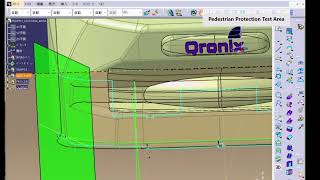
TOOLPedestrian protection leg-impact test area drafting tool
OverviewGenerates pedestrian protection certification lines automatically. Select the target, run it, and the required elements are created on the CATIA drawing with formatting aligned to company rules. The larger the sheet count, the greater the gain, and design changes can be re-run the same way.
EffectEst.: replaces manual drafting and correction with a single button, cutting the steps per drawing sheet
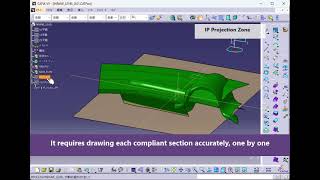
TOOLInterior/exterior projection instrument panel area drafting tool
OverviewCreates certification lines automatically [QRX091]. Select the target, run it, and the required elements are created on the CATIA drawing with formatting aligned to company rules. The larger the sheet count, the greater the gain, and design changes can be re-run the same way.
EffectEst.: replaces manual drafting and correction with a single button, cutting the steps per drawing sheet
OverviewAn AI agent that operates CATIA from natural-language instructions. Just talk to Qi and it picks and runs the right tool, so nothing has to be memorized. Before running, a gatekeeper checks the conditions, and nothing runs if they are not met: this execution control is Patent No. 7907964. Existing in-house macros can also be called from Qi.
EffectEst.: run tools just by talking, reducing the time spent learning operations
OverviewThe .NET version, a tool launcher already in production use at several design sites. Distribution, updates, and usage tracking are centralized so the shop floor always runs the latest build. Seeing who uses which tool and how often shows what to build next.
EffectEst.: centralizes tool distribution and updates, reducing operational overhead
OverviewAn AI-assistance demo tool. Just talk to Qi and it picks and runs the right tool, so nothing has to be memorized. Similar work can be reused with minor edits, and a log of each run makes it easy to trace what happened later.
EffectEst.: run tools just by talking, reducing the time spent learning operations
OverviewA VBA auto-generation loop platform built on three layers: library, references, and knowledge. Select the target, run it, and the macro takes over steps that were repeated by hand. The more often the same operation repeats, the clearer the gain.
EffectEst.: automates manual work, reducing repetitive task time and operation errors
OverviewA commercial set of 110 macros, available by subscription or one-time purchase. Select the target, run it, and the macro takes over steps that were repeated by hand. A log of each run makes it easy to trace what happened later.
EffectEst.: automates manual work, reducing repetitive task time and operation errors
OverviewChecks interior and exterior projection regulatory requirements. Items an engineer used to follow by eye are scanned by macro and shown as a list with highlights, so findings double as correction instructions. A log of each run makes it easy to trace what happened later.
EffectEst.: replaces visual checks with automatic judgment, reducing oversights and check time
OverviewA CATIA cube training and demo package. Select the target, run it, and the macro takes over steps that were repeated by hand. Fine tuning to match shop-floor practice is included, and a log of each run makes it easy to trace what happened later.
EffectEst.: automates manual work, reducing repetitive task time and operation errors
OverviewOtheCube and Tetris demo. Wiring and electrical information is picked straight out of the model and passed to the next process without manual entry or transcription. With manual entry gone, the more wires a product has, the fewer checks slip through.
EffectEst.: reduces manual entry of wiring and electrical data, preventing missed checks
OverviewSends password-protected zip files. Just talk to Qi and it picks and runs the right tool, so nothing has to be memorized. Even as the tool count grows, no one hunts for instructions, and a log of each run makes it easy to trace what happened later.
EffectEst.: run tools just by talking, reducing the time spent learning operations
OverviewTraces bodies of revolution, delivered as a .catvba macro. Select the target, run it, and the macro takes over steps that were repeated by hand. Similar work can be reused with minor edits, and a log of each run makes it easy to trace what happened later.
EffectEst.: automates manual work, reducing repetitive task time and operation errors
OverviewMechanical processing under tools/ that aligns the white and light-blue lines (TK601 QI-CAE). Pre-processing before analysis and result extraction are automated, making repeated runs under changed conditions far lighter. The loop from model fix to recalculation gets shorter, widening the study range.
EffectEst.: reduces manual pre- and post-processing for analysis, allowing more condition runs
OverviewLoad any section and the second moment of area and related properties are computed instantly, eliminating hand calculation and Excel transcription. Select the target, run it, and the drawing elements are created to company formatting. Measured results show 40 min per section falling to 1 min.
TOOLAutomatic sealer section generation and requirement check
OverviewGenerates sections of body sealer application areas automatically with a CATIA macro, then compares width, angle, and gap against the standard. Items an engineer used to follow by eye are scanned and shown as a list with highlights, so findings double as correction instructions.
OverviewSpecify the route as a polyline in the browser and bend radius and interference are judged instantly. Select the target, run it, and the required elements are created on the CATIA drawing with formatting aligned to company rules. Design changes can be re-run the same way.
TOOLAutomatic tool pattern generation for bolted assemblies
OverviewDetects fastening points and places tool-access pattern geometry across the assembly in a single batch. Standard jig and tool designs are generated from parameter input alone, shortening setup. Past jigs serve as templates, so similar products need no redesign from scratch.
TOOLSimple draft angle and parting line analysis for injection molding
OverviewColor-codes faces with insufficient draft angle and undercuts on resin parts. Pre-processing before analysis and result extraction are automated, making repeated runs under changed conditions far lighter. A log of each run makes it easy to trace what happened later.
OverviewEnter the dimensional constraints and candidates meeting regulations and usability are generated automatically. Select the target, run it, and the drawing elements are created to company formatting. Measured results show design proposals dropping from 1 day to 30 min.
TOOLIn-house AI agent organization (35 agents in 8 departments)
OverviewWork such as minutes, daily reports, email, accounting, sales, and proofreading is split among 35 AI agents run in eight departments, just like a human company. Each agent has a definition of what it does and what it does not do, and calling its nickname hands it the request. Anything going outside is always proofread first.
EffectRequests always reach the right agent, and who was asked to do what stays on record
OverviewA Teams post triggers automatic replies with summaries, translations, and generated documents. Select the target, run it, and the macro takes over steps that were repeated by hand. Fine tuning to match shop-floor practice is included.
TOOLBatch replacement of drawing dimensions and annotations with standard check
OverviewTolerances, surface roughness, and annotations are compared against the company standard table, with violations listed and corrected automatically. Select the target, run it, and the drawing elements are created to company formatting. Estimates show 20 min per sheet falling to 2 min.
TOOLAutomatic verification of pipe bending rules (KA)
OverviewThe company bend radius rules are scripted and the whole model is scanned to list violations. Select the target, run it, and the required elements are created on the CATIA drawing with formatting aligned to company rules. Similar work can be reused with minor edits.
TOOLAutomatic assembly structure generation from BOM
OverviewThe CATIA product structure is built from an Excel BOM and parts are inserted with placement constraints. Standard jig and tool designs are generated from parameter input alone, shortening setup. Estimates show structure creation dropping from 3 h to 10 min.
OverviewClamp position candidates and standard parts are proposed from the workpiece geometry and the jig base is created automatically. Standard jig and tool designs are generated from parameter input alone, shortening setup. Estimates show the initial jig proposal dropping from 1 day to 1 h.
TOOLAutomatic tally of wire harness route length and branches
OverviewLine lengths, branches, and protective materials are tallied from the 3D harness route and a wire table is output. Wiring and electrical information is picked straight out of the model and passed on without manual entry. The more wires a product has, the fewer checks slip through.
EffectEst.: wire table creation half a day → 10 min
TOOLBatch interference check between board outline and housing
OverviewThe board outline from ECAD is aligned with the housing model and connector and height-limit interference is judged automatically. Electrical information is picked straight out of the model and passed on without manual entry, so fewer checks slip through.
TOOLSimple pallet and container loading simulation
OverviewLoading patterns are generated from part dimensions and quantities, with load efficiency and packing drawings output. Routine work outside CAD is automated end to end, leaving people only the points that need judgment. A log of each run makes it easy to trace what happened later.
TOOLAutomatic returnable box selection and divider design
OverviewA matching returnable box and divider shape are proposed from the part geometry and the CAD model is generated. Routine work outside CAD is automated end to end, leaving people only the points that need judgment. Similar work can be reused with minor edits.
TOOLAutomatic curvature and highlight evaluation of styling surfaces
OverviewSurface curvature continuity and highlight lines are judged automatically and areas needing correction are marked. Specify the geometry and conditions and the macro takes over the repetitive CATIA operations. Rebuilding after a shape change costs nothing, so more trials fit in.
TOOLBatch rendering of color and material variations
OverviewMultiple proposals are rendered in one batch from a table of color and material combinations. Specify the geometry and conditions and the macro takes over the repetitive CATIA operations. Estimates show proposal material creation dropping from 1 day to 1 h.
EffectEst.: proposal material creation 1 day → 1 h
TOOLAutomatic measurement point extraction and inspection report template generation
OverviewMeasurement points are extracted from the key dimensions on a drawing, producing a point list for the coordinate measuring machine and an inspection report. Items followed by eye are scanned by macro and highlighted. Estimates show inspection preparation dropping from 2 h to 15 min.
TOOLAutomatic difference report before and after a design change
OverviewDifferences between model revisions are extracted and a report illustrating the changed areas is generated automatically. Items an engineer used to follow by eye are scanned by macro and shown as a list with highlights, so findings double as correction instructions.
EffectEst.: change explanation material creation automated
TOOLAutomatic graphing and reporting of test results
OverviewCSV files from the test machine are imported and standard graphs and judgment tables are generated automatically. Pre-processing and result extraction are automated, making repeated runs under changed conditions far lighter. A log of each run makes it easy to trace what happened later.
OverviewCAD models of fixing jigs and pressing jigs are created automatically from the dimension table in the test standard. Pre-processing and result extraction are automated, making repeated runs lighter. The loop from model fix to recalculation gets shorter, widening the study range.
EffectEst.: removes dependence on individuals in jig design
TOOLAutomatic extraction of weight reduction candidates
OverviewLow-stress regions are extracted and candidate shapes for pocketing and wall thinning are proposed. Pre-processing before analysis and result extraction are automated, making repeated runs under changed conditions far lighter. Fine tuning to match shop-floor practice is included.
EffectEst.: weight reduction study cycle shortened
TOOLSimple parameter study for aerodynamics and cooling
OverviewShape parameters are swept, simple analyses are run, and the trends are organized into tables and graphs. Pre-processing before analysis and result extraction are automated, making repeated runs under changed conditions far lighter. A log of each run makes it easy to trace what happened later.
EffectEst.: reduces outsourcing of initial studies
OverviewCompany standards and past trouble cases are loaded into an AI that answers designers' questions with supporting evidence. Select the target, run it, and the macro takes over steps that were repeated by hand. The more often the same operation repeats, the clearer the gain.
TOOLCAD macro inventory and automatic documentation
OverviewVBA and VBScript scattered across the company are collected and a function list with dependency relations is documented automatically. Select the target, run it, and the macro takes over steps that were repeated by hand. The more often the same operation repeats, the clearer the gain.
EffectEst.: visibility of macros dependent on individuals
OverviewFeatures unnecessary for analysis are removed and mid-surface and simplified models are generated automatically. Pre-processing and result extraction are automated, making repeated runs lighter. Estimates show pre-processing dropping from 1 day to 1 h.
TOOLAutomatic feedback of analysis results into CAD
OverviewStress and deformation results from analysis are displayed as color maps on the CAD model. Pre-processing before analysis and result extraction are automated, making repeated runs under changed conditions far lighter. Similar work can be reused with minor edits.
EffectEst.: fewer round trips between analysis and design
TOOLBatch replacement of drawing dimensional tolerances with standard values
OverviewThey are fixed one by one by hand, taking 20 min per drawing sheet. Select the target, run it, and the required elements are created on the CATIA drawing with formatting aligned to company rules. The larger the sheet count, the greater the gain.
EffectEst.: automates manual work, reducing repetitive task time and operation errors
TOOLAutomating requirement checks on sealer application sections
OverviewSections are cut by hand and the angle and width measured manually. Items an engineer used to follow by eye are scanned by macro and shown as a list with highlights, so findings double as correction instructions. A log of each run makes it easy to trace what happened later.
EffectEst.: automates manual work, reducing repetitive task time and operation errors
TOOLAutomatic generation of a CATIA assembly structure from BOM
OverviewThe structure is currently built by hand while reading the Excel BOM. Standard jig and tool designs are generated from parameter input alone, shortening setup. Past jigs serve as templates, so similar products need no redesign from scratch.
EffectEst.: automates manual work, reducing repetitive task time and operation errors
OverviewRework is frequent because the KA rules get missed. Select the target, run it, and the required elements are created on the CATIA drawing with formatting aligned to company rules. The larger the sheet count, the greater the gain, and design changes can be re-run the same way.
EffectEst.: automates manual work, reducing repetitive task time and operation errors
TOOLHighlighting die faces with insufficient draft angle
OverviewThere is no in-house tool, so work waits on outsourced analysis results. Pre-processing before analysis and result extraction are automated, making repeated runs lighter. The loop from model fix to recalculation gets shorter, widening the study range.
EffectEst.: automates manual work, reducing repetitive task time and operation errors
TOOLAutomatic conversion of test result CSV into report figures
OverviewThe same graphs are rebuilt in Excel every time. Pre-processing and result extraction are automated, making repeated runs under changed conditions far lighter. Similar work can be reused with minor edits, and a log of each run makes it easy to trace what happened later.
EffectEst.: automates manual work, reducing repetitive task time and operation errors
TOOLSimple loading simulation for logistics packaging
OverviewPallet loading is studied by hand in CAD. Routine work outside CAD is automated end to end, leaving people only the points that need judgment. Batches can run overnight or over a weekend so the results are ready the next morning.
EffectEst.: automates manual work, reducing repetitive task time and operation errors
OverviewLists AI tasks running in parallel and puts the ones waiting for a human check at the top. A character view shows each task as a hamster whose room and movement tell its status. A character waiting for a check keeps bouncing until OK is pressed, and follow-up instructions can be sent straight from the conversation history.
EffectFewer missed checks; stalled tasks are noticed right away
TOOLAutomatic generation of the project management board
OverviewPer-project data is the master copy, and an agent rebuilds the ledger, index, and per-person boards at a set time every morning. The screens are only copies of the master, so a broken screen is fixed by rebuilding. Billing and payment flags are set only after matching bank statements and invoices; unclear ones go back to a person.
EffectNo more monthly Excel copies: sales, billing, payments, and owners on one screen
TOOLTask-ID-linked automatic Gantt chart and freshness audit
OverviewGantt bars, kanban cards, and daily-report lines share the same task ID, so just writing a daily report extends the schedule. Every morning an agent finds tasks with no actual hours after their start date or no movement for a set number of days, and returns a per-person list to the owner and the manager.
EffectThe schedule stays close to reality without anyone redrawing bars
OverviewReads the project, work, and hours from a daily report written in plain sentences, estimates the task, and asks the writer to confirm. When the project cannot be pinned down, it suggests candidates instead of sending the report back, and escalates after checking the ledger if still unclear. The summary sends only issues to the manager.
EffectLess effort to write and read, and issues are caught earlier
TOOLFrom meeting recording to minutes and a thread reply
OverviewA dedicated internal thread is opened before the meeting, the meeting is recorded, and a minutes agent summarizes the key points, decisions, and to-dos from the transcript. Before anything is posted, a proofreading agent checks it against the transcript, and the reply goes to the same thread after a person approves. Recording runs on the PC, so overlapping meetings are captured too.
EffectMinutes arrive right after the meeting, with before, during, and after in one place
OverviewMinutes, chat posts, email, and documents for customers are checked against the master data before they go outside. It verifies that people, companies, and project numbers exist, finds content not in the source, catches mismatched amounts or dates, and checks writing rules. Items needing review are shown to a person with the findings. It does not fix or give final approval.
EffectPlausible-looking mistakes in AI-written documents are stopped before they go out
OverviewChanges to the system are filed as change requests, and an approval request is sent to the approver's chat. A receiving agent reads the replies every 5 minutes and updates the status only after confirming the sender, the target request, and the answer code. If anything cannot be confirmed, nothing changes and it retries next round. Approval history is kept.
EffectNo extra screen or login for approval, so decisions rarely stall
TOOLDynamic agent that answers about projects and customers
OverviewCall it with a project number and short name, or a customer name, and it reads that project's summary, ledger row, and minutes to report the status. Instead of one agent per project, a single shared definition covers more than 300 projects. It says so when the documents do not have the answer, and every answer cites its source.
EffectLess time spent hunting for documents to check a status
TOOLSEO rank watch (one keyword a day, judged after 7 days)
OverviewImpressions, clicks, and positions are collected every morning, and only one keyword closest to first place is chosen and one spot is fixed to match what searchers want. After 7 days, the 7 days before and after are compared on measured data, and the method is logged so the same fix is not repeated. A person decides with a button whether to publish.
EffectFixes that worked and fixes that did not stay on record as measured data
OverviewAutomatically judges the draft angle of every face of a plastic part and shows insufficient draft and undercuts by color and in a list. You can change the draft criterion (e.g. 3°) and judge again
EffectOn a sample plastic part: draft OK 87%, insufficient 11.9%, undercut 1.2% judged at once
OverviewMeasures wall thickness over the whole part and color-codes areas that are too thick or too thin. The thinnest spot is marked with a point, and you can set the thresholds (e.g. under 1.8 mm, over 3.0 mm)
EffectOn a sample fan: min 2.19 mm and max 6.00 mm found automatically
TOOLAutomatic mold generation and mold opening (QRONIX QD)
OverviewAutomatically builds the cavity, core and slide from the product shape, opens the mold in the order slide → core → cavity, and checks by shape that nothing gets caught
EffectCheck whether the mold releases, by shape, before building the mold
TOOLWhy we built a CAD that only verifies (QRONIX QD dev diary 01)
OverviewMuch of the work worth automating is not drawing but verifying. The reasons and thinking behind QRONIX QD, a lightweight CAD that takes on only the verifying work, as the first post of the series
TOOLCheck that the part releases before making the mold (QRONIX QD dev diary 02)
OverviewOnce the pull direction is set, faces that cannot be released and faces with insufficient draft are found automatically and listed by group in order of area. How the judgment is decided and how it is checked on shapes with known answers
EffectReview undercuts in a list, largest area first
TOOL20 test cases per command (QRONIX QD dev diary 03)
OverviewSo that correctness is not decided by the developer's feeling, quality is split into five levels and each command has 20 test cases that a machine runs every night. A system that decides quality by evidence
EffectWithin 4 days of setting the criteria, commands usable in projects went from 0 to 47
OverviewWelding drawings including weld symbols and spot positions are drafted in one batch per area from the Product structure. Select the target, run it, and the drawing elements are created to company formatting. Estimates show one assembly dropping from 3 h to 20 min.
TOOLBatch three-view drawing release for jig parts
OverviewStandard parts and manufactured parts inside a jig assembly are distinguished and three-view drawings are generated only for the manufactured ones. Standard jig designs are generated from parameter input alone. Estimates show one jig set dropping from 1 day to 1 h.
OverviewAn inspection drawing is built from the key dimension attributes on the 3D model, keeping only the projections and dimensions inspection needs. Items followed by eye are scanned by macro and highlighted. Estimates show inspection drawing creation dropping from 2 h to 10 min.
EffectEst.: inspection drawing creation 2 h → 10 min
TOOLBatch diagnostic report for broken drawing links
OverviewScans all drawings in a folder and lists broken links, moved references and version mismatches with suggested fixes. Select the targets and run; the required elements are created automatically on the CATIA drawing and formatted to company rules. Estimated: a 1-day stock-take becomes 15 min.
TOOLAutomatic link reconnection after PDM migration
OverviewReconnects drawing and Product links broken by a PDM migration or shared-folder move in bulk, using an old-path to new-path mapping table. Select the targets and run; the macro takes over steps that used to be repeated by hand.
EffectEst.: rework after migration reduced to zero
TOOLBatch sheet thickness assignment and die number engraving
OverviewAdds sheet thickness to sheet-metal surfaces, then places the die number text as wireframe at the engraving position automatically. Standard jig and tool designs are generated from parameter input alone, shortening setup. Estimated: 30 min per part becomes 2 min.
TOOLSolid creation for analysis (thickness plus mid-surface in one pass)
OverviewGenerates a thickened solid for analysis and a mid-surface shell from the same sheet-metal surface at once, cutting mesh pre-processing. Preparation before handing data to the solver and extraction of results are automated, easing repeated runs with changed conditions.
OverviewGenerates solids of several thicknesses such as 1.0/1.2/1.6 mm from a single surface in one run and outputs a weight comparison table. Select the targets and run; elements are created automatically and formatted to company rules. Estimated: 2 hours of study-case preparation becomes 5 min.
OverviewEach click on a flagged location appends a viewpoint-linked capture and its coordinates to an Excel ledger; re-captures for correction checks use the same viewpoint automatically. Estimated: recording one finding drops from 5 min to 20 s.
TOOLBefore/after test shape capture comparison sheet
OverviewCaptures the pre-test model and the post-test scanned shape from the same viewpoint and builds a comparison sheet automatically. Preparation and result extraction around analysis are automated. Estimated: creating report figures drops from 1 hour to 5 min.
OverviewCaptures every proposal under identical rendering conditions from registered fixed viewpoints such as front three-quarter and builds a comparison board. Specify the shapes and conditions and the macro repeats the CATIA operations, removing variation in procedure.
TOOLProduct breakdown by process (automatic hierarchy in process order)
OverviewSplits geometry held in a single Part into a Product hierarchy using process-number tags, so assembly drawings can be issued per process. Standard jig and tool design is generated from parameter input, shortening setup. Estimated: process breakdown drops from 2 hours to 10 min.
TOOLProduct breakdown by material (for analysis condition assignment)
OverviewSplits Bodies into Products by material attribute so the analysis side can assign materials in one batch. Preparation before analysis and result extraction are automated, easing repeated runs with changed conditions. Estimated: material assignment drops from 1 hour to 5 min.
OverviewRestructures the Product by shipping packing unit such as box or pallet and outputs a BOM for each packing form. Routine non-CAD work is automated end to end, leaving people only the points that need judgement.
EffectEst.: BOM per packing form half a day → 10 min
OverviewChecks Product, Part and Body names against company rules for prefix, digit count and forbidden characters, and shows every violation together with a proposed fix for batch correction. Estimated: name correction drops from 1 hour to 3 min.
TOOLBatch adding and stripping of revision suffixes
OverviewAdds version suffixes such as _WIP or _v02 across the whole hierarchy when copying for study, and strips them all at once when the design is made official. The macro takes over steps repeated by hand. Estimated: version switching drops from 30 min to 1 min.
TOOLReview display presets (element type by colour)
OverviewSaves which element types and colours to show for each review viewpoint and switches between them with one click; elements already flagged turn grey automatically. Estimated: one display switch drops from 3 min to 3 s.
TOOLOne-click toggle to show only analysis targets
OverviewShows only Bodies carrying analysis attributes and hides reference geometry and auxiliary elements in bulk; the reverse toggle is one click. Preparation before analysis and result extraction are automated. Estimated: tidying the display drops from 10 min to 5 s.
TOOLBatch creation of section views and dimensions from section lines
OverviewPick a section line on the drawing and the section view, main dimensions and section symbols are all created together. Elements are created automatically on the CATIA drawing and formatted to company rules. Estimated: one section view drops from 20 min to 2 min.
TOOLAutomatic section symbol placement on die parting faces
OverviewExtracts the section positions needed for parting studies directly from the split faces and places section symbols and grid references. Standard jig and tool design is generated from parameter input, shortening setup. Estimated: section setup drops from 1 hour to 5 min.
TOOLBatch conversion per partner format and send-out packaging
OverviewConverts in bulk to each partner's neutral format (STEP AP214/IGES/JT) and naming rule, then builds the zip for sending and the dispatch ledger. Routine non-CAD work is automated, leaving people only the judgement points. Estimated: data exchange preparation drops from 1 hour to 5 min.
TOOLSimplification for analysis plus batch STL conversion
OverviewRemoves small fillets and holes by threshold, then converts to STL in bulk; mesh coarseness settings are saved per analysis solver. Preparation before analysis and result extraction are automated. Estimated: pre-processing drops from 2 hours to 10 min.
OverviewExtracts styling surfaces only and converts them in bulk to OBJ/FBX, assigning material names automatically from face attributes. Specify the shapes and conditions and the macro repeats the CATIA operations, removing variation in procedure.
EffectEst.: rendering preparation half a day → 20 min
TOOLTwo-way sync between design change list and drawing annotations
OverviewTransfers the Excel design-change list into the drawing revision block and returns additions made on the drawing back to Excel, showing differences in colour. Estimated: writing up one design change drops from 10 min to 1 min.
TOOLAutomatic filling of drawing dimensions into inspection report templates
OverviewReads key dimensions and tolerances from the drawing and transfers them, numbered, into the matching fields of the inspection report Excel. Check items once followed by eye are scanned by the macro and listed with highlights. Estimated: report preparation drops from 2 hours to 10 min.
EffectEst.: inspection report preparation 2 h → 10 min
TOOLAutomatic tap and reamer process sheet from hole data
OverviewReads hole type, diameter and depth and outputs the machining process sheet (pilot hole to tap) and the cutting tool list to Excel. Standard jig and tool design is generated from parameter input, shortening setup. Estimated: process sheet creation drops from 1 hour to 3 min.
TOOLAutomatic matching of board mounting holes to housing bosses
OverviewMatches the mounting holes of the board outline against housing bosses and holes by coordinate and lists offsets and screw-diameter mismatches. Wiring and electrical data is picked straight from the model, with no manual entry in between. Estimated: matching drops from 1 hour to 2 min.
TOOLHole purpose estimation and naming (from coordinates, diameter and surrounding geometry)
OverviewInfers each hole's purpose, such as mounting, locating or drainage, from diameter, counterbore and surrounding boss geometry, names it accordingly and colour-codes by purpose. Estimated: sorting hole purposes drops from 2 hours to 5 min.
OverviewDeletes empty geometrical sets and also clears elements left hidden, unused parameters and orphan references before drawing release, with a report. The macro takes over steps repeated by hand. Estimated: pre-release tidy-up drops from 30 min to 1 min.
TOOLAutomatic removal of confidential elements from data for external release
OverviewRemoves internal-only geometrical sets, annotations and history by rule before submission and keeps a removal log. Routine non-CAD work is automated, leaving people only the judgement points. Estimated: the pre-submission check drops from 1 hour to 5 min.
TOOLBatch PDF/TIFF output of approved drawings with revision watermark
OverviewConverts only drawings in approved status to PDF, burns in the revision number and output date as a watermark and records them in the distribution ledger. Estimated: distribution preparation drops from 2 hours to 5 min.
TOOLSimultaneous DXF and machining condition sheet output for supplier factories
OverviewConverts the drawing to DXF and at the same time builds a machining condition sheet covering sheet thickness, material and bend order from the drawing attributes, packaging both together. Estimated: preparing order documents drops from 1 hour to 5 min.
TOOLBOM reflecting assembly order (process-expanded BOM)
OverviewAdds process attributes to the Product structure and outputs a process-expanded BOM listing assembly order, jigs used and fastener counts. Standard jig and tool design is generated from parameter input, shortening setup. Estimated: building the process BOM drops from 1 day to 30 min.
TOOLParts list with packing and load-form information
OverviewEstimates packing units from each part's outer dimensions, mass and quantity and outputs a parts list carrying the load-form information. Routine non-CAD work is automated, leaving people only the points that need judgement.
EffectEst.: load-form estimation half a day → 15 min
TOOLAutomatic tally of wire harness components (connectors, terminals, protection)
OverviewTallies connectors, terminals, grommets and protective materials by type from the harness structure in 3D and outputs them together with the wire list. Wiring and electrical data is picked straight from the model, with no manual entry in between.
TOOLHole filling and opening closure for analysis, with a closure record
OverviewCloses holes and openings automatically for the analysis mesh and records what was closed by element colour and in a list, so it can be restored. Preparation before analysis and result extraction are automated. Estimated: closing work drops from 2 hours to 5 min.
TOOLTemporary closure of styling surface openings for surface quality evaluation
OverviewTemporarily closes grilles and openings so highlight continuity can be evaluated, then restores the openings automatically afterwards. Specify the shapes and conditions and the macro repeats the CATIA operations. Estimated: preparing a surface evaluation drops from 1 hour to 5 min.
EffectEst.: surface evaluation preparation 1 h → 5 min
TOOLClip and grommet placement linked to hole diameter
OverviewSelects the catalogue part automatically from hole diameter and sheet thickness, creates the axis and places it; holes that do not match raise a warning. Standard jig and tool design is generated from parameter input, shortening setup. Estimated: placement per part drops from 5 min to 10 s.
TOOLBatch placement of board fixing screws and spacers
OverviewPlaces screw, spacer and washer sets on the board mounting holes in one batch, matched to the boss height. Wiring and electrical data is picked straight from the model, with no manual entry in between. Estimated: placing fasteners drops from 1 hour to 3 min.
TOOLInterference check report split into known, new and resolved
OverviewCompares against the previous result and extracts only new interferences; resolved ones are also reported so the effect of a design change can be confirmed. Check items once followed by eye are scanned and listed with highlights. Estimated: sorting drops from 1 day to 15 min.
TOOLInterference check against tool swept paths (fastening accessibility)
OverviewBuilds a swept solid of the tool rotation at every bolt position and checks interference with surrounding parts in one run. Standard jig and tool design is generated from parameter input, shortening setup.
EffectEst.: accessibility check half a day → 20 min
TOOLBatch judgement of harness minimum bend radius and clearance
OverviewJudges the bend radius along the routing path and the gap to surrounding parts against specified values and lists NG sections colour-coded. Wiring and electrical data is picked straight from the model, with no manual entry. Estimated: route checking drops from 2 hours to 5 min.
TOOLAutomatic switching of title block and annotation sets per customer
OverviewSaves the drawing frame, title block, standard annotations and unit system per recipient as a profile and applies them automatically when a drawing is created. Estimated: setting up the drawing frame drops from 15 min to 10 s.
TOOLTitle block mandatory field check with blank warnings
OverviewInspects mandatory title block fields such as material, surface treatment and approver before drawing release and lists blanks and rule violations. Check items once followed by eye are scanned by the macro and shown with highlights.
TOOLWall thickness distribution map for plastic parts with thin/thick warnings
OverviewMeasures wall thickness over the whole part and shows it colour-coded, warning by threshold where thin or thick sections risk moulding defects. Standard jig and tool design is generated from parameter input, shortening setup. Estimated: thickness checking drops from 1 hour to 3 min.
TOOLInstant estimate of how wall thickness affects mass and inertia
OverviewInstantly calculates the change in mass, centre of gravity and moment of inertia when wall thickness is changed and lays it out as a weight-reduction study table. Preparation before analysis and result extraction are automated.
EffectEst.: weight-reduction estimate half a day → 10 min
TOOLContinuous section property measurement at fixed intervals along a path
OverviewCuts sections at fixed intervals along the path of a structural member and plots how the second moment of area and other properties change. Preparation before analysis and result extraction are automated. Estimated: evaluating one member drops from 2 hours to 5 min.
EffectEst.: section evaluation 1 member 2 h → 5 min
TOOLAutomatic ledger of test piece section properties and mass
OverviewCalculates section properties and mass automatically for every test piece model and feeds them into the specification fields of the test plan. Preparation and result extraction are automated. Estimated: filling in one specification drops from 15 min to 1 min.
TOOLBatch weld bead creation with weld length and consumable tally
OverviewGenerates bead geometry from weld lines in one run and tallies weld length and filler consumption by process. Standard jig and tool design is generated from parameter input, shortening setup.
TOOLAutomatic replacement of welds with simplified connection elements for analysis
OverviewReplaces weld beads automatically with connection elements for analysis such as rigid links and beams, and outputs the connection condition table. Preparation before analysis and result extraction are automated. Estimated: weld modelling drops from 1 day to 30 min.
TOOLDetection of routine work patterns from operation logs
OverviewAnalyses CATIA operation logs to detect repeated operation patterns and proposes them as candidates for macro automation. Select the targets and run, and the macro takes over steps repeated by hand.
TOOLDetection of procedure deviation from operation logs
OverviewCompares the standard work procedure against the logs and detects out-of-order steps or skipped confirmation operations, raising a warning. Check items once followed by eye are scanned by the macro and shown with highlights.
TOOLDraft angle check with automatic draft on insufficient faces
OverviewDetects faces with insufficient draft against the pull direction and corrects them automatically at the specified angle; only faces that cannot be fixed remain on the list. Standard jig and tool design is generated from parameter input, shortening setup.
TOOLUndercut detection with parting scheme proposals
OverviewDetects undercuts for each pull direction, colour-codes the areas needing a slide core and proposes a parting scheme. Check items once followed by eye are scanned by the macro and shown with highlights. Estimated: the parting study drops from 1 day to 1 hour.
TOOLBatch assignment of analysis constraints and loads at fastening points
OverviewRecognises bolt positions and contact faces and sets the constraints, contacts and load conditions for analysis in one batch according to rules. Preparation before analysis and result extraction are automated.
TOOLAutomatic generation of analysis cases from a load case list
OverviewReads the load case table in Excel, generates the analysis setup for every case automatically and queues them for continuous execution. Preparation before analysis and result extraction are automated. Estimated: case setup drops from 1 day to 30 min.
TOOLBatch creation of pipe and duct routes from a coordinate table
OverviewGenerates pipe routes in bulk from the pass-point coordinates, diameters and bend radii held in Excel, and tallies route length and bend count. Elements are created automatically and formatted to company rules. Estimated: route creation drops from 2 hours to 10 min.
TOOLBatch creation of harness protection (corrugated tube) along the route
OverviewGenerates swept geometry in bulk at the protection outer diameter along the routing path and stores the protection type per section as an attribute. Wiring and electrical data is picked straight from the model, with no manual entry.
EffectEst.: protection modelling half a day → 10 min
TOOLContinuous generation of press stage blank shapes
OverviewGenerates the intermediate blank shape for each stage in order from the finished geometry and outputs the blank dimensions for every stage. Standard jig and tool design is generated from parameter input, shortening setup. Estimated: stage development drops from 1 day to 2 hours.
TOOLBatch requirement check of weld spot pitch and edge distance
OverviewChecks spot spacing, edge distance and flange width against the specification and outputs NG spots colour-coded and in a list. Check items once followed by eye are scanned by the macro and shown with highlights. Estimated: spot checking drops from 2 hours to 3 min.
TOOLBatch product cut of multiple parts (study area extraction)
OverviewSpecify a box around the area under study and all surrounding parts are cut in one operation, producing a lightweight Product for review. Elements are created automatically and formatted to company rules. Estimated: preparing the study model drops from 1 hour to 3 min.
TOOLCreation of external submission data cut to the released scope
OverviewCuts out only the scope required for submission and builds the Product for release automatically, excluding surrounding confidential parts. Routine non-CAD work is automated, leaving people only the judgement points. Estimated: creating submission data drops from 2 hours to 10 min.
TOOLBlank layout yield optimisation (nesting of multiple parts)
OverviewPlaces multiple flat patterns on standard-size sheets automatically to maximise yield and outputs the layout drawing and the yield rate. Standard jig and tool design is generated from parameter input, shortening setup.
EffectEst.: blank layout study half a day → 15 min
TOOLAutomatic section callout lettering and index table
OverviewAssigns callout letters to every section in a drawing and builds a section index table in the drawing margin automatically. Just pick the target and run: the required elements are created on the CATIA drawing and the layout follows company rules. Est. index creation went from 30 min to 1 min.
TOOLCutting-tool reach check by tool diameter (die face)
OverviewDetects concave radii and deep grooves that cannot be machined, from tool diameter and stick-out, then suggests either a tool change or a geometry change. Standard jig and tool designs are generated from parameter input alone, cutting setup time. Est. effect: machinability check half a day → 20 min.
EffectEst.: machinability check half a day → 20 min
TOOLTransfer of top CAE stress locations to CAD as colored markers
OverviewImports the top N stress locations from analysis results by coordinate and shows them on the CAD model as colored points with value labels. Just pick the target and run: the required elements are created on the CATIA drawing and the layout follows company rules. Est. feeding results back into design went from 2 h to 5 min.
EffectEst.: feeding results into design 2 h → 5 min
TOOLSide-by-side test vs analysis comparison report
OverviewPlaces measured test values and analysis values in the same table and chart, then fills in deviation rates and judgments automatically in a report. Pre-processing for analysis and result extraction are automated, easing repeated runs under changed conditions. Est. effect: comparison report half a day → 15 min.
OverviewRearranges dimensions and annotations on 3D drawings per view so nothing overlaps, and extends leader lines automatically for annotations that would be hidden. Specify the geometry and conditions and a macro repeats the CATIA operations for you, removing variation between operators. Est. annotation tidy-up went from 1 h to 5 min.
TOOLAutomatic transfer of 3D annotations to 2D drawing notes
OverviewPlaces tolerances and annotations created on the 3D model onto the matching views of the 2D drawing automatically, eliminating duplicate entry. Just pick the target and run: the required elements are created on the CATIA drawing and the layout follows company rules. Est. drawing annotation went from 2 h to 10 min.
TOOLOld vs new drawing comparison with geometry shift tolerated
OverviewMatches drawings before and after revision element by element and color-codes additions, deletions and changes, tolerating positional shifts of geometry. A macro scans the check items engineers used to follow by eye and shows the hits as a list with highlights. Est. revision check went from 1 h to 3 min.
TOOL3D model revision diff report for design change documents
OverviewKeeps geometry differences between revisions as 3D elements and outputs captures and a list of changed areas straight into the design change explanation document. Just pick the target and run: the required elements are created on the CATIA drawing and the layout follows company rules. Est. design change document went from 1 day to 1 h.
TOOLAutomatic assembly drawing creation with exploded view, balloons and BOM
OverviewGenerates an exploded view from the assembly and builds an assembly drawing with balloon numbers and a BOM placed automatically. Standard jig and tool designs are generated from parameter input alone, cutting setup time. Est. assembly drawing creation went from 1 day to 30 min.
EffectEst.: assembly drawing creation 1 day → 30 min
TOOLDetection and unification of inconsistent element naming
OverviewDetects naming inconsistencies in bodies, geometrical sets and element names, such as full-width versus half-width characters and abbreviations, then unifies them in batch according to a dictionary. A macro scans the check items engineers used to follow by eye and lists the hits. Est. name tidy-up went from 2 h to 3 min.
TOOLAutomatic opening area measurement for airflow, visibility and heat release
OverviewMeasures the projected area of an opening seen from a specified viewpoint or direction and outputs a comparison table against requirement values. Pre-processing for analysis and result extraction are automated, easing repeated runs under changed conditions. Est. opening area measurement went from 1 h to 2 min.
TOOLAutomatic drawing of visibility requirements from the eye point
OverviewDraws the boundary surfaces visible from the eye point automatically and color-codes obstructions, showing the gap against the requirement. Specify the geometry and conditions and a macro repeats the CATIA operations for you, removing variation between operators. Est. effect: visibility study half a day → 30 min.
TOOLDesign datum surface extraction and template rebuild
OverviewExtracts the design datum surfaces before trimming and rebuilds them as parametric template geometry so they can be reused. Standard jig and tool designs are generated from parameter input alone, cutting setup time. Est. preparation for carry-over design went from 1 day to 1 h.
EffectEst.: preparation for carry-over design 1 day → 1 h
TOOLBatch creation of identification engraving and QR geometry on parts
OverviewPlaces part numbers and control numbers on the 3D model in batch as engraved characters or QR geometry, with positions decided by rule. Routine work outside CAD is automated as one flow, leaving people to review only what needs judgment. Est. engraving setup per part went from 10 min to 20 s.
TOOLLightweight study configuration for large Products (batch CGR generation with filter)
OverviewFilters out parts not needed for the study by rule and converts them to CGR, building a lightweight study configuration automatically. Just pick the target and run: a macro takes over the steps that used to be repeated by hand. Est. effect: load time greatly reduced.
TOOLBatch read and update of user properties via Excel round trip
OverviewExports every user property in the Product to Excel, then writes the edits back, with a change history recorded. Just pick the target and run: the required elements are created on the CATIA drawing and the layout follows company rules. Est. effect: attribute update half a day → 10 min.
TOOLFillet radius check against standards with color coding
OverviewReads fillet radius values from the tree and color-codes any radius outside the company standard, also proposing a batch correction to the standard values. A macro scans the check items engineers used to follow by eye and lists the hits with highlights. Est. radius check went from 1 h to 2 min.
TOOLOvernight batch CATDUA cleanup of multiple files
OverviewApplies cleanup to every file in a specified folder as an overnight batch and collects the results in a report. Just pick the target and run: a macro takes over the steps that used to be repeated by hand. Est. effect: data health kept unattended.
TOOLOvernight queued analysis job submission with completion notification
OverviewRegisters multiple analysis jobs in a queue and runs them back to back overnight, notifying completion and errors to chat. Just pick the target and run: a macro takes over the steps that used to be repeated by hand. Est. effect: no more babysitting the machine.
TOOLSpelling and terminology check of drawing text against a company dictionary
OverviewInspects the text strings in a drawing against a company terminology dictionary and a spelling dictionary, listing typos and banned terms with suggested corrections. A macro scans the check items engineers used to follow by eye. Est. drawing proofreading went from 1 h to 3 min.
TOOLAutomatic cargo and storage volume measurement for multiple standards
OverviewCalculates the volume of an open, unclosed space by the prescribed measurement method and outputs a capacity table per standard. Pre-processing for analysis and result extraction are automated, easing repeated runs under changed conditions. Est. volume measurement went from 1 day to 30 min.
TOOLCounting and tallying of design change symbols and special notes on drawings
OverviewCounts design change symbols and special-note symbols on the drawing by type and builds a tally table linked to the revision history. Pre-processing for analysis and result extraction are automated, easing repeated runs under changed conditions. Est. tallying went from 1 h to 1 min.
TOOLShared box for work-in-progress elements with PUT/GET history
OverviewSaves selected elements to a temporary folder to share with colleagues, managing who placed what and when plus an expiry date. Just pick the target and run: the required elements are created on the CATIA drawing and the layout follows company rules. Est. data handover went from 15 min to 30 s.
TOOLAutomatic drawing of recommended bolt seating faces and tool clearance
OverviewDecides seating diameter, tool clearance and counterbore depth by rule from bolt diameter and sheet thickness, then draws the geometry automatically. Standard jig and tool designs are generated from parameter input alone, cutting setup time. Est. joint drawing per location went from 15 min to 30 s.
TOOLBatch judgment of bolt axial force and tightening torque for stacked sheet metal
OverviewCalculates the required axial force and tightening torque from the number of stacked sheets, sheet thickness and bolt grade, then lists anything outside requirement. Pre-processing for analysis and result extraction are automated, easing repeated runs under changed conditions. Est. effect: axial force check half a day → 10 min.
TOOLVisualization of water pooling and drainage paths
OverviewDetects hollows where water would collect from the part orientation and the direction of gravity, and proposes candidate positions for drain holes. A macro scans the check items engineers used to follow by eye and lists the hits with highlights. Est. waterproofing study went from 1 day to 1 h.
TOOLAutomatic drawing of swept surfaces and required clearance for moving parts
OverviewBuilds the swept surface from the rotation axis and range of motion, then measures and lists the minimum gap to surrounding parts. Standard jig and tool designs are generated from parameter input alone, cutting setup time. Est. effect: motion study half a day → 15 min.
TOOLAutomatic disassembly sequence generation for packing and shipping instructions
OverviewEstimates the disassembly order from the assembly, animates it, and generates the figures for packing and shipping instruction sheets automatically. Routine work outside CAD is automated as one flow, leaving people to review only what needs judgment. Est. instruction figures went from 1 day to 1 h.
TOOLStructure diff report between revisions (added, removed, replaced)
OverviewExtracts Product structure differences between revisions part by part and outputs a color-coded list of additions, deletions and replacements. A macro scans the check items engineers used to follow by eye and lists the hits with highlights. Est. structure change check went from 2 h to 3 min.
TOOLInterference range reproduction at maximum play (tolerance-driven motion)
OverviewReproduces the tolerances of mounting holes and clips as maximum play and visualizes the resulting interference range with surrounding parts in color. Just pick the target and run: the required elements are created on the CATIA drawing and the layout follows company rules. Est. effect: play study half a day → 20 min.
TOOLAutomatic requirement check for external and internal projections (generalized)
OverviewAutomates the contact judgment of projections using a specified sphere condition and outputs the failing locations together with section views. A macro scans the check items engineers used to follow by eye and lists the hits with highlights. Est. projection check went from 1 day to 1 h.
TOOLGeometry-based estimation of welding wire and gas consumption
OverviewCalculates wire and gas consumption from weld length and bead cross-section, then outputs a rough cost table by process. Standard jig and tool designs are generated from parameter input alone, cutting setup time. Est. effect: welding cost estimate half a day → 10 min.
EffectEst.: welding cost estimate half a day → 10 min
TOOLAutomatic ECU mounting bracket creation linked to a fastener database
OverviewSpecify the ECU outline and the mounting face and the tool picks parts from the fastener database and generates the bracket geometry automatically. Wiring and electrical information is taken straight from the model and passed to the next process without manual entry. Est. first bracket proposal went from 1 day to 1 h.
TOOLAutomatic rib and reinforcement pattern placement on plastic part backs
OverviewPlaces reinforcement ribs on the back of a plastic part automatically at a specified pitch and height, satisfying draft angle and wall thickness ratio at the same time. Just pick the target and run: the required elements are created on the CATIA drawing and the layout follows company rules. Est. effect: rib design half a day → 20 min.
TOOLModel history slimming (cleanup of unused and duplicate elements)
OverviewDetects unreferenced and duplicate elements and tidies them away, reducing model size and update time. Just pick the target and run: a macro takes over the steps that used to be repeated by hand. Est. effect: update time halved. A work log remains, so tracing the history afterwards is easy.
TOOLAutomatic drawing of test jig hole positions and fastening points
OverviewDraws the jig holes and fastening points automatically from the fixing position table in the test standard, and outputs a BOM and machining drawings. Pre-processing for analysis and result extraction are automated, easing repeated runs under changed conditions. Est. jig design went from 1 day to 2 h.
TOOLMacro inventory (auto-documented function list and dependencies of in-house VBA)
OverviewCollects VBA and VBScript scattered across the company and documents the function list and dependencies automatically, preventing duplicate development. Just pick the target and run: a macro takes over the steps that used to be repeated by hand. Est. effect: visibility into macros that depend on individuals.
EffectEst.: visibility into person-dependent macros
OverviewConverts an NX part geometry tree into an assembly structure automatically, reproducing the same operation as CATIA Part to Product on the NX side. Just pick the target and run: the required elements are created automatically and the layout follows company rules. Est. effect: conversion work 30 min → 3 min per case.
EffectEst.: conversion work 30 min → 3 min per case
OverviewAnalyzes the amount of reflection on the meter panel surface by rendering and color-codes the reflective areas that affect legibility. Just pick the target and run: the required elements are created automatically and the layout follows company rules. Est. effect: visual check 1 h → 10 min per case.
OverviewPlaces the drawing title position and font size of a SolidWorks drawing automatically in the company standard style, removing the manual adjustment done every time. Just pick the target and run: the required elements are created automatically and the layout follows company rules. Est. effect: placement adjustment 5 min → 0 min per sheet.
EffectEst.: placement adjustment 5 min → 0 min per sheet
OverviewRecognizes multi-part nesting patterns from a nesting layout in AutoCAD and tallies the material yield rate into Excel automatically. Just pick the target and run: the required elements are created automatically and the layout follows company rules. Est. effect: yield calculation 20 min → 2 min per case.
EffectEst.: yield calculation 20 min → 2 min per case
OverviewShows only the elements selected in CATIA 3D and logs the list of hidden elements to Excel. Just pick the target and run: the required elements are created automatically and the layout follows company rules. Est. effect: display operation 3 min → 30 s per run.
EffectEst.: display operation 3 min → 30 s per run
OverviewJudges the link between the noise countermeasure surface map and the CATPart automatically and lists only the parts whose history does not match. Just pick the target and run: the required elements are created automatically and the layout follows company rules. Est. effect: matching work 10 min → 1 min per case.
OverviewLoads PDF drawings into an AI chat so dimensions, annotations and part numbers can be asked about in plain text and answered. Just pick the target and run: the required elements are created automatically and the layout follows company rules. Est. effect: drawing check 15 min → 3 min per case.
TOOLOvernight batch deletion of unneeded NX geometry
OverviewRuns across multiple NX part files to clean up unused features and empty patterns in an overnight batch. Just pick the target and run: the required elements are created automatically and the layout follows company rules. Est. effect: tidy-up work 3 h for 100 files → 0 min of waiting.
EffectEst.: tidy-up work 3 h for 100 files → 0 min of waiting
OverviewSplits the section view of a SolidWorks drawing into per-part views and overlays them so that only one portion can be edited individually. Just pick the target and run: the required elements are created automatically and the layout follows company rules. Est. effect: re-editing 15 min → 3 min per drawing.
OverviewRecords command operations in Creo automatically and exports them to CSV so frequent operations and dwell times can be analyzed. Just pick the target and run: the required elements are created automatically and the layout follows company rules. Est. effect: preparing operation analysis 1 h → 5 min.
EffectEst.: preparing operation analysis 1 h → 5 min
OverviewTraces swept geometry in STEP data, extracts the section profile automatically and rebuilds it with CATVBA. Just pick the target and run: the required elements are created automatically and the layout follows company rules. Est. effect: geometry tracing 40 min → 5 min per case.
EffectEst.: geometry tracing 40 min → 5 min per case
OverviewColors styling zone divisions on a 2D flat pattern of interior trim in one click and detects zone boundary errors at the same time. Just pick the target and run: the required elements are created automatically and the layout follows company rules. Est. effect: fill work 30 min → 2 min per face.
OverviewImports section data created in NX into CATIA DMU in one click and corrects coordinate system offsets automatically. Just pick the target and run: the required elements are created automatically and the layout follows company rules. Est. effect: import work 15 min → 2 min per case.
TOOLAutoCAD section second moment of area conversion
OverviewReads a 2D section shape from AutoCAD and instantly calculates the second moment of area and section modulus, writing them out to Excel. Just pick the target and run: the required elements are created automatically and the layout follows company rules. Est. effect: hand calculation plus Excel transcription 25 min → 3 min per case.
EffectEst.: hand calculation and Excel transcription 25 min → 3 min per case
TOOLBatch unification of SolidWorks annotation formats
OverviewConverts dimension and annotation fonts and sizes in a SolidWorks drawing to the company standard in batch, unifying mixed formats. Just pick the target and run: the required elements are created automatically and the layout follows company rules. Est. effect: format correction 10 min → 1 min per drawing.
EffectEst.: format correction 10 min → 1 min per drawing
OverviewReads the spot weld positions on a sheet metal drawing and extracts only the locations that deviate from the specified pitch and sheet gap conditions. Just pick the target and run: the required elements are created automatically and the layout follows company rules. Est. effect: checking 40 min → 5 min per drawing.
OverviewTakes an inventory of part attributes across multiple CATProduct files into Excel and lists the property fields that are missing or duplicated. Just pick the target and run: the required elements are created automatically and the layout follows company rules. Est. effect: inventory work 2 h for 100 parts → 10 min.
EffectEst.: inventory work 2 h for 100 parts → 10 min
OverviewEnter the part number, design change number and change content linked to the drawing once and the tool transcribes them into the matching fields of every related form. Just pick the target and run: the required elements are created automatically and the layout follows company rules. Est. effect: form creation 90 min → 20 min per case.
EffectEst.: form creation 90 min → 20 min per case
OverviewOffsets a Creo styling surface and color-codes the low-accuracy areas, automating the check against the allowable tolerance. Just pick the target and run: the required elements are created automatically and the layout follows company rules. Est. effect: accuracy check 20 min → 3 min per face.
EffectEst.: accuracy check 20 min → 3 min per face
OverviewReads the part color information inside a CATProduct and outputs an identification table mapping color numbers to part names into Excel automatically. Just pick the target and run: the required elements are created automatically and the layout follows company rules. Est. effect: identification table creation 1 h → 5 min per product.
EffectEst.: identification table creation 1 h → 5 min per product
TOOLBatch center line drawing for SolidWorks holes
OverviewDraws center lines automatically for every round hole on a SolidWorks drawing and checks for omissions in a list. Just pick the target and run: the required elements are created automatically and the layout follows company rules. Est. effect: drafting work 30 min → 3 min per drawing.
EffectEst.: drafting work 30 min → 3 min per drawing
TOOLSemi-automatic selection of parts subject to flammability regulations
OverviewExtracts candidate parts subject to flammability regulations semi-automatically from material, sheet thickness and distance to the styling surface, and exports them to Excel with exclusion reasons. Just pick the target and run: the required elements are created automatically and the layout follows company rules. Est. effect: selection work 4 h → 40 min per vehicle model.
EffectEst.: selection work 4 h → 40 min per vehicle model
TOOLAutomatic generation of competitor comparison captures
OverviewCaptures the same area on different vehicle models from the same view direction and with the same color settings, laying the comparison images out side by side automatically. Just pick the target and run: the required elements are created automatically and the layout follows company rules. Est. effect: capture work 2 h for 10 areas → 15 min.
EffectEst.: capture work 2 h for 10 areas → 15 min
TOOLPDF design-change sheet auto-fill into drawing revision block
OverviewReads the change content from a PDF design change sheet and transcribes it automatically into the revision block of a CATIA drawing. Select the target and run; the required elements are generated automatically and formatted to company rules.
OverviewEnter the support position and size and the tool draws a support jig geometry in CATIA that avoids interference. Select the target and run; the required elements are generated automatically and formatted to company rules.
OverviewRe-extracts the centerline from the cable sheath surface, avoiding the cases where the existing command fails with an error. Select the target and run; the required elements are generated automatically and formatted to company rules.
EffectEst.: centerline creation 15 min → 3 min per line
OverviewReads the text annotations in an NX drawing and converts them automatically into a side-by-side Japanese and English form. Select the target and run; the required elements are generated automatically and formatted to company rules.
EffectEst.: bilingual annotation 40 min → 5 min per drawing
OverviewCuts STEP data by specified faces, keeping only the inner region, and generates new data covering just the area under study. Select the target and run; the required elements are generated automatically and formatted to company rules.
TOOLAnalysis stress distribution color mapping on CAD
OverviewDisplays stress and deformation results from analysis software as a color map on the CATIA model, giving a basis for deciding where to make design changes. Select the target and run; the required elements are generated automatically and formatted to company rules.
EffectEst.: applying results 30 min → 5 min per item
TOOLExcel specification table to CATIA geometrical set transcription
OverviewReads the wording in an Excel specification table and transcribes and updates the corresponding CATIA geometrical set names automatically. Select the target and run; the required elements are generated automatically and formatted to company rules.
TOOLPedestrian protection head impact zone drawing
OverviewGenerates the head protection test certification zone lines automatically from the hood geometry and judges the overlap with the target area. Select the target and run; the required elements are generated automatically and formatted to company rules.
EffectEst.: drawing creation 2 h → 20 min per vehicle model
TOOLS/A drawing datum hole attribute auto-extraction
OverviewIdentifies only the datum holes carrying a specific attribute from the 3D hole direction drawing and extracts them automatically into a list for the S/A drawing. Select the target and run; the required elements are generated automatically and formatted to company rules.
OverviewTallies line length, branch points and protective material type from the 3D piping route and outputs a piping table automatically to Excel. Select the target and run; the required elements are generated automatically and formatted to company rules.
OverviewRecognizes the correspondence between section locations and section lines in the drawing and assigns the matching callout numbers to both sides automatically. Select the target and run; the required elements are generated automatically and formatted to company rules.
EffectEst.: label assignment 25 min → 3 min per drawing
TOOLSheet metal batch unfold and perimeter measurement
OverviewUnfolds multiple bent sheet metal CATPart files in one batch and outputs the resulting perimeter and area together to Excel. Select the target and run; the required elements are generated automatically and formatted to company rules.
EffectEst.: unfolding and measurement 1 h → 10 min for 10 items
TOOLSolidWorks 3D hole axis coordinate batch drawing
OverviewFor holes of any size within a SolidWorks model, the tool determines the three-axis coordinates automatically and draws the axis lines in one batch. Select the target and run; the required elements are generated automatically and formatted to company rules.
EffectEst.: drawing creation 40 min → 5 min per model
TOOLBolt seating face and relief geometry auto-drawing
OverviewEnter the bolt joint conditions and the seating face and relief geometry are drawn automatically in line with the applicable standard. Select the target and run; the required elements are generated automatically and formatted to company rules.
EffectEst.: drawing creation 20 min → 3 min per location
OverviewGenerates a QR code from a specified character string or part number and places it in 3D as wireframe geometry for marking. Select the target and run; the required elements are generated automatically and formatted to company rules.
EffectEst.: marking geometry creation 15 min → 2 min per item
OverviewSummarizes drawing check requests posted to Teams and replies automatically with the related drawing information attached. Select the target and run; the required elements are generated automatically and formatted to company rules.
EffectEst.: inquiry handling 15 min → 3 min per case
OverviewMonitors updates to each component file inside the assembly drawing data and notifies only the parts that need refreshing. Select the target and run; the required elements are generated automatically and formatted to company rules.
OverviewExtracts the difference between old and new geometry automatically and creates the change instructions and old-line representation on the attached figure of the design change sheet. Select the target and run; the required elements are generated automatically and formatted to company rules.
EffectEst.: attached figure creation 2 h → 20 min per item
OverviewCalculates the required margin from crash safety requirements and lays out and visualizes the vehicle package space automatically. Select the target and run; the required elements are generated automatically and formatted to company rules.
OverviewReads the dimensional tolerances in an AutoCAD drawing, checks them against the company standard table and replaces them in batch with the standard values. Select the target and run; the required elements are generated automatically and formatted to company rules.
EffectEst.: replacement 20 min → 2 min per drawing
TOOLA2mac1 data vibration comparison visualization
OverviewLoads NV-related CSV files taken from A2mac1 into a motion board and visualizes a comparison of vibration characteristics across vehicle models. Select the target and run; the required elements are generated automatically and formatted to company rules.
EffectEst.: visualization prep 1 h → 10 min per item
OverviewGenerates a preliminary bracket geometry that avoids interference with surrounding parts, automatically from the layout conditions. Select the target and run; the required elements are generated automatically and formatted to company rules.
EffectEst.: geometry creation 40 min → 5 min per item
OverviewSimulates from the part geometry where water flows during flooding and where it tends to pool, and makes the result visible. Select the target and run; the required elements are generated automatically and formatted to company rules.
OverviewDetects the links that break when CATIA data is saved to Terrace and reconnects them automatically to the target paths. Select the target and run; the required elements are generated automatically and formatted to company rules.
TOOL3D model inspection procedure sheet auto-generation
OverviewAnalyzes the disassembly and assembly sequence of the 3D model and generates inspection procedure slides automatically, complete with images. Select the target and run; the required elements are generated automatically and formatted to company rules.
EffectEst.: procedure manual creation 4 h → 40 min per item
OverviewBased on predefined rules, the tool hides unnecessary lines inside a Drawing view to support a simplified representation. Select the target and run; the required elements are generated automatically and formatted to company rules.
EffectEst.: simplification 25 min → 5 min per drawing
OverviewSynchronizes tables inside a SolidWorks drawing with Excel data in both directions, so an update on either side is reflected in the other. Select the target and run; the required elements are generated automatically and formatted to company rules.
OverviewAfter editing a single part in Creo, the copy conversion into the assembly structure is automated with one click. Select the target and run; the required elements are generated automatically and formatted to company rules.
OverviewAfter the NX assembly is displayed, split data containing only the specified range is created automatically. Select the target and run; the required elements are generated automatically and formatted to company rules.
OverviewAdds an integration that sends data from Terrace directly to the BBS, removing the manual upload step. Select the target and run; the required elements are generated automatically and formatted to company rules.
OverviewImports the CSV output from the test machine and generates a judgment table and graphs automatically after checking against the defined acceptance criteria. Select the target and run; the required elements are generated automatically and formatted to company rules.
OverviewCollects the section data needed for certification drawings and reflects sections cut by the same method every time into a PDF report automatically. Select the target and run; the required elements are generated automatically and formatted to company rules.
EffectEst.: certification drawing creation 2 h → 20 min per item
OverviewCalculates the draft angle of die faces automatically and highlights in color only the faces below the specified value. Select the target and run; the required elements are generated automatically and formatted to company rules.
OverviewApplies the specified sheet thickness to a SolidWorks sheet metal surface and converts it automatically into solid data. Select the target and run; the required elements are generated automatically and formatted to company rules.
OverviewMeasures the main dimensions of STEP data automatically, including length, width, height and hole diameter, and outputs them as a list. Select the target and run; the required elements are generated automatically and formatted to company rules.
EffectEst.: dimension check 30 min → 3 min per item
OverviewPackages a set of AutoCAD macros that automate frequent tasks and delivers them ready to deploy immediately after purchase. Select the target and run; the required elements are generated automatically and formatted to company rules.
OverviewExports drawings from Creo 3D models to DXF, PDF and Excel in one batch, including automatic sorting into folders. Select the target and run; the required elements are generated automatically and formatted to company rules.
OverviewConsolidates designer self-evaluation data scattered across Access and Excel and automates the tally work that used to depend on one person. Select the target and run; the required elements are generated automatically and formatted to company rules.
OverviewSelects the drawing title block automatically according to each customer's standard and creates it with the required items filled in. Select the target and run; the required elements are generated automatically and formatted to company rules.
EffectEst.: drawing frame creation 15 min → 2 min per item
OverviewDiagnoses empty bodies, sketches and patterns inside an NX part in one batch and lists them as deletion candidates. Select the target and run; the required elements are generated automatically and formatted to company rules.
EffectEst.: diagnosis 40 min → 5 min for 100 items
TOOLPDF drawing annotation standard violation extraction
OverviewChecks the tolerances, surface roughness and annotations on a PDF drawing against the company standard table and lists only the violations. Select the target and run; the required elements are generated automatically and formatted to company rules.
OverviewMeasures the wall thickness distribution automatically from a Creo resin part model and displays thin and thick areas on a color-coded map. Select the target and run; the required elements are generated automatically and formatted to company rules.
TOOLLow-stress area lightweighting candidate proposal
OverviewExtracts the areas of low stress in the analysis results automatically and proposes candidate geometries that can be cored out or thinned. Select the target and run; the required elements are generated automatically and formatted to company rules.
EffectEst.: candidate extraction 2 h → 20 min per item
TOOLNX model revision difference report generation
OverviewExtracts the differences between NX model revisions automatically and generates explanatory material in report form that illustrates the changed locations. Select the target and run; the required elements are generated automatically and formatted to company rules.
OverviewMeasures the minimum distance between each underbody part and the GL automatically and outputs the results together with capture images to an existing Excel file. Select the target and run; the required elements are generated automatically and formatted to company rules.
TOOLSolidWorks measurement value Excel transcription
OverviewTranscribes measurement values taken in SolidWorks automatically into predetermined Excel cells, simply by selecting the path. Select the target and run; the required elements are generated automatically and formatted to company rules.
OverviewRotates and translates the insertion and removal direction of piping or connectors to search automatically for an interference-free path. Select the target and run; the required elements are generated automatically and formatted to company rules.
TOOLResin variation root sum square auto-calculation
OverviewStacks up manufacturing variation for resin, metal and welding from the reference values and calculates the root sum square automatically. Select the target and run; the required elements are generated automatically and formatted to company rules.
OverviewJudges from the back-face geometry of a resin part where stiffness is insufficient and proposes reinforcement rib layout patterns automatically. Select the target and run; the required elements are generated automatically and formatted to company rules.
OverviewAcquires the coordinate systems of the surrounding parts, searches automatically for a tool swing angle free of interference and presents the optimum placement. Select the target and run; the required elements are generated automatically and formatted to company rules.
TOOLSurrounding part auto-recognition mesh generation
OverviewRecognizes the surrounding parts of the study target automatically, generates the analysis mesh and runs the analysis as one continuous process. Select the target and run; the required elements are generated automatically and formatted to company rules.
OverviewTurns bracket manufacturing and assembly variation patterns into 3D data in one batch from the entered conditions. Select the target and run; the required elements are generated automatically and formatted to company rules.
EffectEst.: data creation 2 h → 20 min for 10 patterns
OverviewSelects the applicable tools automatically from the bolt and nut geometry and judges whether there is enough clearance to do the work. Select the target and run; the required elements are generated automatically and formatted to company rules.
OverviewSelect the thread size and the thread geometry is applied automatically to the fastening area of the jig, improving repeatability. Select the target and run; the required elements are generated automatically and formatted to company rules.
EffectEst.: model revision 30 min → 3 min per item
OverviewMeasures the curvature of die faces automatically and judges whether the radius can be machined with the specified cutting tool. Select the target and run; the required elements are generated automatically and formatted to company rules.
OverviewOverlays the old and new PDF drawings and extracts automatically only the locations where the geometry has shifted. Select the target and run; the required elements are generated automatically and formatted to company rules.
OverviewReferences a cost table using the length and part configuration of the 3D piping route and calculates the estimated cost automatically. Select the target and run; the required elements are generated automatically and formatted to company rules.
EffectEst.: cost calculation 1 h → 10 min per item
OverviewIdentifies the geometric features of STEP data automatically and generates the mesh with an optimal element size set for each region. Select the target and run; the required elements are generated automatically and formatted to company rules.
TOOLDie cost and part cost estimate linked to Excel
OverviewReferences a unit price table already entered in Excel using the part geometry and material and calculates estimated die cost and part cost automatically. Select the target and run; the required elements are generated automatically and formatted to company rules.
TOOLSealer application part interference auto-check
OverviewUses DMU Space Analysis to check and record automatically the interference between the sealer application area and the surrounding parts. Select the target and run; the required elements are generated automatically and formatted to company rules.
OverviewJudges the similarity of STEP geometry and lets you search existing parts as reuse candidates in a simple 3D viewer. Select the target and run; CATIA builds the required elements and applies company formatting. A work log is kept for easy tracing.
OverviewAutomatically measures weld spot pitch and edge distance on press parts and lists every location that fails the requirement. Select the target and run; CATIA builds the required elements and applies company formatting. A work log is kept for easy tracing.
OverviewReplaces manual segment-by-segment entry of wiring route dimensions with a mechanism that enters every segment at once. Select the target and run; CATIA builds the required drawing elements and applies company formatting.
OverviewTakes part assembly tolerances into account, reproduces the worst-case play condition and visualizes the interference range against surrounding parts. Select the target and run; CATIA builds the required drawing elements and applies company formatting. Similar jobs can reuse it with minor tweaks.
OverviewUses STL data to search for and propose several pipe routes at once that satisfy length, interference and minimum bend radius conditions. Select the target and run; CATIA builds the required drawing elements and applies company formatting.
TOOLBatch display switching for time-series models
OverviewTurns show and hide of time-series models that are hard to manage per sub-geometry into a single batch switch by process stage. Select the target and run; CATIA builds the required drawing elements and applies company formatting.
EffectEst.: switching work, 20 min → 2 min per item
TOOLAutomatic detection of unapplied exterior requirements
OverviewChecks how requirements are reflected in exterior part drawings and automatically picks out places about to be released with clauses still unapplied. Select the target and run; CATIA builds the required elements and applies company formatting. A work log is kept for easy tracing.
OverviewCreates a screw boss in the CATPart from the specified hole diameter and sheet thickness, adding draft angle and wall thickness at the same time. Select the target and run; CATIA builds the required drawing elements and applies company formatting.
EffectEst.: boss geometry drafting, 15 min → 2 min each
OverviewEnter the claw engagement amount and wall thickness and the snap-fit geometry is created parametrically in the CATPart. Select the target and run; CATIA builds the required drawing elements and applies company formatting.
EffectEst.: snap-fit drafting, 20 min → 3 min per location
OverviewEnter the target area, hole diameter and pitch in Excel and the lightening hole pattern is placed on the CATPart in one batch. Select the target and run; CATIA builds the required drawing elements and applies company formatting.
EffectEst.: lightening hole layout, 25 min → 4 min per face
OverviewTurns the edge selection criteria into rules and applies chamfers of the specified size to all matching edges at once. Select the target and run; CATIA builds the required elements and applies company formatting. A work log is kept for easy tracing.
EffectEst.: chamfer application, 10 min → 1 min per part
OverviewDetects fillet radii in drawings and models and replaces in one batch only the values that do not match the company standard list. Select the target and run; CATIA builds the required drawing elements and applies company formatting.
EffectEst.: radius standardization, 30 min → 5 min per model
TOOLAutomatic sheet-metal bend flat pattern calculation
OverviewEnter sheet thickness, material and bend angle and the flat pattern dimensions and K-factor of the sheet metal part are calculated automatically and written back to the CATPart. Select the target and run; CATIA builds the required drawing elements and applies company formatting.
EffectEst.: flat pattern calculation, 15 min → 2 min per part
OverviewBased on the routing path data, mounting geometry for wire harness clips is placed automatically along the path at the specified pitch. Select the target and run; CATIA builds the required drawing elements and applies company formatting.
EffectEst.: clip placement, 20 min → 3 min per route
OverviewSpecify the inlet and outlet sections and the path curve and the duct is generated as a lofted shape and turned into a solid. Select the target and run; CATIA builds the required drawing elements and applies company formatting.
OverviewEnter the cable diameter and panel sheet thickness and the grommet mounting hole is created automatically, with the lip geometry added as well. Select the target and run; CATIA builds the required drawing elements and applies company formatting.
EffectEst.: grommet hole drafting, 12 min → 2 min per location
OverviewSpecify the connector outer dimensions in Excel and the housing geometry that receives it is created automatically in the CATPart. Select the target and run; CATIA builds the required drawing elements and applies company formatting.
OverviewMeasures the clearance to the mating part and recalculates and updates the fastening boss height to a value that avoids interference. Select the target and run; CATIA builds the required drawing elements and applies company formatting. Similar jobs can reuse it with minor tweaks.
EffectEst.: boss height adjustment, 8 min → 1 min per location
OverviewJudges by area ratio which regions do not affect strength, places lightening holes at even spacing and estimates the resulting mass. Select the target and run; CATIA builds the required drawing elements and applies company formatting.
EffectEst.: lightening hole study, 25 min → 4 min per part
OverviewDetects gaps and overlaps between surfaces and automatically builds repair patches matched to the boundaries, then joins them together. Select the target and run; CATIA builds the required drawing elements and applies company formatting.
EffectEst.: styling surface repair, 15 min → 3 min per location
OverviewScans the surface boundaries across the model and lists every seam where the gap or step exceeds the specified limit. Select the target and run; CATIA builds the required elements and applies company formatting. A work log is kept for easy tracing.
OverviewFrom the surface set that failed to become a solid, identifies and highlights the openings and self-intersections causing the failure. Select the target and run; CATIA builds the required drawing elements and applies company formatting.
EffectEst.: failure cause identification, 20 min → 3 min per case
OverviewDetects sliver faces smaller than the specified area and width and merges them into adjacent faces to simplify the geometry. Select the target and run; CATIA builds the required drawing elements and applies company formatting. Contact us if you have the same pain point.
EffectEst.: sliver face removal, 15 min → 3 min per model
OverviewDetects duplicate elements with identical coordinates and geometry and merges them into one to tidy up the tree. Select the target and run; CATIA builds the required drawing elements and applies company formatting. Similar jobs can reuse it with minor tweaks.
EffectEst.: duplicate element cleanup, 20 min → 4 min per model
OverviewReads the main dimension parameters from Excel and generates a skeleton model built from reference lines and reference planes. Select the target and run; CATIA builds the required drawing elements and applies company formatting.
EffectEst.: skeleton creation, 40 min → 8 min per project
OverviewConverts legacy position constraints to the new constraint scheme in one batch, following the part naming rules. Select the target and run; CATIA builds the required drawing elements and applies company formatting. Contact us if you have the same pain point.
EffectEst.: constraint conversion, 30 min → 5 min per project
OverviewEnter the support positions and sizes in Excel and the support jig geometry is created parametrically. Select the target and run; CATIA builds the required drawing elements and applies company formatting.
EffectEst.: jig geometry creation, 40 min → 8 min each
OverviewAnalyzes the face normals of the geometry and automatically proposes several candidates for the best die draw direction. Select the target and run; CATIA builds the required drawing elements and applies company formatting. Fine adjustments to match shop floor practice are covered too.
EffectEst.: draw direction study, 25 min → 5 min per part
OverviewDetects undercut areas and creates a first-cut slide core geometry in the CATPart. Select the target and run; CATIA builds the required drawing elements and applies company formatting.
EffectEst.: slide core study, 30 min → 6 min per location
OverviewFrom the outer dimensions of the insert part, the receiving geometry on the resin side is created automatically and tolerances are applied. Select the target and run; CATIA builds the required drawing elements and applies company formatting. Similar jobs can reuse it with minor tweaks.
EffectEst.: insert geometry creation, 20 min → 4 min each
OverviewSelect the groove section from the O-ring or packing standard table and the groove is created automatically along the path. Select the target and run; CATIA builds the required elements and applies company formatting. A work log is kept for easy tracing.
EffectEst.: groove drafting, 20 min → 3 min per groove
OverviewSpecify the shaft diameter and the O-ring standard number and the matching groove dimensions are calculated and applied to the model automatically. Select the target and run; CATIA builds the required elements and applies company formatting. A work log is kept for easy tracing.
EffectEst.: O-ring groove drafting, 15 min → 2 min per location
OverviewFrom curvature and area conditions, flat faces suitable for label application are extracted automatically as candidates. Select the target and run; CATIA builds the required drawing elements and applies company formatting. Similar jobs can reuse it with minor tweaks.
EffectEst.: label surface study, 15 min → 3 min per part
OverviewEnter the required open area ratio and slit-shaped vent holes are placed automatically at even spacing inside the specified region. Select the target and run; CATIA builds the required elements and applies company formatting. A work log is kept for easy tracing.
EffectEst.: vent hole study, 25 min → 4 min per face
OverviewBack-calculates fin count and pitch from the target heat dissipation area and creates the fin geometry in the CATPart. Select the target and run; CATIA builds the required drawing elements and applies company formatting.
EffectEst.: fin geometry creation, 30 min → 5 min each
OverviewEnter the opening angle and the mounting width and the hinge pin and receiver geometry are created as a pair in the CATPart. Select the target and run; CATIA builds the required drawing elements and applies company formatting.
EffectEst.: hinge geometry creation, 25 min → 4 min per location
OverviewEnter the latch stroke and the lock engagement and the claw geometry and its receiver are created automatically as a pair. Select the target and run; CATIA builds the required elements and applies company formatting. A work log is kept for easy tracing.
EffectEst.: latch geometry creation, 20 min → 4 min per location
OverviewDetects missing faces and self-intersections that occur during STEP export, repairs them automatically as far as possible and exports again. Select the target and run; CATIA builds the required drawing elements and applies company formatting.
EffectEst.: STEP conversion rework, 20 min → 5 min per file
OverviewAfter a CATPart is converted to NX, face count, volume and parameter count are compared and anything lost in conversion is listed. Select the target and run; CATIA builds the required drawing elements and applies company formatting.
EffectEst.: conversion check work, 15 min → 3 min per case
OverviewParts received from SolidWorks are imported with company-standard units and origin and layer settings applied automatically. Select the target and run; CATIA builds the required drawing elements and applies company formatting.
EffectEst.: import adjustment, 10 min → 2 min per file
OverviewMultiple assemblies built in Creo are converted to CATProduct in one batch, following the part list. Select the target and run; CATIA builds the required drawing elements and applies company formatting.
EffectEst.: assembly conversion, 40 min → 8 min per project
OverviewReplaces the layer names and color settings of AutoCAD drawings received from partners with the company standard in one batch. Select the target and run; CATIA builds the required drawing elements and applies company formatting. Similar jobs can reuse it with minor tweaks.
EffectEst.: layer cleanup, 15 min → 3 min per drawing
OverviewExtracts annotation and dimension text from PDF drawings by OCR and outputs it to an Excel list linked to the part number. Select the target and run; CATIA builds the required drawing elements and applies company formatting.
EffectEst.: text extraction, 10 min → 2 min per sheet
OverviewDetects CATPart files saved in an older version and re-saves them in the current version format in one batch. Select the target and run; CATIA builds the required drawing elements and applies company formatting.
EffectEst.: version update, 50 files per project 30 min → 5 min
OverviewFiles that follow inconsistent naming conventions are renamed in one batch from an Excel list, following the part number and revision rules. Select the target and run; CATIA builds the required drawing elements and applies company formatting.
EffectEst.: renaming work, 40 min → 5 min per 100 files
OverviewPart origins that vary from part to part are moved in one batch to align with the vehicle reference origin. Select the target and run; CATIA builds the required elements and applies company formatting. A work log is kept for easy tracing.
EffectEst.: origin alignment work, 10 min → 2 min per part
OverviewImported data that mixes mm and inch is converted in one batch to the company standard unit system and made consistent. Select the target and run; CATIA builds the required drawing elements and applies company formatting.
EffectEst.: unit conversion check, 10 min → 2 min per file
OverviewFrom a specified part list, lightweight viewing formats such as CGR are generated in one batch. Select the target and run; CATIA builds the required drawing elements and applies company formatting.
EffectEst.: lightweight data creation, 60 min → 10 min per 100 items
OverviewScans the user properties of every part in the model and lists missing entries and naming inconsistencies in Excel. Select the target and run; CATIA builds the required drawing elements and applies company formatting.
EffectEst.: attribute audit, 30 min → 5 min per project
OverviewScans the assembly for broken links and path mismatches and outputs the parts responsible as an Excel list. Select the target and run; CATIA builds the required drawing elements and applies company formatting.
EffectEst.: broken link investigation, 25 min → 4 min per project
OverviewDetects empty CATPart files with no geometry anywhere in the assembly and deletes them in one batch with a confirmation list. Select the target and run; CATIA builds the required drawing elements and applies company formatting.
EffectEst.: empty part cleanup, 20 min → 3 min per project
OverviewScans whether the same part number is used in more than one place in the assembly and lists the results. Select the target and run; CATIA builds the required elements and applies company formatting. A work log is kept for easy tracing.
EffectEst.: duplicate number check, 15 min → 3 min per project
OverviewScans surface quality indicators such as curvature continuity and flipped normals across the whole model and lists the defective spots. Select the target and run; CATIA builds the required drawing elements and applies company formatting.
EffectEst.: quality diagnosis work, 25 min → 4 min per model
OverviewBatch-checks mesh aspect ratio and Jacobian before CAE submission and extracts the spots that need correction. Select the target and run; CATIA builds the required drawing elements and applies company formatting. A work log is kept, so the history is easy to trace.
OverviewCompares the old and new generations of the same part and extracts as a list only the elements whose geometry changed. Select the target and run; CATIA builds the required elements and applies company formatting. A work log is kept for easy tracing.
EffectEst.: generation difference check, 20 min → 4 min per part
OverviewCompares the attribute data of parts built in CATIA, NX and SolidWorks and lists only the mismatches. Select the target and run; CATIA builds the required drawing elements and applies company formatting.
EffectEst.: attribute comparison work, 30 min → 5 min per project
OverviewExternal reference paths broken by a server migration are repaired in one batch using an old-to-new mapping table. Select the target and run; CATIA builds the required drawing elements and applies company formatting. Similar jobs can reuse it with minor tweaks.
EffectEst.: path repair work, 40 min → 8 min per project
OverviewA deeply nested tree structure is reordered automatically according to process and function rules. Select the target and run; CATIA builds the required drawing elements and applies company formatting. A work log is kept, so the history is easy to trace.
EffectEst.: tree cleanup work, 25 min → 5 min per project
OverviewDetects elements that have stayed hidden in the model for a long time and lists them in Excel as deletion candidates. Select the target and run; CATIA builds the required elements and applies company formatting. A work log is kept for easy tracing.
EffectEst.: hidden element check, 15 min → 3 min per model
OverviewDisplay colors that vary from part to part are unified in one batch according to the material classification table. Select the target and run; CATIA builds the required drawing elements and applies company formatting. Similar jobs can reuse it with minor tweaks.
EffectEst.: color standardization work, 15 min → 3 min per project
OverviewBatch-converts layer names in drawings and models to the company naming rule, removing inconsistent notation. Select the targets and run: the required elements are created automatically and the layout follows company rules. Est.: 20 min to 4 min per case.
EffectEst.: layer name standardization 20 min → 4 min per case
OverviewSwitches STEP export parameters (accuracy, units, extension) automatically to match the requirements of the drawing release destination. Select the targets and run: the settings are applied automatically and follow company rules. Est.: 10 min to 1 min per file.
EffectEst.: export setting adjustment 10 min → 1 min per file
OverviewDetects duplicated geometry and unneeded history, then compresses and reduces the model file size. Select the targets and run: the work is done automatically and the result follows company rules. Est.: 15 min to 3 min per file.
EffectEst.: size reduction work 15 min → 3 min per file
OverviewDetects old-version parts mixed into the current assembly and exports the items to be updated as an Excel list. Select the targets and run: the list is built automatically and follows company rules. Est.: 20 min to 4 min per case.
EffectEst.: old version check 20 min → 4 min per case
OverviewInspects file corruption, extension mismatches and unsaved files in one pass and lists the files that need action. Select the targets and run: the check runs automatically and the report follows company rules. Est.: 40 min to 8 min per 100 files.
EffectEst.: integrity inspection work 40 min → 8 min per 100 files
OverviewReads the mass of every part in the assembly and exports it to an Excel list together with part number and material. Select the targets and run: the list is created automatically and follows company rules. Est.: 30 min to 5 min per case.
EffectEst.: weight list creation 30 min → 5 min per case
OverviewCollects all major dimensions on the model and transcribes dimension names and values into an Excel sheet automatically. Select the targets and run: the sheet is built automatically and follows company rules. Est.: 20 min to 3 min per part.
EffectEst.: dimension list creation 20 min → 3 min per part
OverviewAggregates the dimensional tolerances applied on the drawing and builds a tolerance table per part number in Excel automatically. Select the targets and run: the table is created automatically and follows company rules. Est.: 25 min to 4 min per drawing.
EffectEst.: tolerance table creation 25 min → 4 min per drawing
OverviewCross-checks the CATIA parts list against the BOM in PLM and lists quantity and part-number mismatches in Excel. Select the targets and run: the comparison runs automatically and the report follows company rules. Est.: 40 min to 8 min per case.
EffectEst.: BOM cross-check work 40 min → 8 min per case
OverviewScans the material properties inside the model and aggregates material and usage per part into Excel automatically. Select the targets and run: the aggregation runs automatically and the sheet follows company rules. Est.: 20 min to 3 min per case.
EffectEst.: material aggregation work 20 min → 3 min per case
OverviewMeasures the surface area of a selected group of parts in batch and exports it to Excel for paint area estimation. Select the targets and run: the measurement runs automatically and the list follows company rules. Est.: 25 min to 4 min per case.
EffectEst.: surface area aggregation 25 min → 4 min per case
OverviewMeasures the volume of a group of parts in batch and exports it to an Excel list for estimating material consumption. Select the targets and run: the measurement runs automatically and the list follows company rules. Est.: 20 min to 3 min per case.
EffectEst.: volume aggregation 20 min → 3 min per case
OverviewCollects the center of gravity coordinates of each part in batch, converts them to the vehicle coordinate system and exports an Excel list. Select the targets and run: the conversion runs automatically and follows company rules. Est.: 30 min to 5 min per case.
EffectEst.: center of gravity aggregation 30 min → 5 min per case
OverviewCollects all design parameters in the model, including formulas and variables, and writes them out as an Excel list. Select the targets and run: the export runs automatically and the sheet follows company rules. Est.: 20 min to 4 min per case.
EffectEst.: parameter check 20 min → 4 min per case
OverviewReads change date, editor and change content from the model save history and appends them to an Excel register automatically. Select the targets and run: the entries are added automatically and follow company rules. Est.: 10 min to 1 min per entry.
EffectEst.: change history logging 10 min → 1 min per entry
OverviewAggregates the quantity of identical parts inside the assembly automatically and exports a quantity table to Excel for ordering. Select the targets and run: the table is built automatically and follows company rules. Est.: 20 min to 3 min per case.
EffectEst.: quantity aggregation work 20 min → 3 min per case
OverviewFrom an input sheet of design conditions, generates a work instruction sheet in the standard format in Excel automatically. Select the targets and run: the document is created automatically and the layout follows company rules. Est.: 30 min to 5 min per sheet.
EffectEst.: instruction sheet creation 30 min → 5 min per sheet
OverviewGenerates the check items matching the drawing type as an Excel check list automatically and distributes it to the drawing checker. Select the targets and run: the list is built automatically and follows company rules. Est.: 15 min to 2 min per sheet.
EffectEst.: check list preparation 15 min → 2 min per sheet
OverviewEstimates approximate cost from the material, mass and machining category of each part and aggregates the result into an Excel list. Select the targets and run: the calculation runs automatically and follows company rules. Est.: 40 min to 8 min per case.
EffectEst.: cost aggregation work 40 min → 8 min per case
OverviewCalculates material consumption per part from sheet thickness, area and material and aggregates it into an Excel list. Select the targets and run: the calculation runs automatically and the sheet follows company rules. Est.: 30 min to 5 min per case.
EffectEst.: material consumption aggregation 30 min → 5 min per case
OverviewTakes the changes extracted from the revision difference and compiles them into an Excel list with part number and change content. Select the targets and run: the list is built automatically and follows company rules. Est.: 25 min to 4 min per case.
EffectEst.: change list creation 25 min → 4 min per case
OverviewWrites part attributes edited in Excel back into the CATPart in batch and keeps the model-side attributes synchronized both ways. Select the targets and run: the update runs automatically and follows company rules. Est.: 30 min to 5 min per case.
EffectEst.: attribute update work 30 min → 5 min per case
OverviewAggregates the interference check results by area and by severity and creates an Excel report automatically. Select the targets and run: the report is generated automatically and the layout follows company rules. Est.: 20 min to 3 min per case.
EffectEst.: summary report creation 20 min → 3 min per case
OverviewWrites out the hierarchy of the assembly tree as an indented Excel table exactly as it is. Select the targets and run: the export runs automatically and the sheet follows company rules. Est.: 15 min to 2 min per case.
OverviewCounts the drawings and parts in a folder and aggregates the drawing release progress per case into Excel. Select the targets and run: the tally runs automatically and the sheet follows company rules. Est.: 20 min to 3 min per case.
EffectEst.: progress aggregation work 20 min → 3 min per case
OverviewTakes the annotation text and coordinates entered in Excel and applies them automatically as 3D annotations on the specified part in the CATPart. Select the targets and run: the placement is automatic and follows company rules. Est.: 10 min to 1 min per item.
EffectEst.: annotation update work 10 min → 1 min per item
OverviewMeasures the sheet thickness of every sheet metal part automatically and exports it to an Excel list with part numbers. Select the targets and run: the measurement runs automatically and the list follows company rules. Est.: 20 min to 3 min per case.
EffectEst.: sheet thickness list creation 20 min → 3 min per case
OverviewReads diameter and depth from the hole features in the model automatically and aggregates them into an Excel list for machining. Select the targets and run: the extraction is automatic and the list follows company rules. Est.: 20 min to 4 min per case.
EffectEst.: hole diameter list creation 20 min → 4 min per case
OverviewMatches candidate JIS standard screw sizes automatically from hole diameter and sheet thickness and exports the matching result to Excel. Select the targets and run: the check runs automatically and follows company rules. Est.: 10 min to 2 min per location.
EffectEst.: standard matching work 10 min → 2 min per location
OverviewAggregates the used quantity of bolts, nuts and washers by type automatically and exports it to an Excel sheet for ordering. Select the targets and run: the tally is automatic and the sheet follows company rules. Est.: 25 min to 4 min per case.
EffectEst.: fastener aggregation 25 min → 4 min per case
OverviewDetects rows with duplicated part number and quantity inside the Excel parts list and color-codes them as correction candidates. Select the targets and run: the scan is automatic and the result follows company rules. Est.: 15 min to 3 min per case.
EffectEst.: duplicate row check 15 min → 3 min per case
OverviewApplies the design conditions managed in Excel, such as sheet thickness, material and tolerance, to CATPart parameters in batch. Select the targets and run: the update is automatic and follows company rules. Est.: 25 min to 4 min per case.
EffectEst.: design condition update 25 min → 4 min per case
OverviewDetects inconsistent notation in geometrical set names and renames them in batch according to the naming rule. Select the targets and run: the rename is automatic and follows company rules. Est.: 15 min to 3 min per case.
EffectEst.: naming standardization work 15 min → 3 min per case
OverviewWhen a target mass or volume is entered, the tool back-calculates the related geometry parameter values and proposes candidates. Select the targets and run: the calculation is automatic and follows company rules. Est.: 30 min to 6 min per case.
EffectEst.: parameter study 30 min → 6 min per case
OverviewDetects parts and elements that exceed a specified outer dimension envelope and lists them as potential interference points. Select the targets and run: the scan is automatic and the list follows company rules. Est.: 20 min to 3 min per case.
EffectEst.: size overrun check 20 min → 3 min per case
OverviewChecks automatically whether a new drawing number conflicts with the numbering rule or an existing register. Select the targets and run: the check is automatic and the result follows company rules. Est.: 10 min to 1 min per drawing.
EffectEst.: numbering check work 10 min → 1 min per drawing
OverviewMeasures the wall thickness of plastic parts over the whole surface automatically and highlights thin or thick areas that exceed the defined limits. Select the targets and run: the check is automatic and follows company rules. Est.: 25 min to 4 min per part.
EffectEst.: wall thickness check work 25 min → 4 min per part
OverviewExtracts annotation strings from NX drawings and compares them with the company terminology dictionary to list inconsistent notation and typos. A macro scans the items an engineer used to check by eye and shows the hits as a list with highlights. Est.: check time per drawing went from 15 min to 3 min.
OverviewLoads the old and new versions of a SolidWorks model and color-codes added, deleted and geometry-changed areas. A macro scans the items an engineer used to check by eye and shows the hits as a list with highlights. Est.: difference review went from 40 min to 8 min per case.
EffectEst.: difference review per case 40 min → 8 min
OverviewExtracts dimensional tolerances from Creo Parametric and matches them automatically against the company standard tolerance table, reporting NG items. A macro scans the items an engineer used to check by eye and shows the hits as a list with highlights. Est.: tolerance review went from 60 min to 12 min per product.
EffectEst.: tolerance review per product 60 min → 12 min
OverviewExtracts welding symbols and tolerance symbols from AutoCAD drawings and detects mismatches against JIS notation. A macro scans the items an engineer used to check by eye and shows the hits as a list with highlights. Est.: symbol review went from 20 min to 5 min per sheet.
EffectEst.: symbol review per sheet 20 min → 5 min
OverviewReads drawings converted to PDF with OCR and confirms in batch whether the specified annotations are present, then lists the result. A macro scans the items an engineer used to check by eye and shows the hits as a list with highlights. Est.: annotation review went from 25 min to 4 min per case.
EffectEst.: annotation review per case 25 min → 4 min
OverviewDetects geometry differences between STEP files even when the model numbers or coordinate systems differ, and visualizes the changed areas. A macro scans the items an engineer used to check by eye and shows the hits as a list with highlights. Est.: geometry comparison went from 90 min to 15 min per case.
EffectEst.: geometry comparison per case 90 min → 15 min
OverviewTranscribes the numerical data output by the measuring machine automatically into the Excel inspection report template. A macro scans the items an engineer used to check by eye and shows the hits as a list with highlights. Est.: transcription work went from 30 min to 3 min per case.
EffectEst.: transcription work per case 30 min → 3 min
OverviewScans the dimension elements inside CATIA drawing views and extracts a list of places where the tolerance indication is missing. A macro scans the items an engineer used to check by eye and shows the hits as a list with highlights. Est.: inspection time went from 20 min to 5 min per drawing.
EffectEst.: inspection time per drawing 20 min → 5 min
OverviewCross-checks the part structure of an NX assembly against the Excel parts list and detects quantity and part-number mismatches. A macro scans the items an engineer used to check by eye and shows the hits as a list with highlights. Est.: cross-check work went from 45 min to 10 min per product.
EffectEst.: cross-check work per product 45 min → 10 min
OverviewOutputs the interference check results of a SolidWorks assembly automatically into a report classified by area and severity. A macro scans the items an engineer used to check by eye and shows the hits as a list with highlights. Est.: report creation went from 35 min to 8 min per product.
EffectEst.: report creation per product 35 min → 8 min
OverviewCross-checks the revision information in the Creo model tree against the revisions written in the Excel parts list and surfaces mismatches. A macro scans the items an engineer used to check by eye and shows the hits as a list with highlights. Est.: revision review went from 25 min to 5 min per case.
EffectEst.: revision review per case 25 min → 5 min
OverviewInspects in one pass whether layer names, colors and line types in AutoCAD drawings follow the company rules. A macro scans the items an engineer used to check by eye and shows the hits as a list with highlights. Est.: rule review went from 15 min to 3 min per sheet.
OverviewChecks the surface quality, duplicated elements and unit system of received STEP files automatically against the judgment criteria. A macro scans the items an engineer used to check by eye and shows the hits as a list with highlights. Est.: incoming review went from 20 min to 4 min per case.
EffectEst.: incoming review per case 20 min → 4 min
OverviewScans approval drawing PDFs and confirms automatically whether the required approval fields carry a stamp or signature, then lists the result. A macro scans the items an engineer used to check by eye and shows the hits as a list with highlights. Est.: checking work went from 10 min to 2 min per case.
OverviewConsolidates design change history, approval history and drawing revisions from Excel and builds a traceability register per part number. A macro scans the items an engineer used to check by eye and shows the hits as a list with highlights. Est.: register creation went from 50 min to 10 min per part number.
EffectEst.: register creation per part number 50 min → 10 min
OverviewPlaces markers automatically on the areas that differ between the old and new CATIA models, creating the base for design change explanation material. A macro scans the items an engineer used to check by eye and shows the hits as a list with highlights. Est.: marking work went from 40 min to 8 min per case.
OverviewCross-checks the revision marks on NX drawings against the history in the design change register and detects missing or duplicated entries. A macro scans the items an engineer used to check by eye and shows the hits as a list with highlights. Est.: cross-check work went from 20 min to 4 min per drawing.
EffectEst.: cross-check work per drawing 20 min → 4 min
OverviewCalculates the tolerance stack-up automatically from the assembly dimension chain in SolidWorks and turns the result into a report. A macro scans the items an engineer used to check by eye and shows the hits as a list with highlights. Est.: calculation work went from 60 min to 15 min per chain.
EffectEst.: calculation work per chain 60 min → 15 min
OverviewCross-checks the material property of the Creo model against the material notation in the drawing annotation and detects mismatches. A macro scans the items an engineer used to check by eye and shows the hits as a list with highlights. Est.: checking work went from 15 min to 3 min per case.
OverviewDetects edges and holes without a dimension indication inside AutoCAD drawing views automatically and colors the missing places. A macro scans the items an engineer used to check by eye and shows the hits as a list with highlights. Est.: inspection time went from 25 min to 5 min per sheet.
EffectEst.: inspection time per sheet 25 min → 5 min
OverviewCompares lightweighted STEP data with the original data and audits whether the geometry has changed unintentionally. A macro scans the items an engineer used to check by eye and shows the hits as a list with highlights. Est.: audit work went from 30 min to 6 min per case.
OverviewFills measurement result data from Excel automatically into a PDF inspection report in the customer-specified format. A macro scans the items an engineer used to check by eye and shows the hits as a list with highlights. Est.: creation work went from 30 min to 5 min per case.
TOOLAutomatic Excel measurement judgment against standard
OverviewCompares Excel data output by the measuring machine against the standard values and marks the pass or fail judgment and the deviation automatically. A macro scans the items an engineer used to check by eye and shows the hits as a list with highlights. Est.: judgment work went from 20 min to 3 min per case.
OverviewExtracts welding symbols from CATIA drawings and cross-checks them against the welding specification in one pass. A macro scans what used to be followed by eye and highlights the affected spots in a list. Estimated cross-checking per drawing went from 25 min to 5 min.
EffectEst.: cross-checking per drawing 25 min → 5 min
OverviewMeasures clearance between NX piping models and surrounding parts automatically, then judges conformance to the standard clearance value. A macro scans what used to be followed by eye and highlights the affected spots in a list. Estimated measuring per line went from 40 min to 8 min.
OverviewExtracts nominal diameter and pitch from SolidWorks hole features and checks them automatically against the standard table. A macro scans what used to be followed by eye and highlights the affected spots in a list. Estimated checking per product went from 20 min to 4 min.
OverviewExtracts the sheet thickness property from Creo sheet metal models in bulk and judges whether each value falls inside the specified tolerance band. A macro scans what used to be followed by eye and highlights the affected spots in a list. Estimated checking per product went from 20 min to 4 min.
OverviewScans the title block of AutoCAD drawings and detects blanks in mandatory fields such as part number, drawing number and author. A macro scans what used to be followed by eye and highlights the affected spots in a list. Estimated auditing per sheet went from 10 min to 2 min.
OverviewInspects STEP data bound for external release for leftover confidential elements such as dimensional constraints and internal annotations. A macro scans what used to be followed by eye and highlights the affected spots in a list. Estimated inspection per case went from 20 min to 4 min.
OverviewUses OCR to match revision data on PDF drawings against label photos taken on the shop floor, then reports any mismatch. A macro scans what used to be followed by eye and highlights the affected spots in a list. Estimated matching per case went from 15 min to 3 min.
TOOLExcel BOM to 3D structure difference detection
OverviewCompares an Excel BOM against the CATIA or NX 3D structure and extracts missing and surplus parts as differences. A macro scans what used to be followed by eye and highlights the affected spots in a list. Estimated matching per product went from 50 min to 10 min.
OverviewPlaces the CATIA model of an inspection jig on the finished geometry and checks interference with surrounding parts in advance. A macro scans what used to be followed by eye and highlights the affected spots in a list. Estimated checking per case went from 40 min to 10 min.
OverviewOnce a datum hole is picked in an NX model, candidate measurement points around it are extracted automatically and their coordinates are output. A macro scans what used to be followed by eye and highlights the affected spots in a list. Estimated extraction per case went from 30 min to 6 min.
OverviewReads the SolidWorks assembly operation log and detects work steps that deviate from the prescribed assembly sequence. A macro scans what used to be followed by eye and highlights the affected spots in a list. Estimated checking per case went from 30 min to 6 min.
OverviewExtracts surface roughness symbols from Creo drawings and checks them automatically against the table of specified values per machining method. A macro scans what used to be followed by eye and highlights the affected spots in a list. Estimated checking per drawing went from 15 min to 3 min.
OverviewScans the symbols in AutoCAD electrical drawings and automatically detects any use of symbols outside the company standard. A macro scans what used to be followed by eye and highlights the affected spots in a list. Estimated detection per sheet went from 20 min to 4 min.
OverviewAutomatically embeds part number, revision and creation date as tags in STEP files that are handed over. A macro scans what used to be followed by eye and highlights the affected spots in a list. Estimated tagging per case went from 10 min to 2 min.
OverviewAutomatically detects missing inspector and approver stamps in digitized PDF inspection reports. A macro scans what used to be followed by eye and highlights the affected spots in a list. Estimated checking per case went from 12 min to 2 min.
OverviewScans daily inspection record spreadsheets in Excel and flags outliers such as out-of-standard values and sudden swings automatically. A macro scans what used to be followed by eye and highlights the affected spots in a list. Estimated checking per day went from 15 min to 3 min.
OverviewFollows the dimension chain of a CATIA assembly, calculates the worst-case tolerance stack-up automatically and writes it into a report. A macro scans what used to be followed by eye and highlights the affected spots in a list. Estimated calculation per line went from 60 min to 12 min.
OverviewExtracts bead length from NX welding features and checks it automatically against the minimum length set by the strength standard. A macro scans what used to be followed by eye and highlights the affected spots in a list. Estimated checking per product went from 25 min to 5 min.
OverviewTakes the bolt fastening list from SolidWorks and confirms automatically that the specified torque values agree with the standard torque table. A macro scans what used to be followed by eye and highlights the affected spots in a list. Estimated checking per product went from 20 min to 4 min.
OverviewDetects revision changes in Creo models and appends the update history to the Excel revision ledger automatically. A macro scans what used to be followed by eye and highlights the affected spots in a list. Estimated updating per case went from 15 min to 3 min.
OverviewScans the version of the drawing frame block inserted in AutoCAD drawings and judges any difference from the latest release. A macro scans what used to be followed by eye and highlights the affected spots in a list. Estimated judging per sheet went from 10 min to 2 min.
OverviewConfirms in bulk whether every part in a received STEP file carries a material attribute and extracts the part numbers that are missing one. A macro scans what used to be followed by eye and highlights the affected spots in a list. Estimated checking per case went from 20 min to 4 min.
OverviewDetects inconsistent notation of part numbers and process names across several kinds of inspection report PDFs and proposes unified wording. A macro scans what used to be followed by eye and highlights the affected spots in a list. Estimated checking per case went from 20 min to 4 min.
OverviewCompares the Excel inspection plan against the required items on the drawing and lists the items the plan is missing. A macro scans what used to be followed by eye and highlights the affected spots in a list. Estimated matching per case went from 30 min to 6 min.
OverviewExtracts changes in geometry, attributes and structure between CATIA product revisions automatically and compiles them into a report. A macro scans what used to be followed by eye and highlights the affected spots in a list. Estimated report writing per case went from 60 min to 12 min.
EffectEst.: report writing per case 60 min → 12 min
OverviewScans every dimension on an NX drawing to see whether a tolerance is specified and outputs the unspecified ones as a list. A macro scans what used to be followed by eye and highlights the affected spots in a list. Estimated inspection per drawing went from 20 min to 4 min.
OverviewChecks automatically whether the Japanese annotations on a SolidWorks drawing correspond to the English text placed alongside them. A macro scans what used to be followed by eye and highlights the affected spots in a list. Estimated checking per drawing went from 20 min to 4 min.
OverviewCompares the bolt and nut placement in a Creo assembly against the fastening list and detects places where a fastener is missing. A macro scans what used to be followed by eye and highlights the affected spots in a list. Estimated checking per product went from 30 min to 6 min.
OverviewCompares the symbols on an AutoCAD circuit diagram against the model numbers in the parts list and detects mismatches between symbol and actual part. A macro scans what used to be followed by eye and highlights the affected spots in a list. Estimated checking per sheet went from 25 min to 5 min.
OverviewConfirms that the coordinate origin and axis directions are consistent across STEP files received from several sites. A macro scans what used to be followed by eye and highlights the affected spots in a list. Estimated checking per case went from 15 min to 3 min.
OverviewMatches photographs taken during inspection against the checklist items automatically and detects shots that were never taken. A macro scans what used to be followed by eye and highlights the affected spots in a list. Estimated matching per case went from 25 min to 5 min.
OverviewCompares the part number data in the Excel management ledger against label readings taken from the physical parts and detects wrong fitments. A macro scans what used to be followed by eye and highlights the affected spots in a list. Estimated checking per case went from 15 min to 3 min.
OverviewExtracts the engraved geometry from CATIA die data and judges whether it lies within the specified position and size range. A macro scans what used to be followed by eye and highlights the affected spots in a list. Estimated checking per case went from 20 min to 4 min.
OverviewCompares review comments on NX drawings against the revision history and lists which items are handled and which are still open. A macro scans what used to be followed by eye and highlights the affected spots in a list. Estimated tracking per case went from 25 min to 5 min.
OverviewScans the dimension entities on a SolidWorks drawing and colours the places where no tolerance has been entered directly on the model. A macro scans what used to be followed by eye and highlights the affected spots in a list. Estimated inspection per drawing went from 20 min to 4 min.
TOOLCreo standard hole diameter batch verification
OverviewExtracts diameter dimensions from Creo hole features and verifies them in bulk against the list of standard hole diameters. A macro scans what used to be followed by eye and highlights the affected spots in a list. Estimated verification per product went from 20 min to 4 min.
EffectEst.: verification per product 20 min → 4 min
OverviewCompares pipe diameter labels on AutoCAD piping drawings against the bore sizes specified in the specification and detects mismatches. A macro scans what used to be followed by eye and highlights the affected spots in a list. Estimated checking per sheet went from 20 min to 4 min.
OverviewMirrors and compares the STEP geometry of left-right symmetrical parts and detects unintended asymmetry automatically. A macro scans what used to be followed by eye and highlights the affected spots in a list. Estimated inspection per case went from 20 min to 4 min.
OverviewReads the CSV log from the measuring machine and transcribes the values automatically into the matching fields of the PDF inspection report. A macro scans what used to be followed by eye and highlights the affected spots in a list. Estimated transcription per case went from 20 min to 3 min.
OverviewExtracts nonconformity data automatically from the inspection record spreadsheets of each process and aggregates the monthly nonconformity list. A macro scans what used to be followed by eye and highlights the affected spots in a list. Estimated monthly aggregation went from 90 min to 15 min.
OverviewLinks the status of drawing check findings to CATIA attribute data and tracks and displays the items not yet corrected automatically. A macro scans what used to be followed by eye and highlights the affected spots in a list. Estimated tracking per case went from 20 min to 4 min.
OverviewExtracts the sheet thickness combinations at NX weld joints and judges them against the thickness range allowed by the weld strength standard. A macro scans what used to be followed by eye and highlights the affected spots in a list. Estimated checking per case went from 25 min to 5 min.
OverviewCompares the SolidWorks assembly BOM against the purchasing order list and detects the parts that are short automatically. A macro scans what used to be followed by eye and highlights the affected spots in a list. Estimated matching per product went from 30 min to 6 min.
OverviewCounts the revision marks and cloud marks on a Creo drawing automatically and compares the total against the number of design change records. A macro scans what used to be followed by eye and highlights the affected spots in a list. Estimated checking per drawing went from 15 min to 3 min.
OverviewChecks the number of sheets in an AutoCAD drawing set against the table of contents automatically and detects missing or surplus sheets. A macro scans what used to be followed by eye and highlights the affected spots in a list. Estimated checking per case went from 15 min to 3 min.
OverviewEmbeds part number, revision and output timestamp automatically into the metadata field of the STEP files being exported. A macro scans what used to be followed by eye and highlights the affected spots in a list. Estimated work time per case went from 5 min to 1 min.
OverviewRoutes inspection data automatically into the PDF inspection report format that each customer requires and outputs it. A macro scans what used to be followed by eye and highlights the affected spots in a list. Estimated output per case went from 25 min to 5 min.
TOOLExcel measuring machine data standard judgement
OverviewConsolidates CSV files collected from several measuring machines into Excel and judges pass or fail automatically against the upper and lower standard limits. A macro scans what used to be followed by eye and highlights the affected spots in a list. Estimated judging per day went from 40 min to 8 min.
OverviewCompares old and new CATIA models and visualizes additions, deletions and dimensional changes with colour coding per area. A macro scans what used to be followed by eye and highlights the affected spots in a list. Estimated work time per case went from 40 min to 8 min.
OverviewExtracts GD&T symbols (geometric tolerances) from NX drawings in bulk and tallies how the standard symbols are being used. A macro scans what used to be followed by eye and highlights the affected spots in a list. Estimated extraction per case went from 25 min to 5 min.
OverviewExtracts welding symbols from SolidWorks drawings and checks them automatically against the instructions in the welding standard table. A macro scans what used to be followed by eye and highlights the affected spots in a list. Estimated checking per drawing went from 20 min to 4 min.
OverviewReformats the output of the Creo tolerance analysis tool automatically into the Excel report layout and exports it. A macro scans what used to be followed by eye and highlights the affected spots in a list. Estimated formatting per case went from 30 min to 6 min.
OverviewExtracts the connection data from AutoCAD electrical wiring diagrams and checks it automatically against the connection list. A macro scans what used to be followed by eye and highlights the affected spots in a list. Estimated checking per sheet went from 25 min to 5 min.
OverviewMeasures sheet thickness over the whole area of a sheet metal part from its STEP geometry and detects places that deviate from the specified thickness. A macro scans what used to be followed by eye and highlights the affected spots in a list. Estimated measuring per case went from 25 min to 5 min.
OverviewChecks the drawing revision printed on an inspection report PDF automatically against the latest revision held in the drawing management system. A macro scans what used to be followed by eye and highlights the affected spots in a list. Estimated checking per case went from 15 min to 3 min.
OverviewSearches inspection record spreadsheets across files by lot number and builds a traceability report of the inspection history. A macro scans what used to be followed by eye and highlights the affected spots in a list. Estimated searching per case went from 30 min to 6 min.
OverviewMeasures the draft angle of CATIA die parts automatically and checks it against the standard angle values for the material and geometry. A macro scans what used to be followed by eye and highlights the affected spots in a list. Estimated measuring per case went from 30 min to 6 min.
OverviewExtracts hole position and diameter tolerances from NX machining models and judges conformance to the tolerance range in the machining instruction. A macro scans what used to be followed by eye and highlights the affected spots in a list. Estimated judging per case went from 20 min to 4 min.
OverviewExtracts the material notation from SolidWorks drawings and checks it automatically against the company material standard list. A macro scans what used to be followed by eye and highlights the affected spots in a list. Estimated checking per drawing went from 15 min to 3 min.
OverviewCollects the mass property of Creo models in bulk and detects automatically the parts that exceed the specified mass limit. A macro scans what used to be followed by eye and highlights the affected spots in a list. Estimated checking per product went from 20 min to 4 min.
OverviewScans the dimensions on an AutoCAD drawing and detects duplicate entries on the same feature as well as conflicting values. A macro sweeps the check items an engineer used to follow by eye, then lists and highlights every hit. Estimated 20 min down to 4 min of checking per sheet. If you have the same pain point, just get in touch.
OverviewAutomatically measures profile tolerance of STEP geometry against the datum face and detects locations outside the standard range. A macro sweeps the check items an engineer used to follow by eye, then lists and highlights every hit. Estimated 30 min down to 6 min of measurement per case. Similar work can be covered with only minor rework.
OverviewCross-checks the values OCR-transcribed from inspection certificate PDFs against the original CSV and verifies transcription accuracy automatically. A macro sweeps the check items an engineer used to follow by eye, then lists and highlights every hit. Estimated 15 min down to 3 min of verification per case. We also handle fine adjustments to suit shop floor practice.
OverviewMatches the number of drawing requirement items against the items in the inspection plan Excel file and calculates inspection coverage automatically. A macro sweeps the check items an engineer used to follow by eye, then lists and highlights every hit. Estimated 20 min down to 4 min of calculation per case. If you have the same pain point, just get in touch.
TOOLCATIA drawing check history version management
OverviewStores the drawing check comment history of CATIA drawings by version so past findings can be referenced at any time. A macro sweeps the check items an engineer used to follow by eye, then lists and highlights every hit. Estimated 20 min down to 4 min of searching per case. Similar work can be covered with only minor rework.
OverviewExtracts surface treatment and finish symbols from NX drawings and detects mismatches against the company standard symbol set. A macro sweeps the check items an engineer used to follow by eye, then lists and highlights every hit. Estimated 15 min down to 3 min of checking per drawing. We also handle fine adjustments to suit shop floor practice.
OverviewAutomatically tallies the bolts, nuts and clips in a SolidWorks assembly, broken down by area. A macro sweeps the check items an engineer used to follow by eye, then lists and highlights every hit. Estimated 25 min down to 5 min of tallying per product. If you have the same pain point, just get in touch.
OverviewTurns Ansys mesh statistics into histograms by aspect ratio and Jacobian and exports them to Excel. It automates the prep before handing work to the solver and the extraction of results, easing repeated runs under changing conditions. Estimated effect: mesh quality check 30 min → 3 min. A log of the work remains, so tracing what happened later is easy.
OverviewGenerates Abaqus inp files for every part from a condition table in Excel in one pass. It automates the prep before handing work to the solver and the extraction of results, easing repeated runs under changing conditions. Estimated effect: inp creation 20 min each → 3 min in batch. If you have the same pain point, just get in touch.
EffectEst.: inp creation 20 min each → 3 min in batch
OverviewStatically checks BDF cards for missing entries and inconsistent units before the job is submitted and lists what it finds. It automates the prep before handing work to the solver and the extraction of results, easing repeated runs under changing conditions. Estimated effect: resubmissions after solver errors 5 per month → 1 per month. The loop from model fix to re-run gets shorter, widening the range of studies.
EffectEst.: resubmissions after solver errors 5 per month → 1 per month
OverviewJudges in one pass whether analysis file names follow the naming rule (part number, condition, revision) and outputs a correction list. It automates the prep before handing work to the solver and the extraction of results, easing repeated runs under changing conditions. Estimated effect: naming check 100 files in 60 min → 5 min. We also handle fine adjustments to suit shop floor practice.
EffectEst.: naming check 100 files in 60 min → 5 min
OverviewAutomatically expands a list of individual load conditions into a table of combined load cases and writes it to Excel. It automates the prep before handing work to the solver and the extraction of results, easing repeated runs under changing conditions. Estimated effect: load case table creation 2 h → 10 min. If you have the same pain point, just get in touch.
OverviewMakes the number of jobs left on the server and their predicted finish times visible on a dashboard. It automates the prep before handing work to the solver and the extraction of results, easing repeated runs under changing conditions. Estimated effect: job status checking 10 walk-overs a day → notifications only. Similar work can be covered with only minor rework.
EffectEst.: job status checking 10 walk-overs a day → notifications only
OverviewRe-exports stress contour images from multiple cases in one batch using the same color scale and upper and lower limits. It automates the prep before handing work to the solver and the extraction of results, easing repeated runs under changing conditions. Estimated effect: image adjustment for comparison 10 min each → 1 min in batch. We also handle fine adjustments to suit shop floor practice.
EffectEst.: image adjustment for comparison 10 min each → 1 min in batch
OverviewPlaces and substitutes CAE spring elements such as CBUSH automatically from bolt position data in the CAD model. It automates the prep before handing work to the solver and the extraction of results, easing repeated runs under changing conditions. Estimated effect: spring element creation 5 min per bolt → 30 s in batch. If you have the same pain point, just get in touch.
EffectEst.: spring element creation 5 min per bolt → 30 s in batch
OverviewAutomatically cuts out the boundary displacements and stresses for a detailed local model from the global model results. It automates the prep before handing work to the solver and the extraction of results, easing repeated runs under changing conditions. Estimated effect: boundary condition extraction 1 h → 5 min. The loop from model fix to re-run gets shorter, widening the range of studies.
EffectEst.: boundary condition extraction 1 h → 5 min
OverviewConverts measured load waveform data in Excel into the load spectrum format used by fatigue analysis software automatically. It automates the prep before handing work to the solver and the extraction of results, easing repeated runs under changing conditions. Estimated effect: load conversion 40 min each → 5 min. We also handle fine adjustments to suit shop floor practice.
OverviewExtracts every element exceeding the mesh quality criteria (aspect ratio, skew angle) into a list with coordinates. It automates the prep before handing work to the solver and the extraction of results, easing repeated runs under changing conditions. Estimated effect: hunting for poor quality elements 30 min → 3 min. The loop from model fix to re-run gets shorter, widening the range of studies.
EffectEst.: hunting for poor quality elements 30 min → 3 min
OverviewExtracts only the error and warning lines from the log file after a run finishes and formats them as email body text. It automates the prep before handing work to the solver and the extraction of results, easing repeated runs under changing conditions. Estimated effect: log checking 15 min each → 1 min. Similar work can be covered with only minor rework.
OverviewWrites the coordinates and conditions of constraint and load points in the CAE model out to CSV in one pass so they can be matched against the test plan. It automates the prep before handing work to the solver and the extraction of results, easing repeated runs under changing conditions. Estimated effect: constraint condition matching 1 h → 10 min. We also handle fine adjustments to suit shop floor practice.
EffectEst.: constraint condition matching 1 h → 10 min
OverviewMaps the pressure distribution from CFD results onto the structural mesh by coordinate and applies it automatically as a load. It automates the prep before handing work to the solver and the extraction of results, easing repeated runs under changing conditions. Estimated effect: load transcription 2 h → 15 min. If you have the same pain point, just get in touch.
OverviewCreates RBE2 and RBE3 rigid elements in one pass from part hole position data, sized to the hole diameter. It automates the prep before handing work to the solver and the extraction of results, easing repeated runs under changing conditions. Estimated effect: RBE creation 3 min per hole → 1 min in batch. The loop from model fix to re-run gets shorter, widening the range of studies.
EffectEst.: RBE creation 3 min per hole → 1 min in batch
OverviewTallies the element type ratio of a mixed tetra and hexa mesh and warns about deviation from the recommended ratio. It automates the prep before handing work to the solver and the extraction of results, easing repeated runs under changing conditions. Estimated effect: element ratio check 20 min → 2 min. The loop from model fix to re-run gets shorter, widening the range of studies.
OverviewGenerates a half analysis model automatically by cutting a full model of a left-right symmetric part at the symmetry plane. It automates the prep before handing work to the solver and the extraction of results, easing repeated runs under changing conditions. Estimated effect: half model creation 1 h → 10 min. The loop from model fix to re-run gets shorter, widening the range of studies.
OverviewDetects gaps and overlaps between parts and sets up surface-to-surface contact pair conditions automatically. It automates the prep before handing work to the solver and the extraction of results, easing repeated runs under changing conditions. Estimated effect: contact setup 10 min per pair → 2 min in batch. The loop from model fix to re-run gets shorter, widening the range of studies.
EffectEst.: contact setup 10 min per pair → 2 min in batch
OverviewConverts result files that mix unit systems such as mm-based and m-based into SI units automatically and exports them. It automates the prep before handing work to the solver and the extraction of results, easing repeated runs under changing conditions. Estimated effect: checking for unit conversion mistakes 20 min → 1 min. We also handle fine adjustments to suit shop floor practice.
EffectEst.: checking for unit conversion mistakes 20 min → 1 min
OverviewReads the PSD curve values from the test specification in Excel and converts them automatically into the solver's PSD input format. It automates the prep before handing work to the solver and the extraction of results, easing repeated runs under changing conditions. Estimated effect: PSD condition entry 40 min → 5 min. If you have the same pain point, just get in touch.
OverviewRuns fatigue life calculations using S-N curves across multiple load cases and locations in a single batch. It automates the prep before handing work to the solver and the extraction of results, easing repeated runs under changing conditions. Estimated effect: fatigue calculation 15 min per location → 5 min in batch. Similar work can be covered with only minor rework.
EffectEst.: fatigue calculation 15 min per location → 5 min in batch
OverviewTurns the multiple density distribution results produced by an optimization run into a single image overview that is easy to compare. It automates the prep before handing work to the solver and the extraction of results, easing repeated runs under changing conditions. Estimated effect: result organizing 1 h → 10 min. The loop from model fix to re-run gets shorter, widening the range of studies.
OverviewAssigns heat transfer coefficients and ambient temperatures per part face to the analysis model in one pass from an Excel mapping table. It automates the prep before handing work to the solver and the extraction of results, easing repeated runs under changing conditions. Estimated effect: thermal condition setup 30 min → 5 min. The loop from model fix to re-run gets shorter, widening the range of studies.
EffectEst.: thermal condition setup 30 min → 5 min
OverviewFeeds Young's modulus, Poisson's ratio and similar values from the in-house material database into the CAE material cards automatically. It automates the prep before handing work to the solver and the extraction of results, easing repeated runs under changing conditions. Estimated effect: material entry 10 min each → 1 min in batch. Similar work can be covered with only minor rework.
EffectEst.: material entry 10 min each → 1 min in batch
TOOLBeam simplification conversion tool for analysis
OverviewConverts frame-like 3D geometry automatically into a beam element model that retains the section properties. It automates the prep before handing work to the solver and the extraction of results, easing repeated runs under changing conditions. Estimated effect: beam conversion work 1 h → 10 min. The loop from model fix to re-run gets shorter, widening the range of studies.
OverviewRenumbers duplicate node and element IDs into a clean sequence automatically when several parts are merged. It automates the prep before handing work to the solver and the extraction of results, easing repeated runs under changing conditions. Estimated effect: fixing ID collisions 1 h → 3 min. The loop from model fix to re-run gets shorter, widening the range of studies.
OverviewEstimates the likely solve time from element count, element type and analysis type using a database of past runs. It automates the prep before handing work to the solver and the extraction of results, easing repeated runs under changing conditions. Estimated effect: solve time estimation visual guess → automatic calculation. Similar work can be covered with only minor rework.
EffectEst.: solve time estimation visual guess → automatic calculation
OverviewWrites annotations for the peak value location, part name and pass or fail result onto stress contour images automatically. It automates the prep before handing work to the solver and the extraction of results, easing repeated runs under changing conditions. Estimated effect: annotation work 5 min per image → 30 s in batch. The loop from model fix to re-run gets shorter, widening the range of studies.
EffectEst.: annotation work 5 min per image → 30 s in batch
OverviewRecords changes to analysis conditions (constraints, loads, mesh size) per revision automatically and builds a ledger. It automates the prep before handing work to the solver and the extraction of results, easing repeated runs under changing conditions. Estimated effect: change history checking personal notes → automatic ledger. If you have the same pain point, just get in touch.
EffectEst.: change history checking personal notes → automatic ledger
OverviewExports mesh node coordinates to CSV mapped to measurement point names so they can be used for test correlation. It automates the prep before handing work to the solver and the extraction of results, easing repeated runs under changing conditions. Estimated effect: coordinate export 1 h → 5 min. Similar work can be covered with only minor rework.
OverviewConverts measured time series load data automatically into the solver's load step input format. It automates the prep before handing work to the solver and the extraction of results, easing repeated runs under changing conditions. Estimated effect: load input conversion 1 h → 10 min. The loop from model fix to re-run gets shorter, widening the range of studies.
TOOLNastran to Abaqus boundary condition converter
OverviewConverts constraint and load conditions built in Nastran into Abaqus format automatically so nothing has to be entered twice. It automates the prep before handing work to the solver and the extraction of results, easing repeated runs under changing conditions. Estimated effect: condition porting 2 h → 15 min. If you have the same pain point, just get in touch.
OverviewAggregates license seat usage and wait times for analysis software and charts when seats are free. It automates the prep before handing work to the solver and the extraction of results, easing repeated runs under changing conditions. Estimated effect: free slot checking ask around each time → check the chart. Similar work can be covered with only minor rework.
EffectEst.: free slot checking ask around each time → check the chart
TOOLAnalysis result and test data CSV matching tool
OverviewMatches the analysis result CSV against the test measurement CSV automatically by measurement point name and builds a difference table. It automates the prep before handing work to the solver and the extraction of results, easing repeated runs under changing conditions. Estimated effect: matching work 1 h → 10 min. The loop from model fix to re-run gets shorter, widening the range of studies.
OverviewGenerates CAE cohesive elements or tie connections automatically from adhesive bead line data. It automates the prep before handing work to the solver and the extraction of results, easing repeated runs under changing conditions. Estimated effect: adhesive modeling 10 min per bead → 2 min in batch. The loop from model fix to re-run gets shorter, widening the range of studies.
EffectEst.: adhesive modeling 10 min per bead → 2 min in batch
OverviewDetects only the areas whose sheet thickness changed with a design change and regenerates the mesh partially. It automates the prep before handing work to the solver and the extraction of results, easing repeated runs under changing conditions. Estimated effect: remeshing rebuild everything → differences only. The loop from model fix to re-run gets shorter, widening the range of studies.
EffectEst.: remeshing rebuild everything → differences only
OverviewRecords the location and fill conditions of small holes and bosses closed up for analysis, with images, automatically. It automates the prep before handing work to the solver and the extraction of results, easing repeated runs under changing conditions. Estimated effect: fill record keeping handwritten notes → automatic record. The loop from model fix to re-run gets shorter, widening the range of studies.
EffectEst.: fill record keeping handwritten notes → automatic record
OverviewPlaces markers automatically on node locations where stress or displacement exceeds the acceptance criteria and exports the list. It automates the prep before handing work to the solver and the extraction of results, easing repeated runs under changing conditions. Estimated effect: hunting for exceedances 30 min → 2 min. The loop from model fix to re-run gets shorter, widening the range of studies.
EffectEst.: hunting for exceedances 30 min → 2 min
OverviewAggregates peak stress, displacement and pass or fail results for multiple load cases into a single Excel table automatically. It automates the prep before handing work to the solver and the extraction of results, easing repeated runs under changing conditions. Estimated effect: result aggregation 1 h → 5 min. The loop from model fix to re-run gets shorter, widening the range of studies.
OverviewShows the mesh size distribution across the whole model as a heat map so uneven coarse and fine areas can be seen. It automates the prep before handing work to the solver and the extraction of results, easing repeated runs under changing conditions. Estimated effect: coarse and fine checking visual inspection → map view. We also handle fine adjustments to suit shop floor practice.
EffectEst.: coarse and fine checking visual inspection → map view
OverviewAttaches revision tags to analysis models and condition files automatically so you can trace which revision was run. It automates the prep before handing work to the solver and the extraction of results, easing repeated runs under changing conditions. Estimated effect: revision checking ask each time → check the tag. If you have the same pain point, just get in touch.
EffectEst.: revision checking ask each time → check the tag
TOOLExcel condition table to APDL script generator
OverviewGenerates the Ansys APDL run script automatically from analysis condition parameters written in Excel. It automates the prep before handing work to the solver and the extraction of results, easing repeated runs under changing conditions. Estimated effect: script creation 30 min each → 5 min. Similar work can be covered with only minor rework.
OverviewSorts the large volume of exported contour images automatically into folders by part name and case name. It automates the prep before handing work to the solver and the extraction of results, easing repeated runs under changing conditions. Estimated effect: image organizing 1 h → 5 min. The loop from model fix to re-run gets shorter, widening the range of studies.
OverviewCalculates and converts axial force and surface pressure loads for analysis input automatically from screw tightening torque and friction coefficient. It automates the prep before handing work to the solver and the extraction of results, easing repeated runs under changing conditions. Estimated effect: load conversion 10 min each → 1 min in batch. The loop from model fix to re-run gets shorter, widening the range of studies.
EffectEst.: load conversion 10 min each → 1 min in batch
OverviewDetects duplicate nodes and elements created during merge operations automatically and lists them. It automates the prep before handing work to the solver and the extraction of results, easing repeated runs under changing conditions. Estimated effect: hunting for duplicates 40 min → 3 min. The loop from model fix to re-run gets shorter, widening the range of studies.
OverviewOrganizes results from runs sweeping parameters such as sheet thickness and rib count into a summary table and charts automatically. It automates the prep before handing work to the solver and the extraction of results, easing repeated runs under changing conditions. Estimated effect: parameter study organizing 1 h → 10 min. The loop from model fix to re-run gets shorter, widening the range of studies.
EffectEst.: parameter study organizing 1 h → 10 min
OverviewReviews the numbers in the analysis result CSV statistically and extracts clear outliers and suspected input mistakes automatically. It automates the prep before handing work to the solver and the extraction of results, easing repeated runs under changing conditions. Estimated effect: outlier checking visual check → automatic extraction. The loop from model fix to re-run gets shorter, widening the range of studies.
OverviewDetects completion or abnormal termination of batch-submitted analysis jobs and emails the owner automatically. It automates the prep before handing work to the solver and the extraction of results, easing repeated runs under changing conditions. Estimated effect: watching for completion waiting → receiving a notification. The loop from model fix to re-run gets shorter, widening the range of studies.
EffectEst.: watching for completion waiting → receiving a notification
TOOLWeld joint strength connection element selection tool
OverviewSelects and places the analysis connection element matching the weld type (spot, arc, laser) automatically. It automates the prep before handing work to the solver and the extraction of results, easing repeated runs under changing conditions. Estimated effect: element selection 10 min each → 2 min in batch. We also handle fine adjustments to suit shop floor practice.
EffectEst.: element selection 10 min each → 2 min in batch
TOOLRevision-to-revision result comparison report tool
OverviewCompares analysis results before and after a design change by location automatically and builds a report with percentage changes. It automates the prep before handing work to the solver and the extraction of results, easing repeated runs under changing conditions. Estimated effect: comparison report creation 1 h → 10 min. The loop from model fix to re-run gets shorter, widening the range of studies.
EffectEst.: comparison report creation 1 h → 10 min
OverviewCalculates the strength margin from result stresses automatically and judges pass or fail against the target for each location. It automates the prep before handing work to the solver and the extraction of results, easing repeated runs under changing conditions. Estimated effect: margin checking 10 min each → 1 min in batch. Similar work can be covered with only minor rework.
EffectEst.: margin checking 10 min each → 1 min in batch
OverviewCompares analysis and measured stiffness values against the target automatically and builds a report with achievement rates. It automates the prep before handing work to the solver and the extraction of results, easing repeated runs under changing conditions. Estimated effect: stiffness comparison 40 min → 5 min. The loop from model fix to re-run gets shorter, widening the range of studies.
TOOLTemperature distribution limit exceedance check tool
OverviewExtracts locations exceeding the specification upper limit from thermal analysis temperature distributions automatically and lists them. It automates the prep before handing work to the solver and the extraction of results, easing repeated runs under changing conditions. Estimated effect: exceedance checking 30 min → 3 min. The loop from model fix to re-run gets shorter, widening the range of studies.
OverviewEstimates pressure loss quickly from the cross-sectional area and flow rate of a pipe or duct using the Darcy equation. Pre-processing and result extraction are automated, so repeating the run under changed conditions stays light.
EffectEst.: pressure-loss estimate, 30 min by hand → 1 min automatic
OverviewAutomatically compares natural frequencies obtained from analysis against the target frequency band and judges the resonance risk. Pre-processing and result extraction are automated, so repeating the run under changed conditions stays light.
EffectEst.: natural frequency check, 20 min → 2 min
OverviewReads actual and target weight per part from Excel data and charts how far each one has reached its target. Pre-processing and result extraction are automated, so repeating the run under changed conditions stays light.
EffectEst.: weight management sheet creation, 1 h → 10 min
OverviewAutomatically estimates how weight and material cost change when the candidate material is switched, and lays the results out as a comparison table. Pre-processing and result extraction are automated, so repeating the run stays light.
EffectEst.: material comparison estimate, 1 h → 10 min
OverviewAutomatically calculates the weight and cost change caused by a sheet thickness change at the same time and builds a sensitivity table. Pre-processing and result extraction are automated, so repeating the run stays light.
EffectEst.: sheet thickness study estimate, 30 min → 5 min
OverviewAutomatically compares the cooling performance of several proposals with different heat-dissipation area and airflow conditions using simplified formulas. Pre-processing and result extraction are automated, so repeating the run stays light.
EffectEst.: cooling proposal comparison, 1 h → 10 min
OverviewAutomatically compares the vibration transmissibility from the analysis results against the target specification and extracts the locations that fall short. Pre-processing and result extraction are automated, so repeating the run stays light.
EffectEst.: transmissibility check, 30 min → 3 min
OverviewReads part weights before and after a design change from Excel and reports the increase or decrease between revisions automatically. Pre-processing and result extraction are automated, so repeating the run stays light.
EffectEst.: weight difference check, 40 min → 5 min
OverviewCalculates the thermal deformation at each area of a part from the coefficient of linear expansion and the temperature difference, and lists the values. Pre-processing and result extraction are automated, so repeating the run stays light.
EffectEst.: thermal deformation estimate, by hand → automatic list
OverviewAutomatically builds a trade-off table that lines up strength margin against weight for several design proposals. Pre-processing and result extraction are automated, so repeating the run under changed conditions stays light.
EffectEst.: comparison table creation, 1 h → 10 min
TOOLAirflow and pressure-loss quick fluid estimator
OverviewEstimates the relation between airflow and pressure loss from the representative duct dimensions using simplified formulas and plots it as a graph. Pre-processing and result extraction are automated, so repeating the run stays light.
OverviewAutomatically compares the fatigue analysis result of a bolted joint against the target life in cycles and returns a judgment. Pre-processing and result extraction are automated, so repeating the run stays light.
OverviewAutomatically extracts the parts that exceed their target cost from the part cost list and ranks them. Pre-processing and result extraction are automated, so repeating the run under changed conditions stays light.
EffectEst.: finding over-target parts, 1 h → 5 min
OverviewCalculates the stiffness-to-weight ratio from analysed stiffness values and part weights and ranks every part automatically. Pre-processing and result extraction are automated, so repeating the run under changed conditions stays light.
TOOLHeat transfer coefficient material comparison table tool
OverviewReads the heat transfer coefficient and thermal conductivity of each candidate material from the standards database and builds a comparison table automatically. Pre-processing and result extraction are automated, so repeating the run stays light.
EffectEst.: material comparison table creation, 30 min → 5 min
OverviewAutomatically cross-checks natural frequency analysis results against the excitation frequency band and extracts the locations where resonance is possible. Pre-processing and result extraction are automated, so repeating the run stays light.
OverviewAutomatically tallies material cost, machining cost and die cost per part from Excel input data and creates a breakdown table. Pre-processing and result extraction are automated, so repeating the run under changed conditions stays light.
OverviewEstimates transmission loss from sheet thickness and material using simplified formulas and gives a rough figure for sound insulation performance. Pre-processing and result extraction are automated, so repeating the run stays light.
EffectEst.: sound insulation estimate, by hand → automatic calculation
OverviewAutomatically measures the heat dissipation area of a part from its 3D geometry and judges whether it meets the target area. Pre-processing and result extraction are automated, so repeating the run stays light.
EffectEst.: heat dissipation area check, 30 min → 3 min
OverviewAutomatically extracts the measurement points that exceed the allowable acceleration from vibration test and analysis data and lists them. Pre-processing and result extraction are automated, so repeating the run stays light.
EffectEst.: finding exceeded points, 30 min → 3 min
TOOLMaterial strength and cost comparison matrix tool
OverviewAutomatically organises the strength and cost of each candidate material into a matrix table to support selection. Pre-processing and result extraction are automated, so repeating the run under changed conditions stays light.
EffectEst.: material selection document creation, 1 h → 10 min
TOOLInsulation performance quick parameter study tool
OverviewSweeps insulation thickness and thermal conductivity, calculates how insulation performance changes and outputs a table and a graph. Pre-processing and result extraction are automated, so repeating the run stays light.
EffectEst.: insulation study estimate, 1 h → 10 min
TOOLMass and center of gravity variation tolerance check tool
OverviewAutomatically judges whether the mass and center of gravity variation range calculated with tolerances stays inside the allowable limits. Pre-processing and result extraction are automated, so repeating the run stays light.
EffectEst.: center of gravity check, 30 min → 3 min
TOOLDisplacement standard exceedance extraction tool
OverviewAutomatically compares the displacement from the analysis results against the upper limit in the standard and extracts the locations that exceed it. Pre-processing and result extraction are automated, so repeating the run stays light.
OverviewCalculates ventilation resistance from the opening geometry with simplified formulas and automatically compares it against the target specification. Pre-processing and result extraction are automated, so repeating the run stays light.
EffectEst.: ventilation resistance check, 30 min → 3 min
TOOLDie cost and production cost break-even estimator
OverviewAutomatically calculates the production volume at which die cost and mass-production cost break even and shows it as a graph. Pre-processing and result extraction are automated, so repeating the run under changed conditions stays light.
EffectEst.: break-even estimate, by hand → automatic calculation
OverviewEstimates thermal fatigue life from the temperature cycle conditions using the Coffin-Manson rule. Pre-processing and result extraction are automated, so repeating the run under changed conditions stays light.
EffectEst.: thermal fatigue estimate, by hand → automatic calculation
TOOLStiffness measured vs analysis deviation report tool
OverviewAutomatically compares measured stiffness values against analysis predictions from Excel and organises the likely causes of the deviation. Pre-processing and result extraction are automated, so repeating the run stays light.
OverviewPlaces mode shape images from before and after the design change side by side, compares them automatically and highlights what changed. Pre-processing and result extraction are automated, so repeating the run stays light.
OverviewAutomatically estimates the weight saving and the change in strength margin for each proposed sheet thickness reduction. Pre-processing and result extraction are automated, so repeating the run under changed conditions stays light.
OverviewBreaks the cost of parts that miss their target down into material, machining and die cost and displays the contributing factors automatically. Pre-processing and result extraction are automated, so repeating the run stays light.
OverviewAutomatically compares the fluid drag coefficient of several proposals with different shape parameters using simplified formulas. Pre-processing and result extraction are automated, so repeating the run under changed conditions stays light.
EffectEst.: drag coefficient comparison, 30 min → 5 min
TOOLDurability test vs analysis correlation report tool
OverviewAutomatically reconciles durability test results with analysis predictions in Excel and produces a report including the correlation coefficient. Pre-processing and result extraction are automated, so repeating the run stays light.
OverviewCalculates the thermal stress generated by a temperature difference with simplified formulas and automatically judges it against the allowable target. Pre-processing and result extraction are automated, so repeating the run stays light.
TOOLSound pressure level standard exceedance extraction tool
OverviewAutomatically extracts the conditions where the sound pressure level exceeds the standard from noise measurement and analysis data. Pre-processing and result extraction are automated, so repeating the run stays light.
OverviewAutomatically retrieves the tensile strength and fatigue limit of candidate materials from the company material database and builds a comparison table. Pre-processing and result extraction are automated, so repeating the run stays light.
EffectEst.: material comparison document creation, 40 min → 5 min
OverviewAutomatically tallies the achievement rate against multiple targets such as strength, weight and cost for each part and lists them. Pre-processing and result extraction are automated, so repeating the run under changed conditions stays light.
OverviewPlaces welding jig clamps and toggle clamps in CATIA V5 and automatically finds interference with the workpiece insertion path. Standard jig and tool designs are generated from parameter input alone, so setup time gets shorter. Est.: interference check per jig went from 60 min to 10 min.
EffectEst.: interference check per jig, 60 min → 10 min
TOOLInspection jig pin position transcription to Excel
OverviewReads the coordinates of locating pins and support pins for an inspection jig from CATIA V5 and transcribes them automatically into the Excel jig specification. Standard jig and tool designs are generated from parameter input alone. Est.: transcription per unit went from 30 min to 5 min.
EffectEst.: transcription per unit, 30 min → 5 min
OverviewMoves the clamp arms and slide mechanisms of an assembly jig in DELMIA and verifies interference with the workpiece and the jig body in advance. Standard jig and tool designs are generated from parameter input alone. Est.: desk verification per case went from 2 h to 30 min.
EffectEst.: desk verification per case, 2 h → 30 min
TOOLJig bolt count and tightening torque list output
OverviewAutomatically tallies the size and count of the fastening bolts used on a jig from CATIA V5 and outputs a tightening torque list in Excel. Standard jig and tool designs are generated from parameter input alone. Est.: tally per jig went from 45 min to 10 min.
OverviewMeasures the support and locating surfaces of a jig in CATIA V5 and colour-codes the areas that fall outside tolerance. Standard jig and tool designs are generated from parameter input alone. Est.: check per jig went from 40 min to 8 min. Similar work can be reused with small edits.
OverviewConverts jig parts from several model lines to STEP, compares their geometry and lists the parts that could be made common. Standard jig and tool designs are generated from parameter input alone. Est.: comparison study per run went from 3 h to 40 min. A log of the work remains, so the history is easy to trace later.
EffectEst.: comparison study per run, 3 h → 40 min
OverviewGenerates the notch shape that relieves thermal deformation at the clamp section of a welding jig automatically in CATIA V5 from parameter input. Standard jig and tool designs are generated from parameter input alone. Est.: shape creation per location went from 25 min to 5 min.
EffectEst.: shape creation per location, 25 min → 5 min
OverviewTallies jig numbers, storage locations and the lines they serve from an Excel ledger and generates the stocktaking list automatically. Standard jig and tool designs are generated from parameter input alone. Est.: tally for one line went from 90 min to 15 min. Similar work can be reused with small edits.
OverviewCreates a PDF procedure sheet with the exchange sequence and tool information automatically from the 3D models of the jig parts swapped at changeover. Standard jig and tool designs are generated from parameter input alone. Est.: creation per model went from 2 h to 20 min.
OverviewSearches the registered 3D tool data in an Excel ledger and places the tool that matches the fastening conditions automatically in CATIA V5. Standard jig and tool designs are generated from parameter input alone. Est.: tool selection per location went from 20 min to 5 min.
EffectEst.: tool selection per location, 20 min → 5 min
TOOLImpact wrench working space interference check
OverviewPlaces the 3D shape of an impact wrench automatically at the bolt position and verifies working space interference with surrounding parts in CATIA V5. Standard jig and tool designs are generated from parameter input alone. Est.: verification per location went from 15 min to 3 min.
EffectEst.: verification per location, 15 min → 3 min
OverviewManages the calibration due dates of the torque wrenches used on the shop floor in a single Excel ledger and raises an automatic alert when a date passes. Standard jig and tool designs are generated from parameter input alone. Est.: the weekly check went from 30 min to 5 min. Fine adjustments to match shop floor practice are included.
TOOLSpecial jig tool design change history management
OverviewRecords the revision number and reason for change of a special tool CATIA V5 model automatically in Excel and lists the change history. Standard jig and tool designs are generated from parameter input alone. Est.: recording per item went from 15 min to 3 min. A log of the work remains, so the history is easy to trace later.
OverviewDrives the tool access motion of an assembly process in DELMIA and exports a video for reachability review automatically. Standard jig and tool designs are generated from parameter input alone. Est.: creation per process went from 90 min to 15 min. Similar work can be reused with small edits.
OverviewReads the cycle time of each process from the Excel process chart and tallies the takt time for the whole line automatically. Standard jig and tool designs are generated from parameter input alone. Est.: tally per line went from 60 min to 10 min.
TOOLChangeover time reduction checklist auto-generation
OverviewClassifies changeover work into internal and external setup from Excel input and outputs the reduction candidates automatically as a checklist. Standard jig and tool designs are generated from parameter input alone. Est.: creation per model went from 60 min to 10 min.
OverviewSorts Excel work instruction data automatically by process and line and outputs the PDF for each line in one batch. Standard jig and tool designs are generated from parameter input alone. Est.: output per run went from 90 min to 15 min. Similar work can be reused with small edits.
TOOLProcess capability vs CAD tolerance reconciliation check
OverviewReconciles the dimensional tolerance information in CATIA V5 with the Excel process capability chart and extracts the items where process capability falls short. Standard jig and tool designs are generated from parameter input alone. Est.: check per model went from 2 h to 20 min.
OverviewOnce the operator patrol route is specified on the layout drawing, the walking distance per cycle for multi-machine operation is calculated automatically. Standard jig and tool designs are generated from parameter input alone. Est.: calculation per line went from 45 min to 8 min.
OverviewDraws the temporary storage space required on an AutoCAD layout automatically from the number of work-in-process pallets between processes. Standard jig and tool designs are generated from parameter input alone. Est.: estimation per line went from 50 min to 10 min. A log of the work remains, so the history is easy to trace later.
OverviewImports the outline STEP data of equipment into an AutoCAD layout drawing and detects interference with existing equipment and piping automatically. Standard jig and tool designs are generated from parameter input alone. Est.: check per layout went from 2 h to 25 min.
OverviewOnce the installation constraints such as walking paths and power outlet positions are entered in Excel, several placement proposals are generated automatically in AutoCAD. Standard jig and tool designs are generated from parameter input alone. Est.: study per proposal went from 3 h to 30 min.
OverviewDraws the required safety fence installation range onto an AutoCAD layout automatically from the robot motion range data in CATIA V5. Standard jig and tool designs are generated from parameter input alone. Est.: drawing per cell went from 60 min to 10 min.
OverviewMatches model numbers and installation locations in the equipment ledger Excel against site photos and lists missing entries and mismatches automatically. Standard jig and tool designs come from parameter input alone, shortening setup. Est. 2 h to 20 min per 100 units checked.
TOOLLayout difference view before and after line modification
OverviewOverlays the AutoCAD layout drawings from before and after a line modification and color-codes added and removed equipment. Standard jig and tool designs come from parameter input alone, shortening setup. Est. 90 min to 15 min per check. A work log is kept, so history is easy to trace.
TOOLPre-generation of welding robot teaching points
OverviewSpecify the weld line in CATIA V5 and candidate robot teaching points are output automatically in DELMIA format. Standard jig and tool designs come from parameter input alone, shortening setup. Est. 3 h to 30 min per robot.
TOOLThermal distortion check for weld spot sequence
OverviewEnter the weld spot sequence in Excel and the expected thermal distortion bias is shown color-coded on the CATIA V5 model. Standard jig and tool designs come from parameter input alone, shortening setup. Est. 2 h to 25 min per model studied.
TOOLAutomatic interference check of welding gun posture
OverviewMoves the 3D welding gun geometry along the weld line and judges posture interference with surrounding parts automatically in DELMIA. Standard jig and tool designs come from parameter input alone, shortening setup. Est. 2 h to 20 min per model. A work log is kept for later tracing.
TOOLAutomatic link between welding process sheet and bead data
OverviewFeeds weld bead length data from CATIA V5 into the process sheet Excel and updates welding consumable requirements for each process. Standard jig and tool designs come from parameter input alone, shortening setup. Est. 60 min to 10 min per model updated.
TOOLAutomatic creation of weld heat-tint inspection record sheet
OverviewLinks weld inspection photos to location numbers in CATIA V5 and builds the heat-tint inspection record sheet automatically as a PDF. Standard jig and tool designs come from parameter input alone, shortening setup. Est. 40 min to 8 min per unit. A work log is kept for later tracing.
OverviewSpecify the paint boundary on the styling surface in CATIA V5 and the masking tape application area is drawn automatically. Standard jig and tool designs come from parameter input alone, shortening setup. Est. 90 min to 15 min per model. A work log is kept for later tracing.
TOOLInterference check for paint booth conveyance jigs
OverviewSimulates hangers and conveyance jigs inside the paint booth against the workpiece in DELMIA and judges interference automatically. Standard jig and tool designs come from parameter input alone, shortening setup. Est. 2 h to 25 min per model. A work log is kept for later tracing.
TOOLAutomatic CAD placement of paint film thickness measurement points
OverviewPlaces film thickness measurement reference points at equal intervals from CATIA V5 surface information and outputs a measurement procedure sheet. Standard jig and tool designs come from parameter input alone, shortening setup. Est. 50 min to 10 min per model. A work log is kept for later tracing.
TOOLColor change sequence optimization list for the paint process
OverviewReads ordered color data from Excel and reorders the painting sequence automatically so the number of color changes is minimized. Standard jig and tool designs come from parameter input alone, shortening setup. Est. 40 min to 8 min per day studied. If you have the same pain point, just ask.
OverviewGenerates an assembly procedure animation from the CATIA V5 Product structure order and exports it as a work instruction video. Standard jig and tool designs come from parameter input alone, shortening setup. Est. 3 h to 30 min per model.
TOOLAutomatic takt balance calculation for line configuration
OverviewEnter the required time of each work element in Excel and the takt balance for several allocation patterns is calculated automatically. Standard jig and tool designs come from parameter input alone, shortening setup. Est. 2 h to 20 min per calculation. A work log is kept for later tracing.
TOOLAutomatic detection of strained postures in assembly work
OverviewRuns a worker model through the assembly motion in DELMIA and detects automatically the work points where posture becomes strained. Standard jig and tool designs come from parameter input alone, shortening setup. Est. 2 h to 25 min per process. A work log is kept for later tracing.
TOOLRework man-hour estimate for assembly sequence changes
OverviewSwap the assembly order in Excel and the tool estimates automatically where rework occurs and how many extra man-hours it adds. Standard jig and tool designs come from parameter input alone, shortening setup. Est. 90 min to 15 min per calculation. Similar jobs can reuse it with light rework.
OverviewTakes tolerance information for press-fit parts from CATIA V5 and builds the required press-fit load list automatically in Excel. Standard jig and tool designs come from parameter input alone, shortening setup. Est. 60 min to 10 min per model. A work log is kept for later tracing.
TOOLExtraction of labor-saving candidate processes on the assembly line
OverviewEnter work time and difficulty for each process in Excel and the processes with the highest priority for automation and labor saving are extracted automatically. Standard jig and tool designs come from parameter input alone, shortening setup. Est. 2 h to 20 min per line.
TOOLAutomatic NC program machining sequence checklist
OverviewParses the tool call order in the NC data from CSV and creates a checklist for validating the machining sequence automatically. Standard jig and tool designs come from parameter input alone, shortening setup. Est. 60 min to 10 min per program. A work log is kept for later tracing.
TOOLAutomated origin alignment of machining jig coordinate systems
OverviewCompares the CATIA V5 model of the machining jig with the NC machine coordinate system and calculates the origin offset values automatically. Standard jig and tool designs come from parameter input alone, shortening setup. Est. 40 min to 8 min per jig. A work log is kept for later tracing.
OverviewJudges automatically whether the tool diameter specified in the NC machining program can reach the narrow areas of the CATIA V5 geometry. Standard jig and tool designs come from parameter input alone, shortening setup. Est. 50 min to 8 min per geometry. A work log is kept for later tracing.
TOOLNC machining requirement extraction from STEP data
OverviewReads dimensional tolerances and finish symbols from STEP data and outputs a requirement list for NC machining automatically to Excel. Standard jig and tool designs come from parameter input alone, shortening setup. Est. 45 min to 8 min per part. A work log is kept for later tracing.
TOOLMaterial-based selection of machining condition sheets
OverviewEnter material and sheet thickness in Excel and recommended cutting conditions are selected automatically from the accumulated machining condition database. Standard jig and tool designs come from parameter input alone, shortening setup. Est. 20 min to 5 min per item. A work log is kept for later tracing.
OverviewConverts approved CATIA V5 geometry to STEP and packages it automatically with the machining condition sheet into a folder ready for sending. Standard jig and tool designs come from parameter input alone, shortening setup. Est. 40 min to 8 min per item.
TOOLAutomatic photo insertion tool for work instructions
OverviewReads the work photos taken for each process from a folder and pastes them automatically into the matching fields of the Excel work instruction sheet. Standard jig and tool designs come from parameter input alone, shortening setup. Est. 90 min to 15 min per model. A work log is kept for later tracing.
TOOLBatch translation output of multilingual work instructions
OverviewExtracts the text of the source work instruction Excel and generates the multilingual versions of the instruction sheet in one batch. Standard jig and tool designs come from parameter input alone, shortening setup. Est. 2 h to 20 min per language. A work log is kept for later tracing.
TOOLRevision mismatch detection between work instructions and 3D procedures
OverviewCompares the revision of the work instruction Excel with the last update date of the CATIA V5 model and detects mismatches automatically. Standard jig and tool designs come from parameter input alone, shortening setup. Est. 40 min to 8 min per model. A work log is kept for later tracing.
OverviewIssues a QR code for each process number automatically and embeds it in the Excel work instruction sheet and in the PDF used for tablet viewing. Standard jig and tool designs come from parameter input alone, shortening setup. Est. 30 min to 5 min per model. Similar jobs can reuse it with light rework.
TOOLAutomatic check of hazard prediction entry fields
OverviewDetects unfilled hazard prediction (KY) entry fields in the work instruction Excel in one batch and lists them. Standard jig and tool designs come from parameter input alone, shortening setup. Est. 45 min to 8 min per unit. Fine tuning to shop floor practice is included.
TOOLAutomatic visualization of robot working range
OverviewTakes the movable axis information of the robot from DELMIA and draws the working range automatically on the layout drawing. Standard jig and tool designs come from parameter input alone, shortening setup. Est. 60 min to 10 min per unit. If you have the same pain point, just ask.
OverviewWhen the equipment layout changes, the robot teaching point coordinates in DELMIA are offset and corrected automatically in one batch. Standard jig and tool designs come from parameter input alone, shortening setup. Est. 2 h to 20 min per unit. Similar jobs can reuse it with light rework.
TOOLAutomatic gripping position candidates for handling robots
OverviewGenerates candidate gripping positions for the robot hand automatically in CATIA V5 from the center of gravity and geometry data of the workpiece. Standard jig and tool designs come from parameter input alone, shortening setup. Est. 90 min to 15 min per workpiece. A work log is kept for later tracing.
EffectEst.: generation per workpiece 90 min → 15 min
TOOLAdvance interference check of robot cable routing
OverviewMoves the cable and air piping routing along the robot motion path in DELMIA so interference is confirmed in advance. Standard jig and tool designs come from parameter input alone, shortening setup. Est. 2 h to 25 min per unit. A work log is kept for later tracing.
TOOLAutomatic Excel aggregation of equipment operation logs
OverviewImports the operation log CSV output by the PLC and aggregates availability and stoppage reasons for each machine automatically into Excel. Standard jig and tool designs come from parameter input alone, shortening setup. Est. 2 h to 15 min per week. Similar jobs can reuse it with light rework.
TOOLRevision management tool for production engineering study documents
OverviewDetermines the revision automatically from the file name and save date of study document PDFs and lists only the latest version. Standard jig and tool designs come from parameter input alone, shortening setup. Est. 30 min to 5 min per folder. Fine tuning to shop floor practice is included.
TOOLAutomatic AutoCAD drawing of changeover movement paths
OverviewExtracts coordinates of the operator changeover motion from recorded video and draws the movement path automatically into the AutoCAD layout. Standard jig and tool designs come from parameter input alone, shortening setup. Est. 90 min to 15 min per run. A work log is kept for later tracing.
TOOLAutomatic fill-in of equipment specification templates
OverviewFeeds the equipment requirement data entered in Excel automatically into the company standard equipment specification template. Standard jig and tool designs come from parameter input alone, shortening setup. Est. 2 h to 20 min per unit. Similar jobs can reuse it with light rework.
TOOLBatch mass and center of gravity calculation for production engineering studies
OverviewSpecify the material of the equipment and jig parts under study and mass and center of gravity are calculated in one batch from CATIA V5 and written to Excel. Standard jig and tool designs come from parameter input alone, shortening setup. Est. 50 min to 10 min per unit.
TOOLAutomatic material list for jig fabrication quotes
OverviewAggregates material, sheet thickness and quantity of jig parts from CATIA V5 and builds the material list for the fabrication quote automatically in Excel. Standard jig and tool designs come from parameter input alone, shortening setup. Est. 60 min to 10 min per jig.
TOOLAutomatic clearance check of equipment delivery routes
OverviewCompares aisle widths and door sizes on the delivery route with the STEP outline data of the equipment and judges automatically whether it can be brought in. Standard jig and tool designs come from parameter input alone, shortening setup. Est. 90 min to 15 min per unit. Similar jobs can reuse it with light rework.
TOOLAutomatic Gantt chart for production preparation tasks
OverviewReads the progress of production preparation tasks from the Excel management sheet and generates and updates a Gantt chart automatically. Standard jig and tool designs come from parameter input alone, shortening setup. Est. 60 min to 10 min per weekly update. Fine tuning to shop floor practice is included.
TOOLAutomatic reuse judgment for prototype evaluation jigs
OverviewExtracts jigs that can be reused for a new prototype part automatically from the 3D geometry database of existing jigs by dimensional matching. Standard jig and tool designs come from parameter input alone, shortening setup. Est. 2 h to 20 min per study. If you have the same pain point, just ask.
TOOLAutomatic Pareto chart of assembly variation impact
OverviewAggregates the variation results of each fastening point from CATIA V5 and creates a Pareto chart automatically in order of impact. Standard jig and tool designs come from parameter input alone, shortening setup. Est. 90 min to 15 min per model.
OverviewRecords the loan and return status of tools dedicated to changeover in Excel and raises an automatic alert for tools not returned. Standard jig and tool designs come from parameter input alone, shortening setup. Est. 20 min to 5 min per day. A work log is kept for later tracing.
OverviewCalculates the forecast consumption of wire and gas automatically in Excel from weld bead length data and daily output, and flags when to reorder. Standard jig and tool designs come from parameter input alone, shortening setup. Est. 40 min to 8 min per weekly run. If you have the same pain point, just ask.
TOOLMaintenance cycle management for dies and jigs
OverviewAggregates usage count data in Excel and judges and notifies the recommended maintenance timing for dies and jigs automatically. Standard jig and tool designs come from parameter input alone, shortening setup. Est. 30 min to 5 min per check. Similar jobs can reuse it with light rework.
TOOLLeft-right hand motion balance check for assembly work
OverviewExtracts motion counts from recorded video of the operator left and right hand movements and aggregates the balance bias automatically in Excel. Standard jig and tool designs come from parameter input alone, shortening setup. Est. 90 min to 15 min per process. A work log is kept for later tracing.
TOOLAutomatic floor area estimate for a new production line
OverviewEnter the number of processes and machines in Excel and the rough floor area needed for a new line is estimated automatically from the AutoCAD drawing. Standard jig and tool designs come from parameter input alone, shortening setup. Est. 2 h to 20 min per line.
TOOLRevision comparison of jig drawings with change history
OverviewCompares the old and new revisions of jig drawing PDFs and creates a color-coded difference report automatically. Standard jig and tool designs come from parameter input alone, shortening setup. Est. 40 min to 8 min per check. Similar jobs can reuse it with light rework.
TOOLAutomatic aggregation of energy-saving operating time on the assembly line
OverviewImports equipment operating time logs and aggregates and visualizes the power loss during non-operating periods automatically in Excel. Standard jig and tool designs come from parameter input alone, shortening setup. Est. 90 min to 15 min per week. Fine tuning to shop floor practice is included.
TOOLAction item tracking sheet for production engineering reviews
OverviewRecords the points raised at the review meeting in Excel and updates the tracking sheet with status, owner and due date automatically. Standard jig and tool designs come from parameter input alone, shortening setup. Est. 30 min to 5 min per update. A work log is kept for later tracing.
TOOLCAD-linked update of in-process inspection standards
OverviewWhen a key dimension changes in CATIA V5, the corresponding item in the in-process inspection standard Excel is updated automatically. Standard jig and tool designs come from parameter input alone, shortening setup. Est. 60 min to 10 min per model. A work log is kept for later tracing.
OverviewReads the tool length information from the NX machining model and creates the NC tool length offset table automatically in Excel. Standard jig and tool designs come from parameter input alone, shortening setup. Est. 40 min to 8 min per program. A work log is kept for later tracing.
TOOLStrength estimate check for SolidWorks jig parts
OverviewCalculates a simplified strength estimate automatically from the section geometry of jig parts made in SolidWorks and shows a warning. Standard jig and tool designs come from parameter input alone, shortening setup. Est. 30 min to 6 min per part. A work log is kept for later tracing.
OverviewCompares the STEP data of the raw geometry and the final geometry and calculates the machining stock allowance for each process automatically into an Excel table. Standard jig and tool designs come from parameter input alone, shortening setup. Est. 60 min to 10 min per part.
TOOLInterference check for shared clamping bolts on assembly tooling
OverviewChecks automatically in CATIA V5 the interference of bolts that clamp several parts together and lists the interference locations. Standard jig and tool designs come from parameter input alone, shortening setup. Est. 50 min to 10 min per model. A work log is kept for later tracing.
TOOLVideo motion analysis support for changeover work
OverviewSplits the recorded changeover video automatically into the time taken by each work element and outputs it to an Excel motion analysis sheet. Standard jig and tool designs come from parameter input alone, shortening setup. Est. 2 h to 20 min per analysis.
TOOLCommonization study for robot hand change jigs
OverviewCompares the mounting geometry of robot hands used on several models in CATIA V5 and proposes a jig geometry that can be made common. Standard jig and tool designs come from parameter input alone, shortening setup. Est. 3 h to 40 min per study.
TOOLRough strength calculation for press die lifting jigs
OverviewTakes the mass and center of gravity of the press die from CATIA V5 and roughly calculates the strength required of the lifting jig. Standard jig and tool designs come from parameter input alone, shortening setup. Est. 40 min to 8 min per die. Fine tuning to shop floor practice is included.
TOOLAutomatic creation of machining process sequence sheets
OverviewEstimates the machining processes needed from the STEP data of the part drawing and creates the process sequence sheet automatically in Excel. Standard jig and tool designs come from parameter input alone, shortening setup. Est. 60 min to 12 min per part. A work log is kept for later tracing.
TOOLRequired illuminance check tool for assembly work
OverviewJudges automatically from the work area layout drawing and the lighting positions whether the assembly process meets the required illuminance standard. Standard jig and tool designs come from parameter input alone, shortening setup. Est. 50 min to 10 min per area. Similar jobs can reuse it with light rework.
OverviewFrom the mounting coordinates of sensors on a jig, wiring paths are drawn automatically in CATIA V5 in one batch. Standard jig and tool designs are generated from parameter input alone, cutting setup time. Est. drawing time per jig fell from 60 min to 12 min, and the work log makes it easy to trace decisions later.
TOOLAutomatic tally of mass-production transition checklists
OverviewCompletion status for each production preparation item is read from Excel and tallied automatically into a checklist used to judge readiness for mass production. Standard jig and tool designs are generated from parameter input alone, cutting setup time. Est. tally time per model fell from 60 min to 10 min.
TOOLAutomatic study of mistake-proofing shapes for welding jigs
OverviewMatching the locating hole geometry of the workpiece, mistake-proofing pin shapes that prevent wrong assembly are proposed automatically in CATIA V5. Standard jig and tool designs are generated from parameter input alone, cutting setup time. Est. study time per jig fell from 50 min to 10 min, and the work log makes later traceability easy.
TOOLBatch annotation check of production engineering drawing PDFs
OverviewAnnotation blocks in production engineering drawing PDFs are read by OCR and checked in batch for missing mandatory entries. Standard jig and tool designs are generated from parameter input alone, cutting setup time. Est. checking time per 100 sheets fell from 3 h to 30 min, and the work log makes later traceability easy.
TOOLAutomatic safe working height assessment for assembly tasks
OverviewHeight information for workbenches and parts is read from the layout drawing, and locations that would force work above waist height are judged and flagged automatically. Standard jig and tool designs are generated from parameter input alone, cutting setup time. Est. checking time per line fell from 60 min to 10 min, and the work log makes later traceability easy.
TOOLJig cost estimation linked to sheet thickness and material
OverviewSheet thickness, material and volume of jig parts are retrieved from CATIA V5, and a rough cost estimate is generated automatically in Excel. Standard jig and tool designs are generated from parameter input alone, cutting setup time. Est. estimating time per jig fell from 50 min to 10 min, and the work log makes later traceability easy.
TOOLOperator walking path simulation for new assembly lines
OverviewFrom a proposed process layout, operator walking paths are simulated in DELMIA and wasted movement is extracted automatically. Standard jig and tool designs are generated from parameter input alone, cutting setup time. Est. study time per proposal fell from 2 h to 25 min, and the work log makes later traceability easy.
OverviewVoice commands search for and select geometry matching given conditions, then toggle its show/hide state. Just pick the target and run: the macro takes over steps that used to be repeated by hand. The more often the same operation recurs, the clearer the benefit.
OverviewThe wording and position given in chat are interpreted, and annotation text is placed automatically on the 2D drawing. Just pick the target and run: the macro takes over steps that used to be repeated by hand. The more often the same operation recurs, the clearer the benefit.
OverviewAn LLM parses an operation log written in plain language and converts it automatically into macro code that performs the same processing. Just pick the target and run: the macro takes over steps that used to be repeated by hand. The more often the same operation recurs, the clearer the benefit.
OverviewOnce the purpose of the study is described in chat, a suitable section position is determined and the section view is generated automatically. Just pick the target and run: the macro takes over steps that used to be repeated by hand. The more often the same operation recurs, the clearer the benefit.
TOOLInterference check by natural language instruction
OverviewNaming the target parts in natural language is enough to run the interference check and return the results. Just pick the target and run: the macro takes over steps that used to be repeated by hand. The more often the same operation recurs, the clearer the benefit.
EffectEst.: target selection and run 10 min → 1 min
OverviewFrom coordinates, diameter and surrounding geometry an LLM infers the purpose of each hole and applies it as a label automatically. Just pick the target and run: the macro takes over steps that used to be repeated by hand. The more often the same operation recurs, the clearer the benefit.
EffectEst.: purpose classification 300 holes 6 h → 40 min
OverviewFrom the feature values of the geometry data an LLM proposes several name candidates that follow the naming convention. Just pick the target and run: the macro takes over steps that used to be repeated by hand. The more often the same operation recurs, the clearer the benefit.
OverviewSpecifying the target Product in natural language extracts the component BOM and outputs it to Excel. Just pick the target and run: the macro takes over steps that used to be repeated by hand. The more often the same operation recurs, the clearer the benefit.
OverviewFrom the free space around the target geometry an AI presents several jig placement candidates and carries out the interference check as well. Just pick the target and run: the macro takes over steps that used to be repeated by hand. The more often the same operation recurs, the clearer the benefit.
OverviewElement types are specified by voice command and their show/hide state is toggled in one batch. Just pick the target and run: the macro takes over steps that used to be repeated by hand. The more often the same operation recurs, the clearer the benefit.
TOOLReflecting handwritten markup as proposed edits
OverviewScanned handwritten red markup is read by OCR and the matching Drawing revision proposals are presented. Just pick the target and run: the macro takes over steps that used to be repeated by hand. The more often the same operation recurs, the clearer the benefit.
EffectEst.: reflection check 20 min → 5 min per sheet
OverviewAn LLM reads the numeric conditions inside a specification PDF and transcribes them automatically into an analysis condition template. Just pick the target and run: the macro takes over steps that used to be repeated by hand. The more often the same operation recurs, the clearer the benefit.
TOOLTurning paper drawings into initial 3D geometry
OverviewDimensions are read from scanned images of paper drawings, and the initial geometry of a 3D model is generated automatically. Just pick the target and run: the macro takes over steps that used to be repeated by hand. The more often the same operation recurs, the clearer the benefit.
EffectEst.: initial model creation half a day → 1 h
TOOLDifference detection for drawings attached to email
OverviewDrawings attached to incoming email are compared automatically with earlier revisions and the changes are notified as a summary. Just pick the target and run: the macro takes over steps that used to be repeated by hand. The more often the same operation recurs, the clearer the benefit.
EffectEst.: difference check 15 min → 1 min per item
TOOLAI question answering on company specifications
OverviewAn LLM searches across the full set of company specifications and answers designers' questions with supporting evidence. Just pick the target and run: the macro takes over steps that used to be repeated by hand. The more often the same operation recurs, the clearer the benefit.
TOOLAutomatic classification of drawing check comments
OverviewAn LLM sorts the comments raised during drawing check into categories and detects items left unaddressed. Just pick the target and run: the macro takes over steps that used to be repeated by hand. The more often the same operation recurs, the clearer the benefit.
OverviewDimension values inside drawing PDFs are read by OCR and transcribed automatically into the inspection ledger in Excel. Just pick the target and run: the macro takes over steps that used to be repeated by hand. The more often the same operation recurs, the clearer the benefit.
EffectEst.: transcription 10 min → 1 min per sheet
TOOLChange notification for customer specification revisions
OverviewAn LLM summarizes the differences between old and new customer specifications and notifies the responsible members of the affected sections automatically. Just pick the target and run: the macro takes over steps that used to be repeated by hand. The more often the same operation recurs, the clearer the benefit.
OverviewAn LLM interprets the shape instructions written in the order sheet text and generates a parametric initial model. Just pick the target and run: the macro takes over steps that used to be repeated by hand. The more often the same operation recurs, the clearer the benefit.
OverviewAn LLM analyses the meeting minutes and raises design tasks automatically, each with an owner and a due date. Just pick the target and run: the macro takes over steps that used to be repeated by hand. The more often the same operation recurs, the clearer the benefit.
OverviewThe content of incoming drawing check requests is analysed, then routed automatically to the right person together with an acknowledgement reply. Just pick the target and run: the macro takes over steps that used to be repeated by hand. The more often the same operation recurs, the clearer the benefit.
TOOLAutomatic notification of drawing release completion
OverviewThe trigger for drawing release completion is detected, and RPA sends a completion notification email automatically to the departments concerned. Just pick the target and run: the macro takes over steps that used to be repeated by hand. The more often the same operation recurs, the clearer the benefit.
TOOLAutomatic weekly report distribution from work logs
OverviewCATIA work logs for each member are aggregated, and RPA creates and distributes the weekly report automatically. Just pick the target and run: the macro takes over steps that used to be repeated by hand. The more often the same operation recurs, the clearer the benefit.
TOOLAutomatic filing of design change applications
OverviewFrom the entered design change details, RPA files the application into the approval system automatically. Just pick the target and run: the macro takes over steps that used to be repeated by hand. If you face the same pain point, feel free to get in touch, and the work log makes later traceability easy.
OverviewRPA uploads the submission data automatically to the customer portal and records the submission history. Just pick the target and run: the macro takes over steps that used to be repeated by hand. The more often the same operation recurs, the clearer the benefit.
TOOLReconciling attendance records with actual CATIA usage
OverviewRPA reconciles the attendance system against CATIA usage logs and notifies whenever a discrepancy appears. Just pick the target and run: the macro takes over steps that used to be repeated by hand. The more often the same operation recurs, the clearer the benefit.
OverviewRPA monitors free space on the shared server on a schedule and notifies automatically when a threshold is exceeded. Just pick the target and run: the macro takes over steps that used to be repeated by hand. The more often the same operation recurs, the clearer the benefit.
TOOLAutomatic transcription of order and purchase emails
OverviewRPA reads the part numbers and quantities in order and purchase emails and transcribes them automatically into an Excel ledger. Just pick the target and run: the macro takes over steps that used to be repeated by hand. The more often the same operation recurs, the clearer the benefit.
OverviewParticipants' calendars are referenced, and RPA proposes candidate dates for the regular meeting automatically. Just pick the target and run: the macro takes over steps that used to be repeated by hand. The more often the same operation recurs, the clearer the benefit.
TOOLAutomatic creation of business trip applications
OverviewThe dates and destination are read from the trip planning email, and RPA creates the application including travel and accommodation costs automatically. Just pick the target and run: the macro takes over steps that used to be repeated by hand. The more often the same operation recurs, the clearer the benefit.
OverviewAlready distributed macros are compared with the latest version, and only the changed differences are pushed automatically to the target machines. Just pick the target and run: the macro takes over steps that used to be repeated by hand. The more often the same operation recurs, the clearer the benefit.
EffectEst.: update distribution full redistribution → differences only
OverviewFrom the execution logs, the number of users and usage frequency per macro are tallied automatically and listed. Just pick the target and run: the macro takes over steps that used to be repeated by hand. Fine adjustments to match shop floor operation are included, and the work log makes later traceability easy.
OverviewMacros that have not been run for more than six months are detected automatically, and a list of retirement candidates is compiled. Just pick the target and run: the macro takes over steps that used to be repeated by hand. If you face the same pain point, feel free to get in touch, and the work log makes later traceability easy.
OverviewChanges to macros are recorded automatically in a version-control style, and the differences are visualized. Just pick the target and run: the macro takes over steps that used to be repeated by hand. The more often the same operation recurs, the clearer the benefit.
EffectEst.: history management manual notes → automatic recording
OverviewCall relationships between macros are analysed automatically and output as a dependency diagram. Just pick the target and run: the macro takes over steps that used to be repeated by hand. Fine adjustments to match shop floor operation are included, and the work log makes later traceability easy.
EffectEst.: dependency investigation half a day → 20 min
OverviewBefore distribution, compatibility with the CATIA version and installed add-ins is checked automatically. Just pick the target and run: the macro takes over steps that used to be repeated by hand. The more often the same operation recurs, the clearer the benefit.
OverviewThe license terms of external libraries referenced by macros are inventoried automatically. Just pick the target and run: the macro takes over steps that used to be repeated by hand. Similar work can be reused with only minor adjustments, and the work log makes later traceability easy.
OverviewLinked to transfers and resignations, access rights for macros and tools are granted and revoked automatically through AD integration. Just pick the target and run: the macro takes over steps that used to be repeated by hand. The more often the same operation recurs, the clearer the benefit.
EffectEst.: rights setup per application → automatic update
OverviewWhen frequent errors are detected, the distributed macro is rolled back automatically to the previous version. Just pick the target and run: the macro takes over steps that used to be repeated by hand. The more often the same operation recurs, the clearer the benefit.
OverviewAn LLM reviews the differences between macro versions and points out risky operations automatically. Just pick the target and run: the macro takes over steps that used to be repeated by hand. The more often the same operation recurs, the clearer the benefit.
OverviewCATIA startup time and waiting time by department and time of day are shown on a dashboard. Just pick the target and run: the macro takes over steps that used to be repeated by hand. The more often the same operation recurs, the clearer the benefit.
OverviewMonthly usage counts and the departments using each in-house tool are aggregated and shown on a dashboard as a ranking. Just pick the target and run: the macro takes over steps that used to be repeated by hand. The more often the same operation recurs, the clearer the benefit.
EffectEst.: tally work half a day → automatic update
OverviewThe error locations and frequency for each macro are aggregated and visualized together as a heatmap. Just pick the target and run: the macro takes over steps that used to be repeated by hand. The more often the same operation recurs, the clearer the benefit.
EffectEst.: trend grasp individual investigation → single visual overview
OverviewWorking time per process, such as design, drawing check and drawing release, is tallied automatically from operation logs and shown as graphs. Just pick the target and run: the macro takes over steps that used to be repeated by hand. The more often the same operation recurs, the clearer the benefit.
OverviewThe number of CATIA licenses in concurrent use and how many remain free are shown in real time. Just pick the target and run: the macro takes over steps that used to be repeated by hand. The more often the same operation recurs, the clearer the benefit.
EffectEst.: check work ask each time → always displayed
OverviewIn-house tools unused for six months are detected automatically and shown on the dashboard. Just pick the target and run: the macro takes over steps that used to be repeated by hand. The more often the same operation recurs, the clearer the benefit.
EffectEst.: inventory work half a day → automatic display
OverviewEven the free-text answers in user surveys are classified and tallied by an LLM, then visualized alongside the satisfaction score. Just pick the target and run: the macro takes over steps that used to be repeated by hand. The more often the same operation recurs, the clearer the benefit.
OverviewProcessing time for every macro run is measured automatically, and average and maximum values are shown as a ranking. Just pick the target and run: the macro takes over steps that used to be repeated by hand. The more often the same operation recurs, the clearer the benefit.
OverviewTime saved through automation is tallied per department and a report is generated automatically. Just pick the target and run: the macro takes over steps that used to be repeated by hand. Similar work can be reused with only minor adjustments, and the work log makes later traceability easy.
OverviewAn LLM classifies the inquiries raised about in-house tools, and the resulting trends are shown continuously on a dashboard. Just pick the target and run: the macro takes over steps that used to be repeated by hand. The more often the same operation recurs, the clearer the benefit.
EffectEst.: tally work manual → automatic classification
TOOLAutomatic tally of launcher startup statistics
OverviewClick counts and users for each launch button in the tool launcher are tallied automatically and listed monthly. Just pick the target and run: the macro takes over steps that used to be repeated by hand. The more often the same operation recurs, the clearer the benefit.
OverviewA platform is built that lets users search across the names and functions of in-house tools by keyword. Just pick the target and run: the macro takes over steps that used to be repeated by hand. The more often the same operation recurs, the clearer the benefit.
OverviewApplications to use a new tool are moved onto a web form, linked automatically through to the approval flow and the granting of access rights. Just pick the target and run: the macro takes over steps that used to be repeated by hand. The more often the same operation recurs, the clearer the benefit.
EffectEst.: application handling 15 min → 3 min per item
OverviewWhen a new version is released, the update contents and changes are pushed automatically to only those users with a record of actually using the tool. Pick the targets, run it, and the macro handles the routine that used to be manual.
EffectEst.: notification work 10 min per item → immediate
OverviewExisting macros are exposed as APIs on a shared platform so other systems can call them. Pick the targets, run it, and the macro handles the routine that used to be manual, making repeated integration work far quicker.
EffectEst.: integration development one-off each time → shared API
TOOLAutomatic generation of macro operation manuals
OverviewAn LLM generates the operation manual automatically from the comments inside the macro code. Pick the targets, run it, and the macro handles the documentation step that used to be written by hand each time.
OverviewAn LLM translates the UI text of in-house tools automatically so users at overseas sites can switch the display language. Pick the targets, run it, and the macro handles the routine that used to be done by hand.
EffectEst.: translation work manual translation → automatic switching
TOOLAutomatic issue ticket creation for tool failures
OverviewFault tickets are raised automatically from the content of collected error logs and assigned to the responsible engineer. Pick the targets, run it, and the macro handles the routine that used to be manual.
EffectEst.: ticket creation 10 min per item → 1 min
OverviewCompliance with security standards is checked automatically when a new tool is registered. Fine adjustments to match shop floor practice are included, and the work log makes it easy to trace what happened later.
EffectEst.: verification work 30 min per item → 5 min
TOOLUnified platform for tool-to-tool data exchange
OverviewOutput formats are unified across tools and data exchange between them is automated. Pick the targets, run it, and the macro handles the routine that used to be manual, so repeated integration work gets much faster.
EffectEst.: integration development one-off each time → shared platform
OverviewAI proposes several candidate piping routes from the layout data of surrounding parts. Similar jobs can be reused with only minor edits, and the work log makes it easy to trace the reasoning later.
OverviewTolerance conditions are confirmed in chat for each target dimension, and the values are then entered into the drawing automatically one after another. Pick the targets, run it, and the macro handles the entry that used to be manual.
OverviewGeometry features of past drawings are vectorized and searched, and an LLM presents the similar past projects it finds. Pick the targets, run it, and the macro handles the search that used to be manual.
TOOLTurning shop floor voice memos into design change records
OverviewVoice memos of verbal instructions recorded on the shop floor are converted to text and logged automatically in the design change history database. Pick the targets, run it, and the macro handles the routine that used to be manual.
OverviewJig geometry and dimensional conditions are settled through chat, and the three-view drawing of the jig is then produced automatically. Pick the targets, run it, and the macro handles the drawing work that used to be manual.
OverviewAn LLM summarizes large volumes of drawing check comments and organizes them into a list ranked by priority for action. Pick the targets, run it, and the macro handles the sorting that used to be manual.
OverviewMesh size and boundary conditions are decided interactively and submitted to the analysis job. Similar jobs can be reused with only minor edits, and the work log makes it easy to trace the settings later.
OverviewHoles outside the scope of analysis are detected in bulk from a natural language instruction, and the closing operations are then run together. Pick the targets, run it, and the macro handles the routine that used to be manual.
TOOLAI explanation text for wiring route decisions
OverviewAn LLM generates explanatory text for the reasons behind changes in the wire harness routing result and attaches it to the documentation. Pick the targets, run it, and the macro handles the writing that used to be manual.
OverviewTell it the drawing type and an LLM fills in the required title block fields automatically. Pick the targets, run it, and the macro handles the entry that used to be repeated by hand on every sheet.
OverviewUnnecessary elements are identified from a chat instruction and the model history is slimmed down automatically. Fine adjustments to match shop floor practice are included, and the work log makes it easy to trace what was removed.
OverviewAn LLM draws on past results and the geometry features of the target part to propose the inspection items that should be carried out. Pick the targets, run it, and the macro handles the study that used to be manual.
OverviewSpecify the assembly scope in chat and a full assembly drawing set including exploded views and the BOM is created automatically. Pick the targets, run it, and the macro handles the drafting that used to be manual.
EffectEst.: assembly drawing creation 2 h → 20 min
OverviewAn LLM extracts the key points from design change history data and generates a summary text for use in explanatory documents. Pick the targets, run it, and the macro handles the writing that used to be manual.
EffectEst.: explanatory document creation 1 h → 10 min
OverviewFor each calculated section property value, an LLM produces commentary in plain language that is easy for the reader to follow. Pick the targets, run it, and the macro handles the writing that used to be manual.
OverviewDescribe the geometry and dimensional conditions in natural language and candidate parts from the standard parts library are presented automatically. Pick the targets, run it, and the macro handles the search that used to be manual.
OverviewAn LLM explains the cause of each interference check detection in plain sentences. Fine adjustments to match shop floor practice are included, and the work log makes it easy to trace the findings later.
OverviewA chat instruction compares the part quantities in the BOM against the quantities stated on the drawing and reports any mismatches automatically. Pick the targets, run it, and the macro handles the checking that used to be manual.
OverviewDrawings attached to incoming email are sorted into the responsible engineer's folder automatically by recognizing the part number. Pick the targets, run it, and the macro handles the filing that used to be manual.
EffectEst.: sorting work 1 days → automatic processing
TOOLAutomatic execution of the morning routine check
OverviewRPA runs the routine checks carried out every morning automatically and reports the results. Pick the targets, run it, and the macro handles the routine that used to be repeated by hand every day.
EffectEst.: check work 30 min → automatic execution
OverviewA platform is built to run multiple macros in sequence automatically as an overnight batch. Pick the targets, run it, and the macro handles the processing that used to tie up a workstation during the day.
EffectEst.: processing wait time daytime occupation → overnight automatic
TOOLExtraction of candidates for macro automation from repeated operations
OverviewRepeating patterns are detected from operation logs and presented as candidates for turning into macros. Pick the targets, run it, and the macro handles the survey work that used to be done by hand.
OverviewMinor applications whose content meets the criteria are approved automatically on a rule basis. Fine adjustments to match shop floor practice are included, and the work log makes it easy to trace each decision later.
EffectEst.: approval processing 10 min per item → immediate
OverviewWhen a macro finishes running, the result file is attached to an email and sent automatically. If you have the same pain point, just get in touch, and the work log makes it easy to trace what was sent.
EffectEst.: sending work 5 min per item → immediate
OverviewAn LLM continuously learns from past inquiry history to improve answer accuracy. Pick the targets, run it, and the macro handles the tuning that used to be done by hand each time.
EffectEst.: answer accuracy improvement manual fixes each time → automatic learning
TOOLAutomatic generation of macro distribution packages
OverviewSeveral related macros and their configuration files are gathered together and packaged automatically into an installer format for distribution. Pick the targets, run it, and the macro handles the packaging that used to be manual.
OverviewAn LLM analyzes meeting notes and organizes them automatically into a list arranged by requirement item. Pick the targets, run it, and the macro handles the sorting that used to be manual.
OverviewAn LLM analyzes and summarizes the usage logs of all company tools on a weekly basis and distributes the result automatically as a report. Pick the targets, run it, and the macro handles the reporting that used to be manual.
OverviewLegacy macros scattered across department folders are collected and compiled into a single table showing duplicates and the latest version. Pick the targets, run it, and the macro handles the survey that used to be manual.
OverviewGive it the inspection result values and an LLM drafts the inspection certificate automatically. Pick the targets, run it, and the macro handles the drafting that used to be written by hand.
OverviewCrimp machine logs are read and the crimp height for each terminal is transcribed automatically into an Excel ledger, with out-of-spec values color coded. Wiring and electrical information is taken straight from the model and passed to the next process without manual entry.
TOOLReverse lookup search for connector pole count
OverviewPole count and waterproofing are looked up in reverse from the model code or color in the catalog database, listing the candidate connectors. Wiring and electrical information is taken straight from the model and passed to the next process without manual entry.
TOOLAutomatic aggregation of harness outer diameter
OverviewCorrugate inner and outer diameters are calculated automatically from the wire count and insulation diameter of each segment and checked against the standard table. Wiring and electrical information is taken straight from the model and passed to the next process without manual entry.
EffectEst.: calculation 30 min → 3 min (per segment)
OverviewThe required lengths of binding tape and protective material are totaled automatically from the branch point coordinates on the layout drawing, and a usage list by segment is output to Excel. Wiring and electrical information is passed to the next process without manual entry.
TOOLWaterproof cap requirement judgment for terminals
OverviewTerminal positions are checked against water exposure path data to judge automatically whether waterproof caps or heat shrink are required, and the result is listed. Wiring and electrical information is taken straight from the model and passed on without manual entry.
OverviewLine colors in the circuit schematic are converted in bulk to match an Excel color specification table and synchronized with the CATIA side. Wiring and electrical information is taken straight from the model and passed to the next process without manual entry.
OverviewCandidate mounting positions are extracted automatically from the noise source candidates and the wiring routes, and the number of ferrite cores is estimated. Wiring and electrical information is taken straight from the model and passed on without manual entry.
OverviewThe braid density of shielded cable is compared against the specified value, and only the locations where coverage falls short are extracted automatically and output as a list. Wiring and electrical information is passed to the next process without manual entry.
TOOLAutomatic verification of terminal block arrangement
OverviewThe terminal block arrangement drawing and the harness side connections are cross-checked in Excel to detect miswiring automatically. Wiring and electrical information is taken straight from the model and passed to the next process without manual entry.
TOOLEarly detection of grommet position interference
OverviewBody panel hole positions and grommet outlines are cross-checked in 3D up front so interference shows up early. Wiring and electrical information is taken straight from the model and passed to the next process without manual entry.
OverviewBalloon numbers are assigned automatically to the branches and terminals of the 3D routing data according to the numbering rule and reflected in the drawing. Wiring and electrical information is taken straight from the model and passed on without manual entry.
OverviewVariations in wire color abbreviations on the drawing are checked against the company dictionary and replaced in bulk with the standard notation. Wiring and electrical information is taken straight from the model and passed to the next process without manual entry.
OverviewMass calculation results are transcribed automatically into an Excel report in the prescribed format and given a revision number. Wiring and electrical information is taken straight from the model and passed to the next process without manual entry.
OverviewCatalog values for mating and insertion force are looked up for each model code and a comparison list is output to Excel. Wiring and electrical information is taken straight from the model and passed to the next process without manual entry.
TOOLImage classification of terminal crimp defects
OverviewInspection photos of crimped terminals are classified as pass or fail by AI, and only the suspected defect photos are sorted automatically into a dedicated folder. Similar jobs can be reused with only minor edits.
TOOLSheet metal edge extraction along wiring routes
OverviewSheet metal edges near the planned wiring route are extracted automatically in CATIA and the chafing risk areas are displayed. Wiring and electrical information is taken straight from the model and passed to the next process without manual entry.
OverviewLayout drawings for several vehicle models are compared and duplicated wiring patterns that could be standardized are detected automatically and listed. Wiring and electrical information is passed to the next process without manual entry.
OverviewWaterproof ratings (IP) are queried from the catalog database for a part number list and shown color coded in a table. Wiring and electrical information is taken straight from the model and passed to the next process without manual entry.
OverviewAn insertion order checklist is generated automatically from the terminal arrangement inside the connector and attached to the work instruction. Wiring and electrical information is taken straight from the model and passed to the next process without manual entry.
TOOLWire length summary comparison across vehicle models
OverviewWire segment length totals for each vehicle model are compared side by side with increases and decreases highlighted in Excel. Wiring and electrical information is taken straight from the model and passed to the next process without manual entry.
TOOLRevision difference extraction for circuit schematics
OverviewThe old and new circuit schematic images are compared automatically, and only the lines and symbols that changed are colored and listed. Wiring and electrical information is taken straight from the model and passed on without manual entry.
OverviewThe allowable load is calculated automatically from the combination of clamp model code and the number mounted, then checked automatically against the required load from the design. Fine adjustments to match shop floor practice are included.
TOOLHarness protective material quantity aggregation
OverviewOrder quantities are aggregated automatically from the segment lengths over which protective materials such as corrugate and tape are used. Wiring and electrical information is taken straight from the model and passed to the next process without manual entry.
OverviewAutomatically extracts and lists combinations with potential difference risk from the ground point layout. Wiring and electrical data is read straight from the model and passed to the next process without manual entry or transcription. With manual entry gone, the more wires a product has, the fewer checks get missed.
OverviewGenerates a per-connector wiring diagram PDF automatically from an Excel wiring list and links it to the BOM. Wiring and electrical data is read straight from the model and passed to the next process without manual entry or transcription. With manual entry gone, the more wires a product has, the fewer checks get missed.
OverviewAutomatically determines the exterior material type from the temperature and water exposure conditions of each vehicle mounting location and builds a summary table. Wiring and electrical data is read straight from the model and passed to the next process without manual entry or transcription. With manual entry gone, the more wires a product has, the fewer checks get missed.
OverviewMeasures the minimum gap between the routing path and surrounding parts in a single batch and automatically extracts only the NG sections that fall below the specified value. Wiring and electrical data is read straight from the model and passed to the next process without manual entry or transcription. With manual entry gone, the more wires a product has, the fewer checks get missed.
OverviewLists the frequency analysis results of several bracket proposals and compares resonance risk automatically. Wiring and electrical data is read straight from the model and passed to the next process without manual entry or transcription. With manual entry gone, the more wires a product has, the fewer checks get missed.
OverviewAggregates the tightening torque specification for each ECU mounting location automatically from Excel and issues a control sheet. Wiring and electrical data is read straight from the model and passed to the next process without manual entry or transcription. With manual entry gone, the more wires a product has, the fewer checks get missed.
OverviewJudges solder joint close-up photographs as pass or fail with AI and automatically extracts and displays only the photographs that are defect candidates. Wiring and electrical data is read straight from the model and passed to the next process without manual entry or transcription. With manual entry gone, the more wires a product has, the fewer checks get missed.
OverviewTallies connector and terminal symbols on the circuit schematic and outputs an ordering parts list to Excel. Wiring and electrical data is read straight from the model and passed to the next process without manual entry or transcription. With manual entry gone, the more wires a product has, the fewer checks get missed.
OverviewOrganises the 3D layout interference results of electrical parts such as ECUs and relay boxes into a quick reference table by location. Wiring and electrical data is read straight from the model and passed to the next process without manual entry or transcription. With manual entry gone, the more wires a product has, the fewer checks get missed.
OverviewCompares the corrugate curvature along the routing path against the minimum bend radius criterion and extracts NG locations automatically. Wiring and electrical data is read straight from the model and passed to the next process without manual entry or transcription. With manual entry gone, the more wires a product has, the fewer checks get missed.
OverviewFrom the wire size in use and the actual current values, automatically judges whether the allowable current capacity of terminals and wires is exceeded. Wiring and electrical data is read straight from the model and passed to the next process without manual entry or transcription. With manual entry gone, the more wires a product has, the fewer checks get missed.
OverviewFrom the pass-through order in the 3D routing data, automatically generates a draft assembly work instruction document with placeholders for process photographs. Wiring and electrical data is read straight from the model and passed to the next process without manual entry or transcription. With manual entry gone, the more wires a product has, the fewer checks get missed.
OverviewChecks lock geometry interference between adjacent connectors automatically in 3D and shows the NG pairs. Wiring and electrical data is read straight from the model and passed to the next process without manual entry or transcription. With manual entry gone, the more wires a product has, the fewer checks get missed.
OverviewReads the power consumption data of each electrical part and automatically builds a simplified heat distribution map over the cabin layout. Wiring and electrical data is read straight from the model and passed to the next process without manual entry or transcription. Fine tuning to match shop floor practice is included.
OverviewAutomatically extracts routing sections that pass near moving parts and lists whether noise countermeasures are required. Wiring and electrical data is read straight from the model and passed to the next process without manual entry or transcription. With manual entry gone, the more wires a product has, the fewer checks get missed.
OverviewSorts microscope photographs of crimp sections into folders by part number and links them automatically to the inspection ledger. Wiring and electrical data is read straight from the model and passed to the next process without manual entry or transcription. With manual entry gone, the more wires a product has, the fewer checks get missed.
OverviewAutomatically compares the alpha diagrams before and after a vehicle model update and highlights only the sections where the wire count increased or decreased. Wiring and electrical data is read straight from the model and passed to the next process without manual entry or transcription. With manual entry gone, the more wires a product has, the fewer checks get missed.
OverviewLinks automatically to the stock control sheet and removes out-of-stock connectors from the list of placement candidates. Wiring and electrical data is read straight from the model and passed to the next process without manual entry or transcription. With manual entry gone, the more wires a product has, the fewer checks get missed.
OverviewScores assembly workability automatically from the working posture on the jig and the routing path. Wiring and electrical data is read straight from the model and passed to the next process without manual entry or transcription. With manual entry gone, the more wires a product has, the fewer checks get missed.
OverviewChecks whether anti-corrosion treatment exists at dissimilar metal joints against the Excel ledger and detects omissions automatically. Wiring and electrical data is read straight from the model and passed to the next process without manual entry or transcription. With manual entry gone, the more wires a product has, the fewer checks get missed.
OverviewChecks symbols and abbreviations in the circuit schematic against the company standard symbol set and replaces mismatches in one batch. Wiring and electrical data is read straight from the model and passed to the next process without manual entry or transcription. With manual entry gone, the more wires a product has, the fewer checks get missed.
OverviewCompares past wiring error case patterns with a new alpha diagram and presents locations with similar risk. Wiring and electrical data is read straight from the model and passed to the next process without manual entry or transcription. With manual entry gone, the more wires a product has, the fewer checks get missed.
OverviewFrom the outer dimensions of the finished harness, calculates the required packing box size and generates a packing instruction drawing automatically. Wiring and electrical data is read straight from the model and passed to the next process without manual entry or transcription. With manual entry gone, the more wires a product has, the fewer checks get missed.
OverviewSearches the database for EMC test standard conditions from the part model code and builds the condition table automatically. Wiring and electrical data is read straight from the model and passed to the next process without manual entry or transcription. With manual entry gone, the more wires a product has, the fewer checks get missed.
OverviewFrom the total routing path length and the allowable sag, automatically estimates and presents the minimum number of clamps required. Wiring and electrical data is read straight from the model and passed to the next process without manual entry or transcription. With manual entry gone, the more wires a product has, the fewer checks get missed.
OverviewAutomatically lists the sections, connectors and terminals affected by a changed part number. Wiring and electrical data is read straight from the model and passed to the next process without manual entry or transcription. With manual entry gone, the more wires a product has, the fewer checks get missed.
OverviewShows a simple 3D preview of the bundled diameter from the wire count and wire diameters in each section. Wiring and electrical data is read straight from the model and passed to the next process without manual entry or transcription. With manual entry gone, the more wires a product has, the fewer checks get missed.
OverviewReconciles the temperature and humidity conditions stated in the plan against the execution log and extracts discrepancies automatically. Preparation before handing work to analysis and the extraction of results are automated, easing repeated runs with changed conditions. The round trip from model edit to recalculation gets shorter, widening the scope of study.
OverviewPlots a sensor layout drawing automatically in CATIA from the coordinates in the measurement point list. Preparation before handing work to analysis and the extraction of results are automated, easing repeated runs with changed conditions. The round trip from model edit to recalculation gets shorter, widening the scope of study.
OverviewConverts logs output from several instruments with differing unit notations into a common unit in one batch. Preparation before handing work to analysis and the extraction of results are automated, easing repeated runs with changed conditions. The round trip from model edit to recalculation gets shorter, widening the scope of study.
OverviewSorts captured photographs into test item folders automatically using the file name and time stamp. Preparation before handing work to analysis and the extraction of results are automated, easing repeated runs with changed conditions. The round trip from model edit to recalculation gets shorter, widening the scope of study.
TOOLAutomatic value transcription into test reports
OverviewReads the values in the measurement CSV and transcribes them automatically into the specified cells of the test report template. Preparation before handing work to analysis and the extraction of results are automated, easing repeated runs with changed conditions. Fine tuning to match shop floor practice is included.
OverviewRuns an early interference check between the 3D placement of the test jig and the specimen and judges whether it can be mounted. Preparation before handing work to analysis and the extraction of results are automated, easing repeated runs with changed conditions. The round trip from model edit to recalculation gets shorter, widening the scope of study.
OverviewExtracts displacement waveforms automatically from marker tracking in high-speed camera video and plots them. Preparation before handing work to analysis and the extraction of results are automated, easing repeated runs with changed conditions. The round trip from model edit to recalculation gets shorter, widening the scope of study.
OverviewChecks the settings in the test plan against the company standard database and flags out-of-standard conditions with a warning. Preparation before handing work to analysis and the extraction of results are automated, easing repeated runs with changed conditions. The round trip from model edit to recalculation gets shorter, widening the scope of study.
OverviewSynchronises the time stamps of several instruments to a reference time and arranges them side by side in Excel. Preparation before handing work to analysis and the extraction of results are automated, easing repeated runs with changed conditions. The round trip from model edit to recalculation gets shorter, widening the scope of study.
TOOLBefore and after capture difference extraction
OverviewCompares shape capture images taken before and after the test and automatically extracts and shows only the deformed areas. Preparation before handing work to analysis and the extraction of results are automated, easing repeated runs with changed conditions. The round trip from model edit to recalculation gets shorter, widening the scope of study.
OverviewReads the expiry date and calibration values from the calibration certificate PDF and updates the ledger automatically. Preparation before handing work to analysis and the extraction of results are automated, easing repeated runs with changed conditions. The round trip from model edit to recalculation gets shorter, widening the scope of study.
OverviewBased on the specimen information already registered in the ledger, generates and issues identification barcode labels automatically in one batch. Preparation before handing work to analysis and the extraction of results are automated, easing repeated runs with changed conditions. The round trip from model edit to recalculation gets shorter, widening the scope of study.
OverviewOverlays the load-displacement data of several test results onto one graph automatically for comparison. Preparation before handing work to analysis and the extraction of results are automated, easing repeated runs with changed conditions. The round trip from model edit to recalculation gets shorter, widening the scope of study.
OverviewLinks test room bookings with the jig preparation status and notifies the person in charge in advance of any missing preparation. Preparation before handing work to analysis and the extraction of results are automated, easing repeated runs with changed conditions. Fine tuning to match shop floor practice is included.
TOOLAutomatic outlier removal from measurement data
OverviewDetects outliers in the measurement CSV automatically by threshold judgement and removes them from the data with a comment giving the reason for exclusion. Preparation before handing work to analysis and the extraction of results are automated, easing repeated runs with changed conditions. If you have the same pain point, feel free to get in touch.
TOOLRepresentative scene extraction from test video
OverviewCuts out only the scenes around the specified event time from long test video automatically. Preparation before handing work to analysis and the extraction of results are automated, easing repeated runs with changed conditions. The round trip from model edit to recalculation gets shorter, widening the scope of study.
OverviewCompares the sensor layout drawing with the cable routing path and detects routing interference automatically. Preparation before handing work to analysis and the extraction of results are automated, easing repeated runs with changed conditions. The round trip from model edit to recalculation gets shorter, widening the scope of study.
OverviewFills the test report template from the test result ledger and issues the PDFs for several reports in one batch. Preparation before handing work to analysis and the extraction of results are automated, easing repeated runs with changed conditions. The round trip from model edit to recalculation gets shorter, widening the scope of study.
OverviewReads the fastening point coordinates on the jig drawing and generates a checklist showing the tightening sequence automatically. Preparation before handing work to analysis and the extraction of results are automated, easing repeated runs with changed conditions. The round trip from model edit to recalculation gets shorter, widening the scope of study.
OverviewFrom the collected measurement logs, automatically extracts and lists only the channels that exceeded the configured range. Preparation before handing work to analysis and the extraction of results are automated, easing repeated runs with changed conditions. Fine tuning to match shop floor practice is included.
TOOLTest schedule and parts procurement reconciliation
OverviewReconciles the test plan schedule with the parts procurement status and lists unordered items automatically. Preparation before handing work to analysis and the extraction of results are automated, easing repeated runs with changed conditions. The round trip from model edit to recalculation gets shorter, widening the scope of study.
OverviewTranscribes the results of the CATIA measure command automatically into the record sheet for each specimen. Preparation before handing work to analysis and the extraction of results are automated, easing repeated runs with changed conditions. The round trip from model edit to recalculation gets shorter, widening the scope of study.
OverviewChecks measured results against the acceptance criteria and judges pass or fail automatically, listing only the failed items. Preparation before handing work to analysis and the extraction of results are automated, easing repeated runs with changed conditions. Fine tuning to match shop floor practice is included.
TOOLJig usage history and inspection interval management
OverviewRecords the number of uses of each jig automatically and notifies the person in charge when the preset inspection interval comes due. Preparation before handing work to analysis and the extraction of results are automated, easing repeated runs with changed conditions. If you have the same pain point, feel free to get in touch.
OverviewAdds sensor layout coordinates to test photographs as Exif information automatically, improving searchability. Preparation before handing work to analysis and the extraction of results are automated, easing repeated runs with changed conditions. The round trip from model edit to recalculation gets shorter, widening the scope of study.
OverviewExpands combinations of conditions such as temperature, humidity and load into a matrix table automatically so gaps can be checked. Preparation before handing work to analysis and the extraction of results are automated, easing repeated runs with changed conditions. The round trip from model edit to recalculation gets shorter, widening the scope of study.
OverviewSplits measured waveform data into frequency components with an FFT and extracts the dominant frequencies automatically, shown on a graph. Preparation before handing work to analysis and the extraction of results are automated, easing repeated runs with changed conditions. If you have the same pain point, feel free to get in touch.
OverviewOrganises issued test report PDFs automatically by revision and issue date and compiles them into a searchable summary ledger. Preparation before handing work to analysis and the extraction of results are automated, easing repeated runs with changed conditions. The round trip from model edit to recalculation gets shorter, widening the scope of study.
TOOLAutomatic filing of specimen fracture surface photos
OverviewRenames fracture surface photographs by specimen number and angle and files them automatically into ordered folders. Preparation before handing work to analysis and the extraction of results are automated, easing repeated runs with changed conditions. The round trip from model edit to recalculation gets shorter, widening the scope of study.
TOOLJig coordinate system and CATIA origin alignment check
OverviewCalculates the deviation between the measured jig coordinate system and the CATIA model origin automatically and proposes correction values. Preparation before handing work to analysis and the extraction of results are automated, easing repeated runs with changed conditions. The round trip from model edit to recalculation gets shorter, widening the scope of study.
OverviewBacks up the measurement folder automatically under the prescribed naming rule at the end of a test and reports missing data. Preparation before handing work to analysis and the extraction of results are automated, easing repeated runs with changed conditions. The round trip from model edit to recalculation gets shorter, widening the scope of study.
OverviewPlaces graphs and photographs automatically into the designated frames of the report template. Preparation before handing work to analysis and the extraction of results are automated, easing repeated runs with changed conditions. The round trip from model edit to recalculation gets shorter, widening the scope of study.
OverviewCompares sensor sensitivity values before and after calibration and extracts items whose rate of change exceeds the threshold. Preparation before handing work to analysis and the extraction of results are automated, easing repeated runs with changed conditions. The round trip from model edit to recalculation gets shorter, widening the scope of study.
OverviewCross-checks several test plans and automatically detects resource conflicts such as double bookings of test machines, jigs or test rooms. Preparation before analysis and result extraction are automated, so repeated runs under changed conditions cost far less effort.
OverviewRecords specimen weights measured before and after testing and manages the trend of weight change automatically on a graph. Preparation before analysis and result extraction are automated, so repeated runs under changed conditions cost far less effort.
OverviewA submission sheet generated from test data with internal identifiers and confidential items removed is produced automatically. Preparation before analysis and result extraction are automated, shortening the loop from model edit to recalculation and widening the scope of study.
OverviewExtracts frequently used jig parts and issues a wear inspection checklist automatically. Preparation before analysis and result extraction are automated, shortening the loop from model edit to recalculation and widening the scope of study.
TOOLMulti-camera test video synchronisation and merge
OverviewSynchronises multi-angle test videos by timecode and merges them side by side into one frame for export. Preparation before analysis and result extraction are automated, so repeated runs under changed conditions cost far less effort.
TOOLLinking measurement point numbers to drawing locations
OverviewAutomatically builds a table linking measurement point numbers to drawing grid locations so the position on the drawing can be found straight from the measurement results. Preparation before analysis and result extraction are automated, widening the scope of study.
TOOLOut-of-specification alert email for test results
OverviewSends an alert email to the responsible engineer automatically as soon as a measured value goes out of specification. Preparation before analysis and result extraction are automated, widening the scope of study.
EffectEst.: time to detect an anomaly a few hours → a few min
OverviewTurns the paper-based approval stamp routing for packaging drawings into an Excel workflow and saves the approval history automatically as PDF. Routine non-CAD work is automated end to end, leaving people only the points that need judgement.
EffectEst.: packaging approval routing 3 days → half a day
OverviewPicks the required quantities of cushioning material and cardboard from the CATIA part list and builds an Excel ordering tally sheet automatically. Routine non-CAD work is automated end to end, leaving people only the points that need judgement.
OverviewGenerates the frame structure of an export wooden crate in CATIA from the part outline dimensions and runs a rough strength check. Routine non-CAD work is automated end to end, leaving people only the points that need judgement.
OverviewCreates the foam cushioning mould shape following the 3D geometry of the part in CATIA and exports it as STEP to the mould maker. Routine non-CAD work is automated end to end, leaving people only the points that need judgement.
EffectEst.: cushioning shape creation 2 h → 20 min
OverviewTranscribes the BOM and 3D dimensions automatically into an Excel packing specification template and outputs it in the company format. Routine non-CAD work is automated end to end, leaving people only the points that need judgement.
EffectEst.: packing specification creation 1 h → 15 min
OverviewEnter the outline dimensions of the packing box and the cardboard flat pattern is drawn automatically in CAD, with crease lines and glue flaps added. Routine non-CAD work is automated end to end, leaving people only the points that need judgement.
OverviewEnter part weight, material and shipping form and the tool lists the suitable cushioning types and thicknesses as candidates. Routine non-CAD work is automated end to end, leaving people only the points that need judgement.
EffectEst.: protective material selection 30 min → 5 min
OverviewGenerates several stacking patterns automatically from the part dimensions and shows load factor and tier count side by side for comparison. Routine non-CAD work is automated end to end, leaving people only the points that need judgement.
OverviewChecks the total height after stacking against transport regulations and warehouse ceiling height automatically and colour-codes where the limit is exceeded. Routine non-CAD work is automated end to end, leaving people only the points that need judgement.
OverviewMaps the eccentric load from the weight layout of the stacked parts and extracts the spots at risk of load collapse automatically. Routine non-CAD work is automated end to end, leaving people only the points that need judgement.
EffectEst.: weight distribution check 30 min → 5 min
OverviewDiagnoses the optimal standard pallet size from the shipping part list and extracts the non-standard items as a list. Routine non-CAD work is automated end to end, leaving people only the points that need judgement.
OverviewPlays the stacking procedure back step by step on the 3D model and writes out a video for work instructions automatically. Routine non-CAD work is automated end to end, leaving people only the points that need judgement.
OverviewJudges automatically in 3D whether a forklift can enter and turn in the warehouse layout once the pallets are placed. Routine non-CAD work is automated end to end, leaving people only the points that need judgement.
OverviewCalculates volume and weight load factors automatically from the result of stacking parts onto pallets and containers and turns them into a report. Routine non-CAD work is automated end to end, leaving people only the points that need judgement.
EffectEst.: load factor calculation 30 min → 5 min
OverviewDetects interference between parts and with the container walls automatically in the 3D layout after vanning and issues a report with screen captures. Routine non-CAD work is automated end to end, leaving people only the points that need judgement.
EffectEst.: container interference check 1 h → 10 min
OverviewJudges the optimal container size such as 20 ft or 40 ft automatically from the total volume and weight of the shipping part list. Routine non-CAD work is automated end to end, leaving people only the points that need judgement.
OverviewOverlays the part layout after stacking with the swing path of the container door in 3D and checks the interference clearance automatically. Routine non-CAD work is automated end to end, leaving people only the points that need judgement.
OverviewDraws the export vanning drawing, plan and section, automatically in CAD from the pallet stacking result. Routine non-CAD work is automated end to end, leaving people only the points that need judgement.
OverviewChecks the mixed loading rules for hazardous, heavy and precision parts against the part list and extracts the combinations that violate them. Routine non-CAD work is automated end to end, leaving people only the points that need judgement.
OverviewModels the jig transport cart in 3D in CATIA and checks interference with aisle and door widths in advance. Routine non-CAD work is automated end to end, leaving people only the points that need judgement.
OverviewBuilds the cleaning schedule automatically from the return history of the returnable boxes and outputs it to an Excel ledger. Routine non-CAD work is automated end to end, leaving people only the points that need judgement.
OverviewTallies the stock of returnable boxes and containers per site in Excel and raises an automatic alert when quantities run short. Routine non-CAD work is automated end to end, leaving people only the points that need judgement.
OverviewTallies the return rate of returnable boxes per site from shipping and collection data and charts where they are stagnating. Routine non-CAD work is automated end to end, leaving people only the points that need judgement.
OverviewGenerates the label layout automatically from the part number and destination of each returnable box and prints them in batch as PDF. Routine non-CAD work is automated end to end, leaving people only the points that need judgement.
OverviewConverts the divider plate data of multiple parts to STEP in one batch and sends them to the die maker together. Routine non-CAD work is automated end to end, leaving people only the points that need judgement.
OverviewCalculates the load capacity automatically from the number of stacked tiers and the part weight and warns when the limit is exceeded. Routine non-CAD work is automated end to end, leaving people only the points that need judgement.
OverviewTurns the Japanese packing specification into a template and generates English and Thai versions automatically for overseas sites. Routine non-CAD work is automated end to end, leaving people only the points that need judgement.
EffectEst.: multilingual version creation half a day → 1 h
OverviewCompares the text of the old and new packing specification PDFs and lists the changed dimensions and materials with colour coding. Routine non-CAD work is automated end to end, leaving people only the points that need judgement.
OverviewRefers to a cost table from the packaging material type and quantity and estimates the rough cost per packing unit automatically. Routine non-CAD work is automated end to end, leaving people only the points that need judgement.
OverviewGenerates an Excel inspection checklist automatically from the items in the packing specification and runs it on tablets on the shop floor. Routine non-CAD work is automated end to end, leaving people only the points that need judgement.
TOOL3D capture attachment for packing instructions
OverviewCaptures the 3D view for each packing step automatically and pastes them into the packing instruction PDF in order. Routine non-CAD work is automated end to end, leaving people only the points that need judgement.
TOOLPacking drawing output with protective material
OverviewFrom the 3D model of the packed state including the part and its protective material, a dimensioned packing drawing is output automatically in Drawing. Routine non-CAD work is automated end to end, leaving people only the points that need judgement.
TOOLTransport orientation center of gravity simulation
OverviewSwitches the transport orientation between horizontal and vertical and calculates the change in the part center of gravity automatically, showing the results side by side. Routine non-CAD work is automated end to end, leaving people only the points that need judgement.
EffectEst.: center of gravity check per orientation 1 h → 15 min
OverviewReproduces the part layout for each candidate transport orientation and checks interference with the surrounding parts automatically. Routine non-CAD work is automated end to end, leaving people only the points that need judgement.
EffectEst.: interference check per orientation 1 h → 10 min
TOOLAutomatic proposal of anti-collapse fixing jigs
OverviewProposes candidate layouts for fixing bands and blocking timber in CAD from the transport orientation and part weight, automatically. Routine non-CAD work is automated end to end, leaving people only the points that need judgement.
OverviewAnalyses the resonance risk of the part under simplified excitation conditions representing transport vibration and extracts the spots needing countermeasures. Routine non-CAD work is automated end to end, leaving people only the points that need judgement.
OverviewPresents the recommended transport orientation automatically along a decision flow based on part geometry, weight and destination. Routine non-CAD work is automated end to end, leaving people only the points that need judgement.
OverviewTallies the part weights per shipping lot from the CATIA properties and outputs them automatically to an Excel report form. Routine non-CAD work is automated end to end, leaving people only the points that need judgement.
TOOLTotal center of gravity calculation after packing
OverviewCalculates the total center of gravity after packing, including the part and the packaging material, and proposes candidate lifting points. Routine non-CAD work is automated end to end, leaving people only the points that need judgement.
EffectEst.: total center of gravity calculation 1 h → 10 min
OverviewChecks the weights in the shipping part list against the transport limit values and extracts the overweight parts automatically into a report. Routine non-CAD work is automated end to end, leaving people only the points that need judgement.
OverviewApportions the total weight of a mixed-load pallet to each part number by calculation and builds the data for the shipping slip automatically. Routine non-CAD work is automated end to end, leaving people only the points that need judgement.
EffectEst.: apportionment calculation 30 min → 5 min
OverviewTallies the part quantities per model type in one batch from the BOM of the assembly to be shipped and outputs them to Excel. Routine non-CAD work is automated end to end, leaving people only the points that need judgement.
OverviewGenerates traceability QR codes in one batch from part numbers and lot information and places them on a label PDF. Routine non-CAD work is automated end to end, leaving people only the points that need judgement.
OverviewMatches the shipping instruction data against the actual packing record and extracts the parts with quantity discrepancies automatically into an inspection list. Routine non-CAD work is automated end to end, leaving people only the points that need judgement.
OverviewReads the part configuration of each pallet, part number and quantity, from the CAD model and builds the configuration ledger automatically. Routine non-CAD work is automated end to end, leaving people only the points that need judgement.
EffectEst.: configuration ledger creation 1 h → 15 min
TOOLAutomatic label placement instruction for shipping
OverviewMarks the label placement position automatically on the 3D model of the packing box and outputs the work instruction drawing as PDF. Routine non-CAD work is automated end to end, leaving people only the points that need judgement.
OverviewSwitches the label language and units, kg or lb, from a template according to the destination country and generates them automatically. Routine non-CAD work is automated end to end, leaving people only the points that need judgement.
OverviewMatches the part number and quantity data on the shipping slip against the 3D model properties and detects mismatches automatically. Routine non-CAD work is automated end to end, leaving people only the points that need judgement.
OverviewTallies the barcode scan logs taken at shipping and builds the daily shipping record report automatically in Excel. Routine non-CAD work is automated end to end, leaving people only the points that need judgement.
TOOLPacking specification approval workflow for overseas sites
OverviewTurns the overseas site approval process for packing specifications into a Teams-linked workflow and notifies approval delays automatically. Routine non-CAD work is automated end to end, leaving people only the points that need judgement.
OverviewQuantifies position, tangency and curvature continuity between adjacent patches and extracts out-of-specification seams automatically. Specify the target geometry and conditions and a macro repeats the CATIA operations for you, removing variation in procedure.
OverviewDetects surface singularities and self-intersections across all parts in one batch and outputs them to an Excel list with coordinates. Specify the target geometry and conditions and a macro repeats the CATIA operations for you, removing variation in procedure.
TOOLHistory management of surface quality check results
OverviewRecords the results of the regular surface quality check per version and charts how they improve over time. Specify the target geometry and conditions and a macro repeats the CATIA operations for you, removing variation in procedure.
OverviewRuns highlight evaluation automatically on surfaces where openings have been temporarily patched and extracts the areas needing correction. Specify the target geometry and conditions, and a macro repeats the CATIA steps for you, removing variation in procedure.
OverviewDetects in one pass every surface in the model whose normal is flipped and proposes automatic fixes before rendering. Specify the target geometry and conditions, and a macro repeats the CATIA steps for you, removing variation in procedure.
OverviewDetects the geometry breakdown that easily occurs when extrapolating styling surfaces and calculates a recommended extrapolation amount automatically. Specify the target geometry and conditions, and a macro repeats the CATIA steps, removing variation in procedure.
OverviewOverlays the highlight lines from before and after a correction using the same viewpoint and shows the deviation with numeric values in a dedicated viewer. Specify the target geometry and conditions, and a macro repeats the CATIA steps for you.
OverviewRenders reflection images automatically while switching between environment maps and lists the places where the reflected image is disturbed. Specify the target geometry and conditions, and a macro repeats the CATIA steps, removing variation in procedure.
OverviewRenders the reflection continuously while changing the light source angle step by step so the result can be reviewed as a movie. Specify the target geometry and conditions, and a macro repeats the CATIA steps, removing variation in procedure.
OverviewOutputs highlight images from the defined evaluation viewpoints under identical conditions every time and pastes them into the review material. Specify the target geometry and conditions, and a macro repeats the CATIA steps, removing variation in procedure.
EffectEst.: evaluation image creation 40 min → 5 min
OverviewAnalyzes the rendered image and automatically marks the places on the styling surface where gloss is uneven or the reflected image is disturbed. Specify the target geometry and conditions, and a macro repeats the CATIA steps for you.
OverviewRecords the areas judged NG in highlight evaluation and displays them automatically side by side with the re-evaluation result after correction. Specify the target geometry and conditions, and a macro repeats the CATIA steps, removing variation in procedure.
EffectEst.: correction effect check 30 min → 5 min
OverviewTurns the light and environment settings most often used for rendering reflection checks into presets that are recalled with one click. Specify the target geometry and conditions, and a macro repeats the CATIA steps for you.
OverviewRemoves outliers and noise points automatically from the point cloud scanned off a clay model and outputs cleaned data. Specify the target geometry and conditions, and a macro repeats the CATIA steps, removing variation in procedure.
OverviewRecognizes the reference points of the clay scan point cloud and the CAD model automatically and runs the alignment in one batch. Specify the target geometry and conditions, and a macro repeats the CATIA steps, removing variation in procedure.
OverviewGenerates guide lines for patch subdivision automatically from the cleaned point cloud and supports the work of rebuilding the surfaces. Specify the target geometry and conditions, and a macro repeats the CATIA steps, removing variation in procedure.
TOOLDigital ledger for clay correction instructions
OverviewCollects clay model correction instructions, including handwritten notes and photos, into a digital ledger and makes the correction history searchable. Specify the target geometry and conditions, and a macro repeats the CATIA steps for you.
TOOLDeviation color map of scan cloud vs design surface
OverviewCalculates the difference between the clay scan point cloud and the design surface automatically and visualizes the deviation as a color map. Specify the target geometry and conditions, and a macro repeats the CATIA steps, removing variation in procedure.
OverviewDecimates dense point cloud data automatically to the density each use case requires, making it light enough for viewer display or analysis. Specify the target geometry and conditions, and a macro repeats the CATIA steps for you.
TOOLCharacter line continuity check on styling surfaces
OverviewMeasures the position and angle deviation of character lines between adjacent parts automatically and lists everything exceeding the standard value. Specify the target geometry and conditions, and a macro repeats the CATIA steps, removing variation in procedure.
OverviewMeasures the parting gap and step between styling surfaces automatically around the full perimeter and color-codes the out-of-standard sections. Specify the target geometry and conditions, and a macro repeats the CATIA steps for you.
TOOLPath sampling evaluation of surface continuity
OverviewSamples curvature and tangent continuity at fixed intervals along a specified path and plots how they change on a graph. Specify the target geometry and conditions, and a macro repeats the CATIA steps, removing variation in procedure.
TOOLBatch continuity comparison of styling proposals
OverviewChecks several styling surface proposals under identical evaluation conditions and compares their continuity side by side in a single score table. Specify the target geometry and conditions, and a macro repeats the CATIA steps for you.
TOOLClearance margin check between styling and function surfaces
OverviewChecks automatically whether an offset change to the styling surface still fits the clearance required by the internal functional parts. Specify the target geometry and conditions, and a macro repeats the CATIA steps, removing variation in procedure.
TOOLArea and curvature statistics report for styling surfaces
OverviewAggregates surface area, mean curvature and maximum curvature automatically for the selected styling surfaces and outputs a statistics report. Specify the target geometry and conditions, and a macro repeats the CATIA steps for you.
OverviewSaves the rendering settings that differ per project, such as lights, camera and material, as presets that can be recalled at any time. Specify the target geometry and conditions, and a macro repeats the CATIA steps for you.
OverviewExtracts only the elements needed for rendering from the styling model and exports the lightened data in one batch. Specify the target geometry and conditions, and a macro repeats the CATIA steps, removing variation in procedure.
OverviewRegisters the camera settings for a defined set of angles and outputs all the rendered images in one batch with a single click. Specify the target geometry and conditions, and a macro repeats the CATIA steps for you.
OverviewMonitors the progress and completion of the multiple rendering jobs run in the overnight batch and sends a chat notification when they finish. Specify the target conditions, and a macro repeats the CATIA steps for you.
EffectEst.: progress check checking each time → 1 notification
TOOLResolution and naming standardization of rendering output
OverviewConverts the resolution and file names of the rendered images in one batch to match the company naming standard. Specify the target conditions, and a macro repeats the CATIA steps for you, removing variation in procedure.
TOOLRendering background and lighting template set
OverviewPrepares templates for backgrounds and lighting effects by presentation use case, so the rendering conditions are set simply by choosing one. Specify the target conditions, and a macro repeats the CATIA steps for you.
TOOLColor and material combination matrix generator
OverviewBuilds a matrix of every color and material combination and proposes automatically which of them should be rendered first. Specify the target conditions, and a macro repeats the CATIA steps for you, removing variation in procedure.
EffectEst.: combination organization 30 min → 5 min
OverviewPastes the rendering results for several materials on the same geometry into an Excel comparison sheet automatically. Specify the target geometry and conditions, and a macro repeats the CATIA steps, removing variation in procedure.
EffectEst.: comparison sheet creation 1 h → 10 min
TOOLAutomatic link of paint color codes to 3D materials
OverviewLinks the company paint color code list to the CATIA material settings automatically, preventing the wrong material from being chosen. Specify the target conditions, and a macro repeats the CATIA steps for you.
TOOLBatch generation of thickness material variations
OverviewGenerates material variation models of differing thickness from the base geometry in one batch and compares the mass difference automatically. Specify the target geometry and conditions, and a macro repeats the CATIA steps for you.
OverviewRegisters the texture parameters of frequently used materials such as matte grain, mirror finish and leather as presets that switch instantly. Specify the target conditions, and a macro repeats the CATIA steps for you.
TOOLLightweight viewer sharing of styling study models
OverviewConverts the 3D model under styling study into a lightweight format so it can be shared through a viewer for external review. Specify the target geometry and conditions, and a macro repeats the CATIA steps for you.
TOOLLinking styling review comments to 3D positions
OverviewLinks the comments raised in a review automatically to the corresponding positions on the 3D model and manages them in a single list. Specify the target geometry and conditions, and a macro repeats the CATIA steps for you.
TOOLAutomatic extraction of styling change impact range
OverviewExtracts automatically the surrounding parts and fastening points affected when a styling surface is changed and builds a check list. Specify the target geometry and conditions, and a macro repeats the CATIA steps for you.
There are more. Only the closest 30 are shown here. Try changing your search words.
Qi
Mini QiQ-LAB AI search assist / Searches only within this list
Please do not enter personal information such as company or personal names. AI answers are a rough guide.
0 marked as interested If three or more catch your eye, there are still more similar cases. If you want the full list, contact us hereContact us about these