QRONIX QD — DESIGN REQUIREMENT CHECK CAD / Qronix top pick

Draw in your usual 3D CAD.
Verify in QD.

QRONIX QD is a CAD environment that Qronix developed in-house specifically for checking design requirements. It is not a CAD for creating shapes. It reads the shapes you drew in your usual 3D CAD (STEP / STL) and automatically verifies design requirements such as draft angles, wall thickness, clearance, interference, harness routing and sheet-metal trim conditions. It does not replace your design CAD — it is a checkpoint that sits next to it.

Consult us about a trial See it move

Draft angle check screen (recorded with a sample shape; in development)

HOW IT FITS

CAD to design,
QD to check.

Design in your usual 3D CAD

Keep designing in the CAD you use today. No change to how you model.

STEP / STL
Check it in QD

Draft angles, wall thickness, clearance, interference, trim conditions and more are judged automatically against your own criteria.

Values, colors, lists
Review the results and fix

The NG locations and values are recorded, so designers can fix them right away. After fixing, check again in QD.

WHY QD

Why design automation
stalls.

THE PROBLEM

Even small improvements
become heavy.

Macros and customizations that automate 3D CAD work require deep understanding and long development experience. Development and testing need an expensive CAD environment itself, so securing licenses, preparing environments and verifying behavior take time. Few people can do this work, and improvements tend to wait in a queue.

OUR ANSWER

Move the "checking" work
to a dedicated CAD.

We took the "checking" work that used to be done in the design CAD out of it, and built a dedicated CAD, "QD", to handle it. It works as a checkpoint between the design CAD and designers, and between design and downstream processes.

QD is also a bridge that turns the image you have when developing CAD macros into something real. You can quickly shape "how we want to judge / how we want to show it" on QD and confirm it, then use the agreed checks in QD as they are, or port them to macros for the CAD you use.

FOR WHOM

Who it's for.

Plastics / Molds

Check before making the mold

For designers who want to check draft angles, undercuts and wall thickness in a list before mold meetings.

Sheet metal / press

Return production conditions early

For production engineers who want to return trim and bending conditions in numbers before drawings are fixed.

Quality / drawing review

Don't let checks depend on people

For quality and drawing-review staff who want to turn checklists into a system so anyone gets the same result.

Design departments

Move automation forward

For design departments whose checks waiting to be automated keep piling up in a queue.

THREE PROMISES

Three promises.

01

Keep your current flow

Shapes are exchanged via STEP, and shapes drawn in your usual 3D CAD are read as they are. Your current design flow stays the same.

02

Customizable

Design standards and checklists are kept as settings (procedures and judgment criteria), not code. When a standard changes, you only edit the settings.

03

Ready for AI

One by one on screen, in an overnight batch, or from AI — whichever way you run it, you get the same judgment.

WHAT IT CHECKS

What it checks.
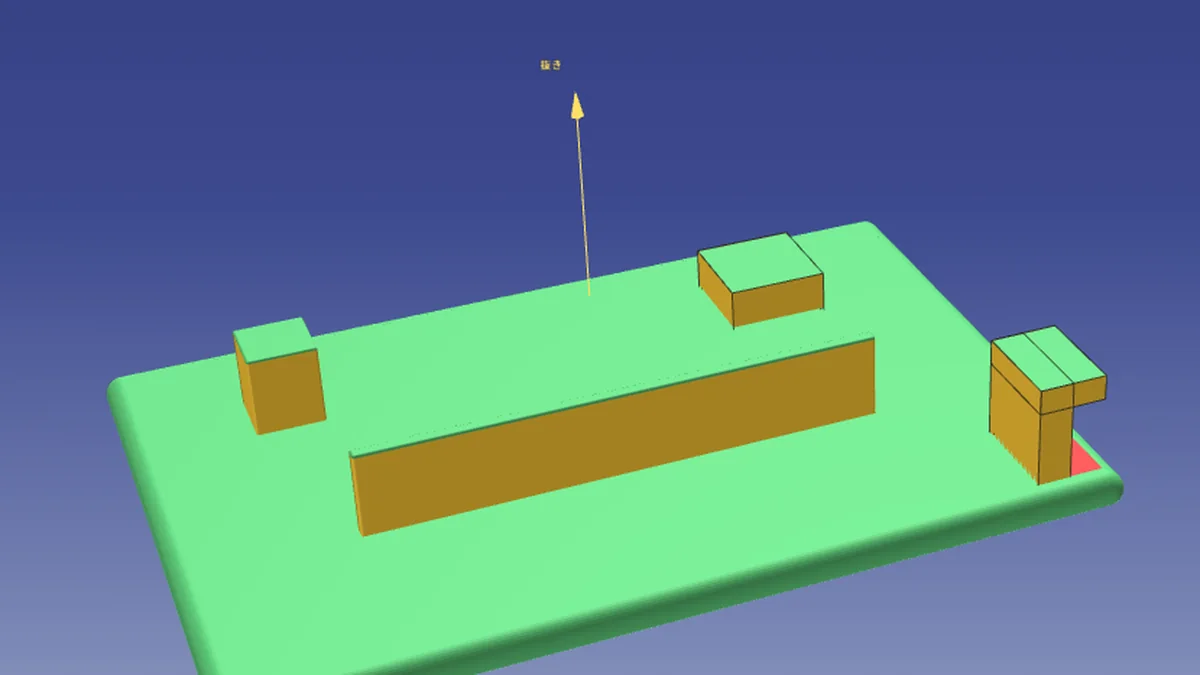
Draft angles / undercuts
Plastics / Molds

Draft angles / undercuts

Shows draft angles per face and shapes that cannot be released from the mold, by color and in a list.
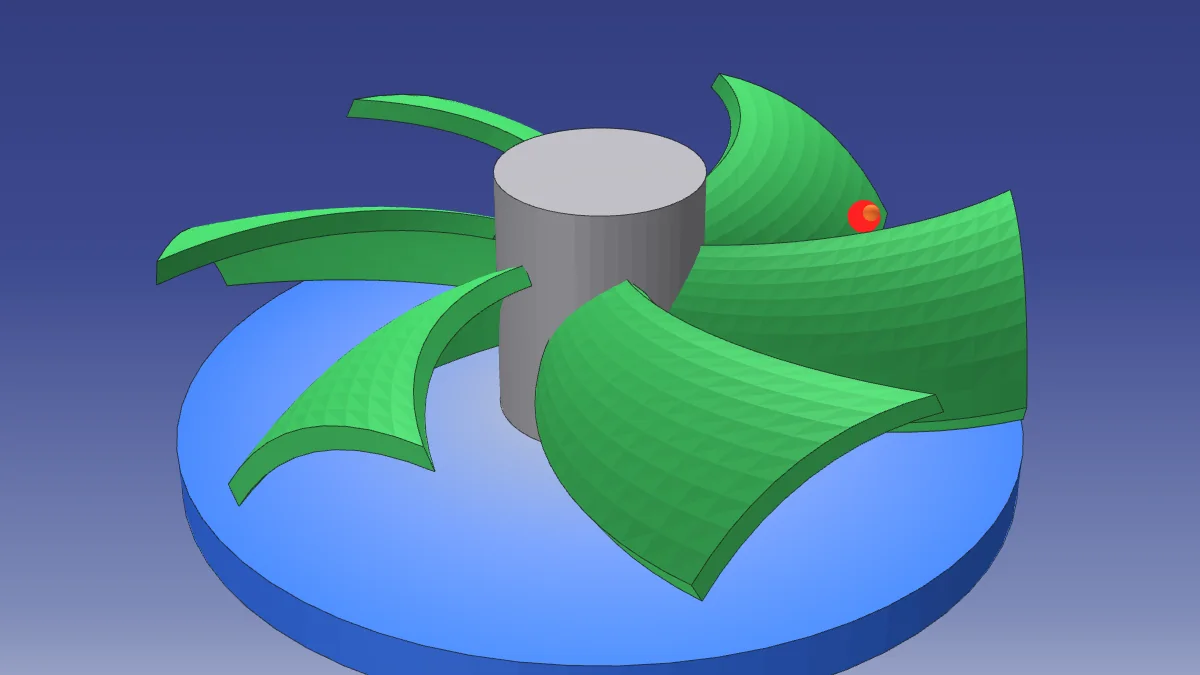
Wall thickness
Plastics / Molds

Wall thickness

Color-codes areas that are too thick or too thin and records the difference from the standard as numbers.
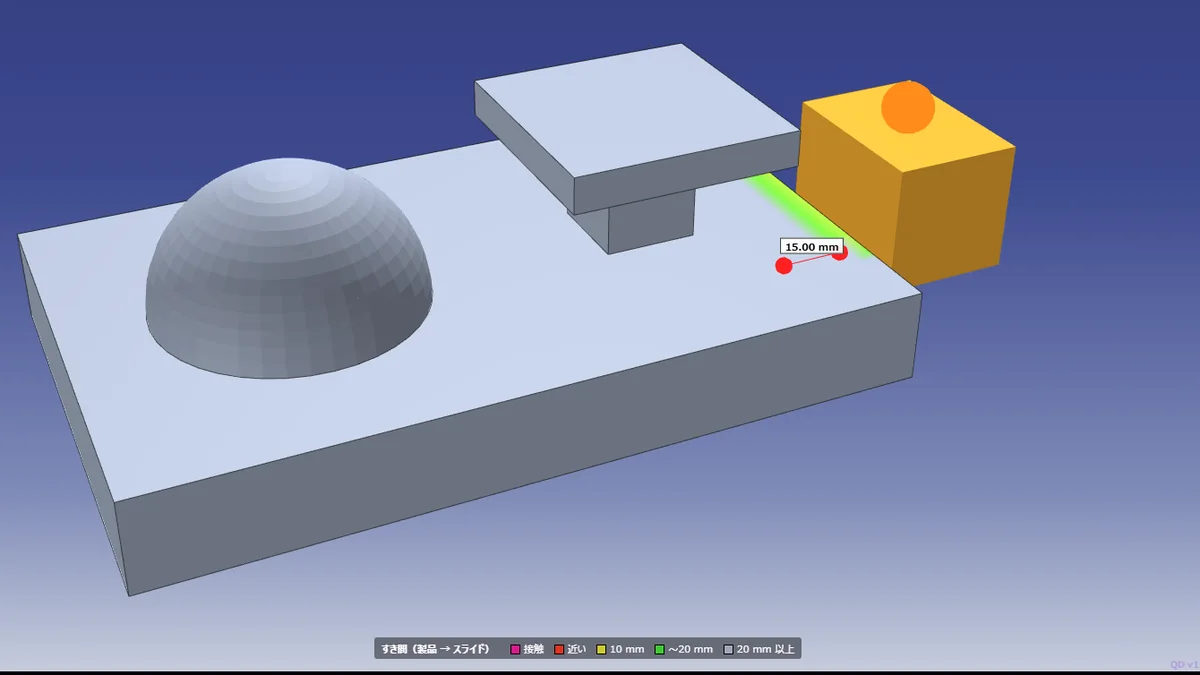
Clearance / interference
Assembly

Clearance / interference

Measures clearance and interference between parts and finds places that fall below the standard.
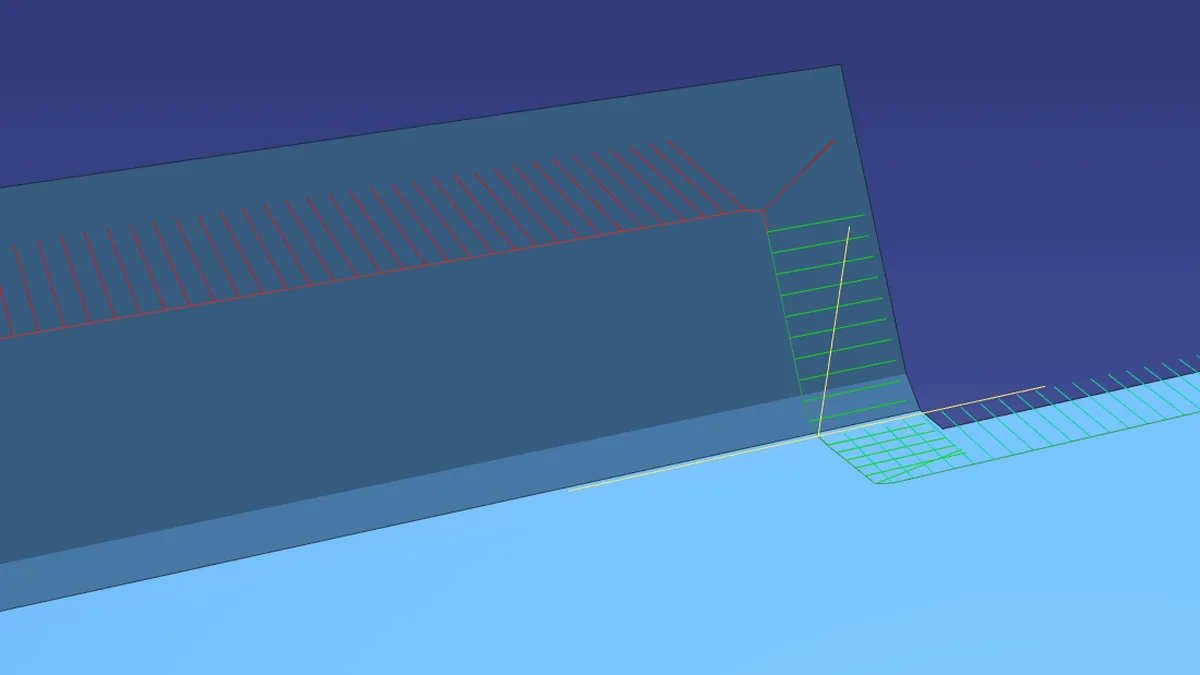
Trim conditions
Sheet metal

Trim conditions

Judges conditions such as sheet-metal trim-line angles against the standard.
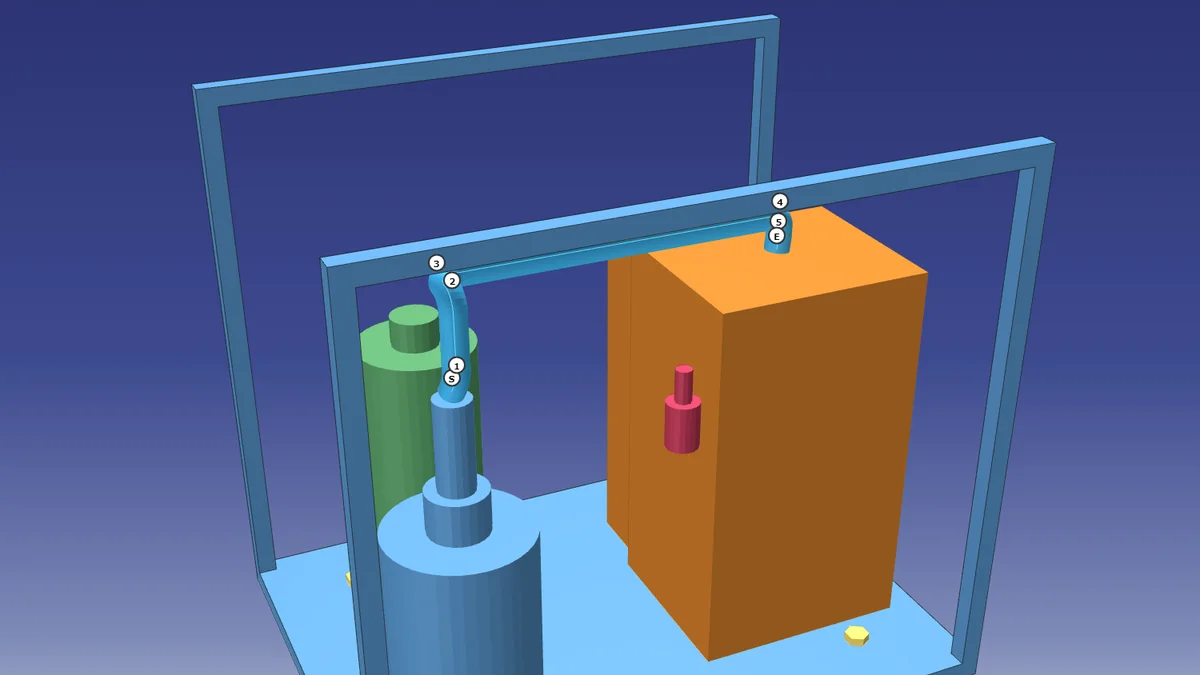
Harness routing
Wiring

Harness routing

Checks bend radii along the route, clearance to surroundings and distance from sharp edges.
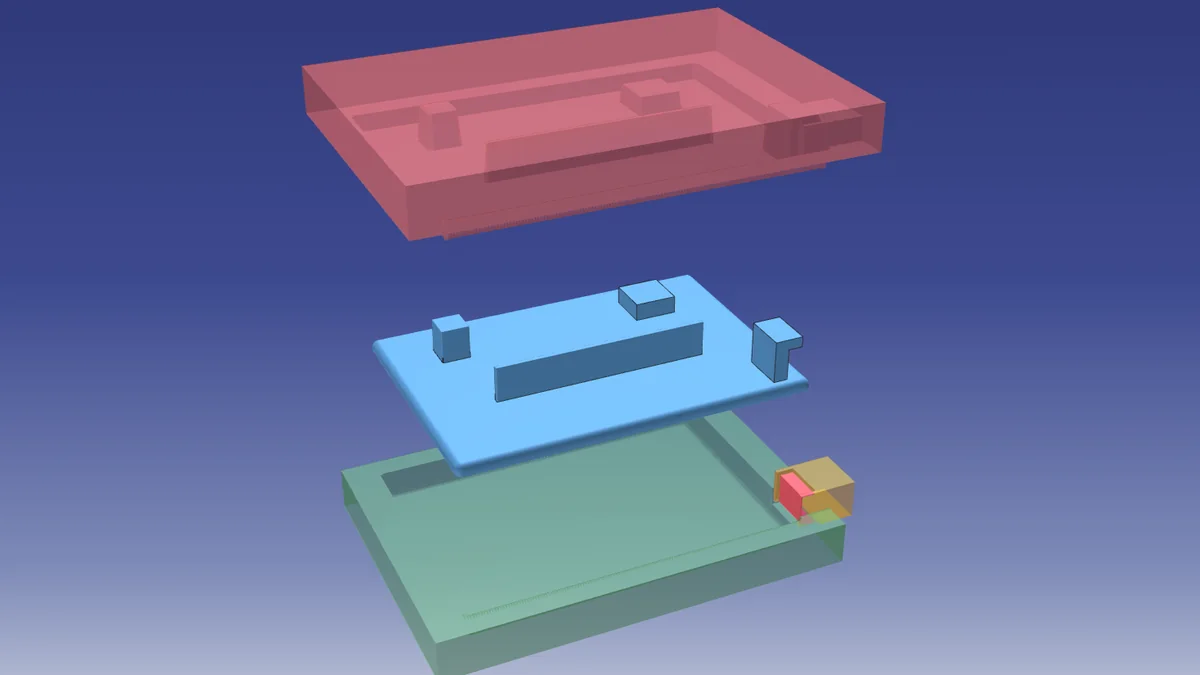
Mold concept check
Mold concept

Mold concept check

Verifies parting line, slide and lifter concepts from the shape.
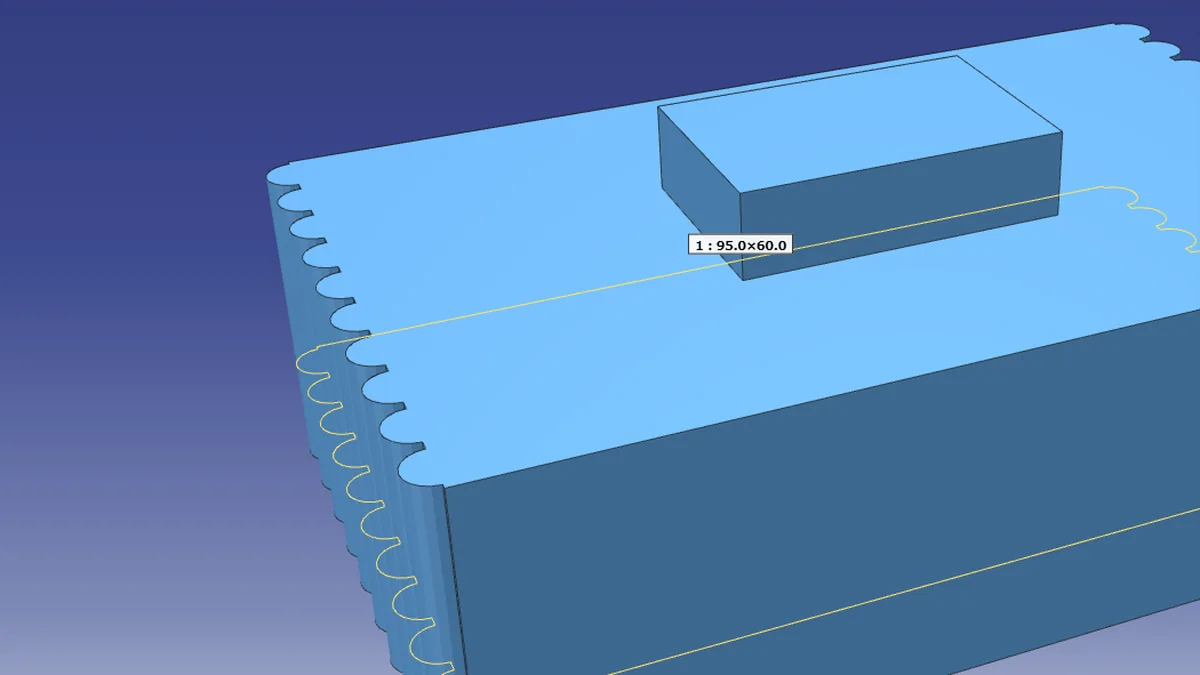
Section check
Sections

Section check

Cuts a section at any position and measures dimensions and clearance on the spot.
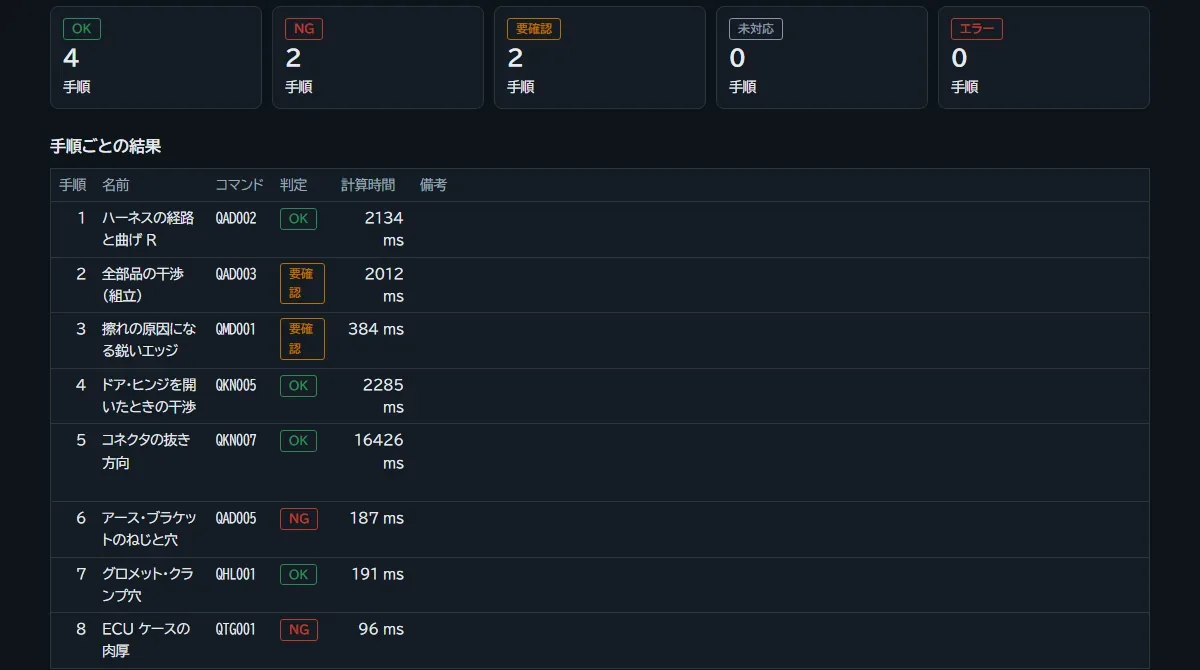
Keep the results
Reports

Keep the results

Results are kept as numbers, colors, lists and CSV, and are the same no matter who runs them.

Checks are added command by command. You can choose and use only the commands you need.

All images are screens under development, captured with sample shapes (fictitious data).
SCREENS

See the screens.

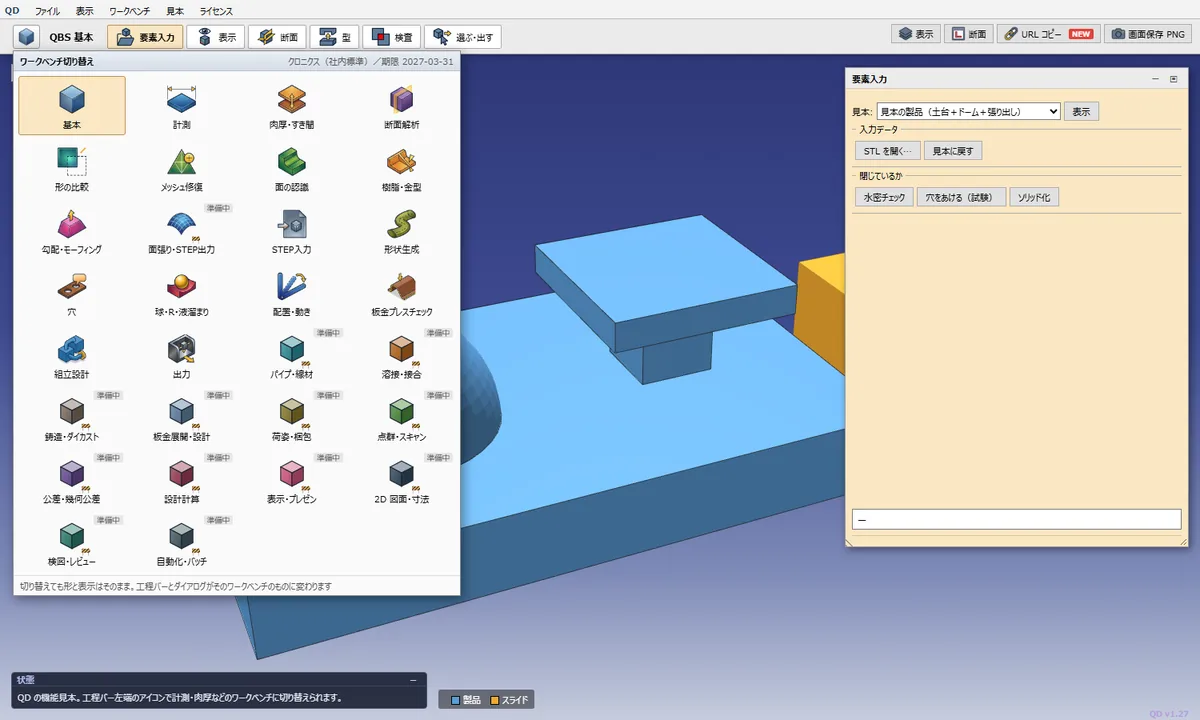
Workbench selection screen
Choose the checks you need by workbench (a set of related checks).
Screen of judgment results by step
Each step shows OK, NG or Review with its calculation time, and the value and criterion of every item are kept.

Screens under development, recorded with sample (fictitious) shapes.

SEE IT MOVE

See it move.

Draft angle check

Judges the draft of each face by color. Insufficient draft and undercuts are visible at a glance.

Draft × texture

Shows by color, face by face, the draft needed for the texture depth.

Wall thickness check

Color-codes areas that are too thick or too thin.

Clearance / interference

Measures clearance between parts and finds places below the standard.

Mold concept check

Opens slide → core → cavity in order to verify that the mold can release.

Section check

Cuts at any position to check inside the product and mold on the spot.

Screens under development, recorded with sample (fictitious) shapes.

▶ Also on YouTube (with sound, 30 s): Draft angle check / Wall thickness check / Automatic mold generation and mold opening

▶ Watch videos of every command (YouTube playlist, 164 videos)

MERITS

Benefits for you.

01

Lower development cost and time

Checks are built on QD, so you do not need an expensive CAD development and test environment. Reviews need only a browser.

02

Improvement never stalls

The computational foundation is in place, so new checks are added by combining existing parts. "No one to ask" and "waiting in line" become rare.

03

Your standards become buttons

Design standards and checklists are kept as settings. When a standard changes, just edit the settings. Anyone gets the same result.

04

Start without installing

It runs in a browser, so reviewers' PCs need no special setup.

05

By hand, in batch, or by AI

Run checks one by one on screen or together overnight. Results are kept as numbers and reports.

06

Your data stays inside

Calculations run on your own PC. Shape data is never sent to servers outside your company.

DEVELOPMENT DIARY

Development diary. We write as we build.

Read the whole development diary

HOW TO START

Start with one or two parts.

1. Lend us samples

We borrow one or two parts and your current judgment criteria (checklists or internal standards).

2. Run in QD and compare

We run the checks in QD and compare them with your current method in numbers.

3. Choose the path

You choose between building to your company's standards or using the standard functions.

StatusIn development. We accept requests for a trial and for early evaluation using your parts.
EnvironmentRuns in a browser (also available in a no-install form). Shapes exchanged via STEP / STL
Unit of supplyPer check command. Choose and use only what you need
PricePlease contact us

FAQ

FAQ.

What shape data can it read?STEP and STL. Shapes exported from your usual 3D CAD are read as they are
Do I need to install anything?It runs in a browser. A no-install version is also available
Does shape data leave our company?Calculations run on your own PC. Shape data is never sent to servers outside your company
Can it follow our own standards?Yes. Design standards and checklists are kept as settings (procedures and judgment criteria), not code
Is there a trial version?Yes. After a consultation we provide a time-limited trial. We can also run an early evaluation together with one or two of your parts
What does it cost?It depends on the number of checks and the period, so please contact us

Consult us
about a trial.

Tell us about one or two parts and your current judgment criteria. We start by running them in QD and comparing with your current method in numbers.

Consult us about a trial